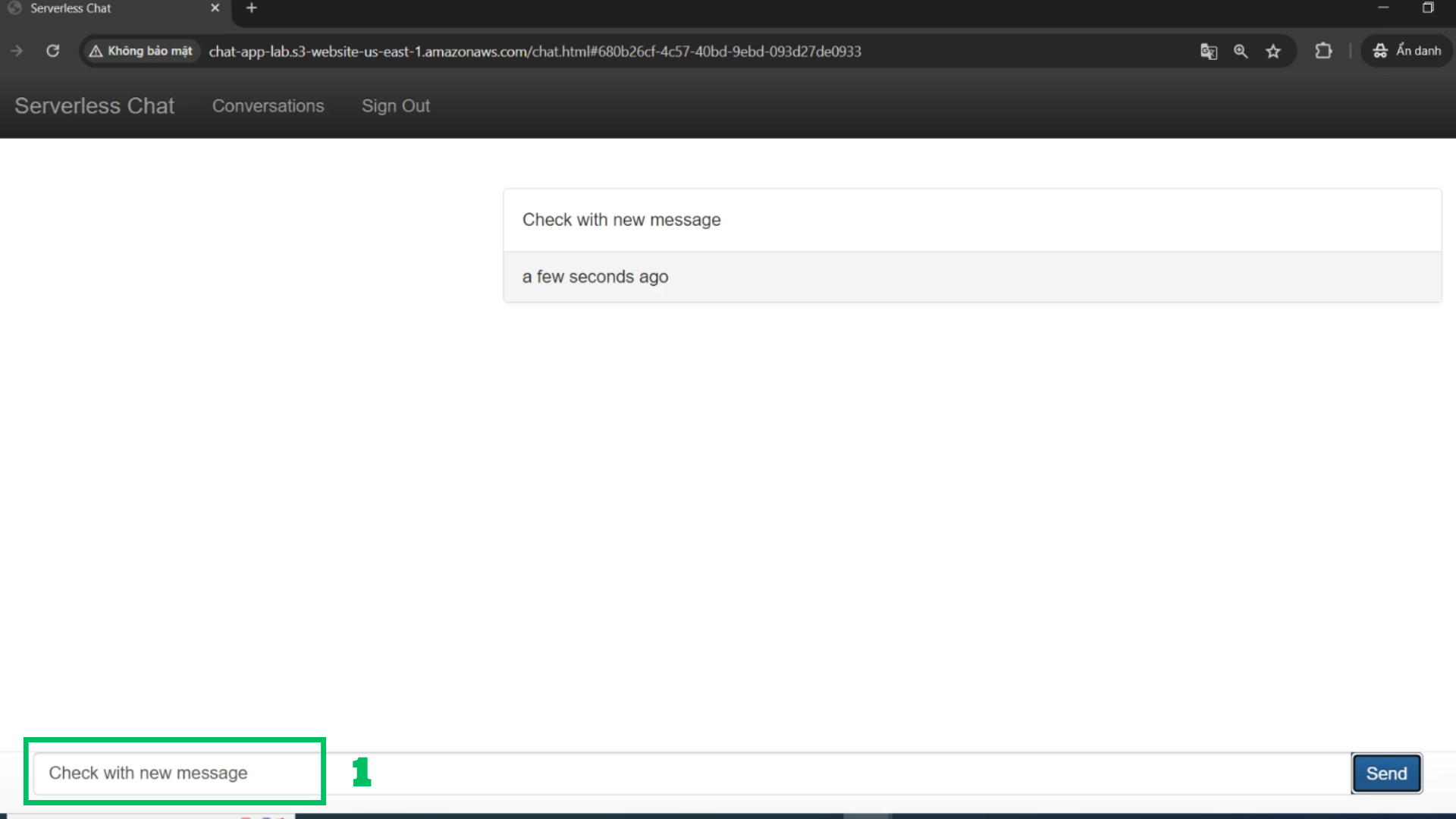
Create a new conversation
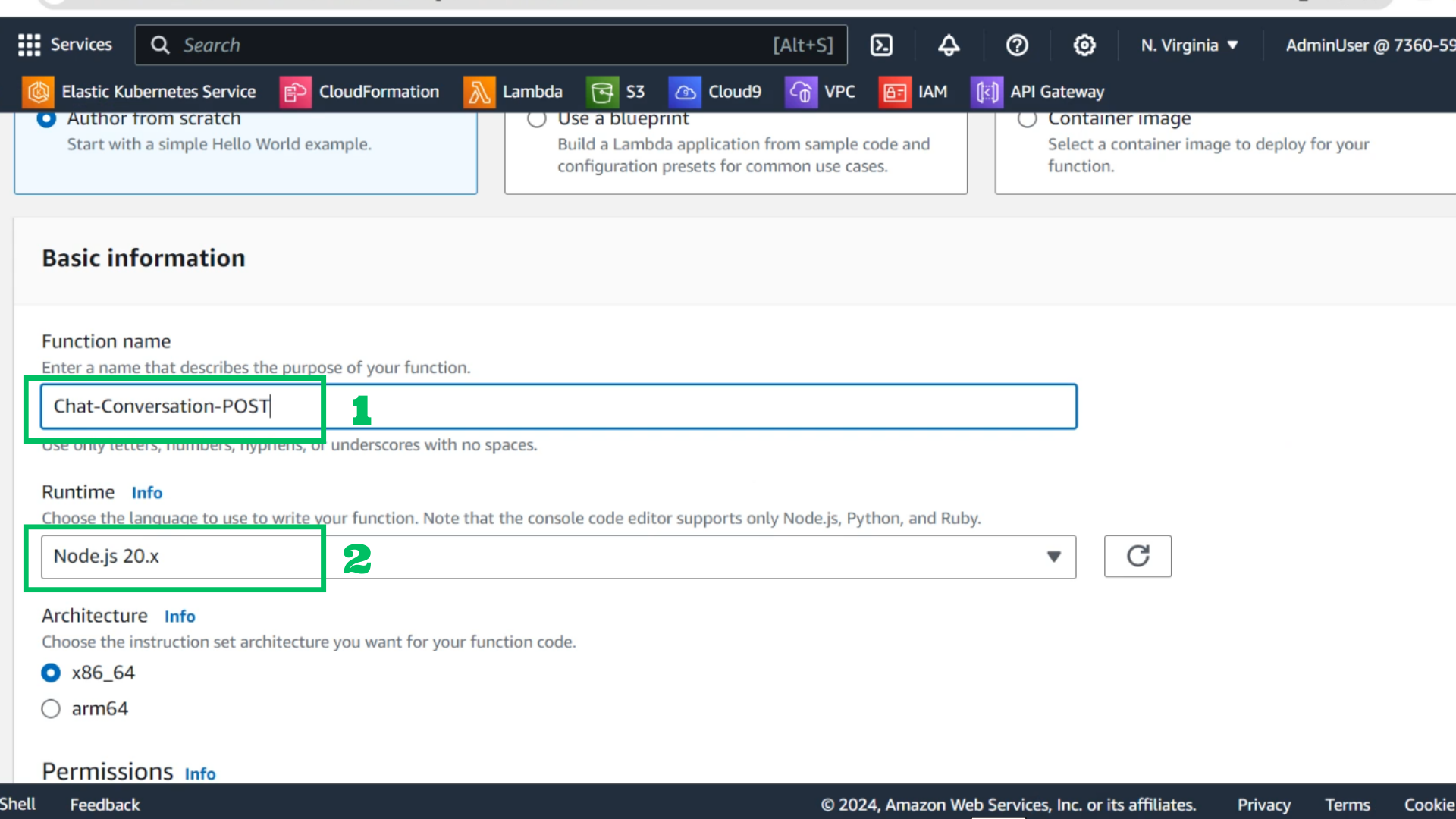
- At Lambda fuction
- Choose create function
- Function name: Chat-Conversation-POST
- Runtime: Node.js 18.x or Node.js 20.x
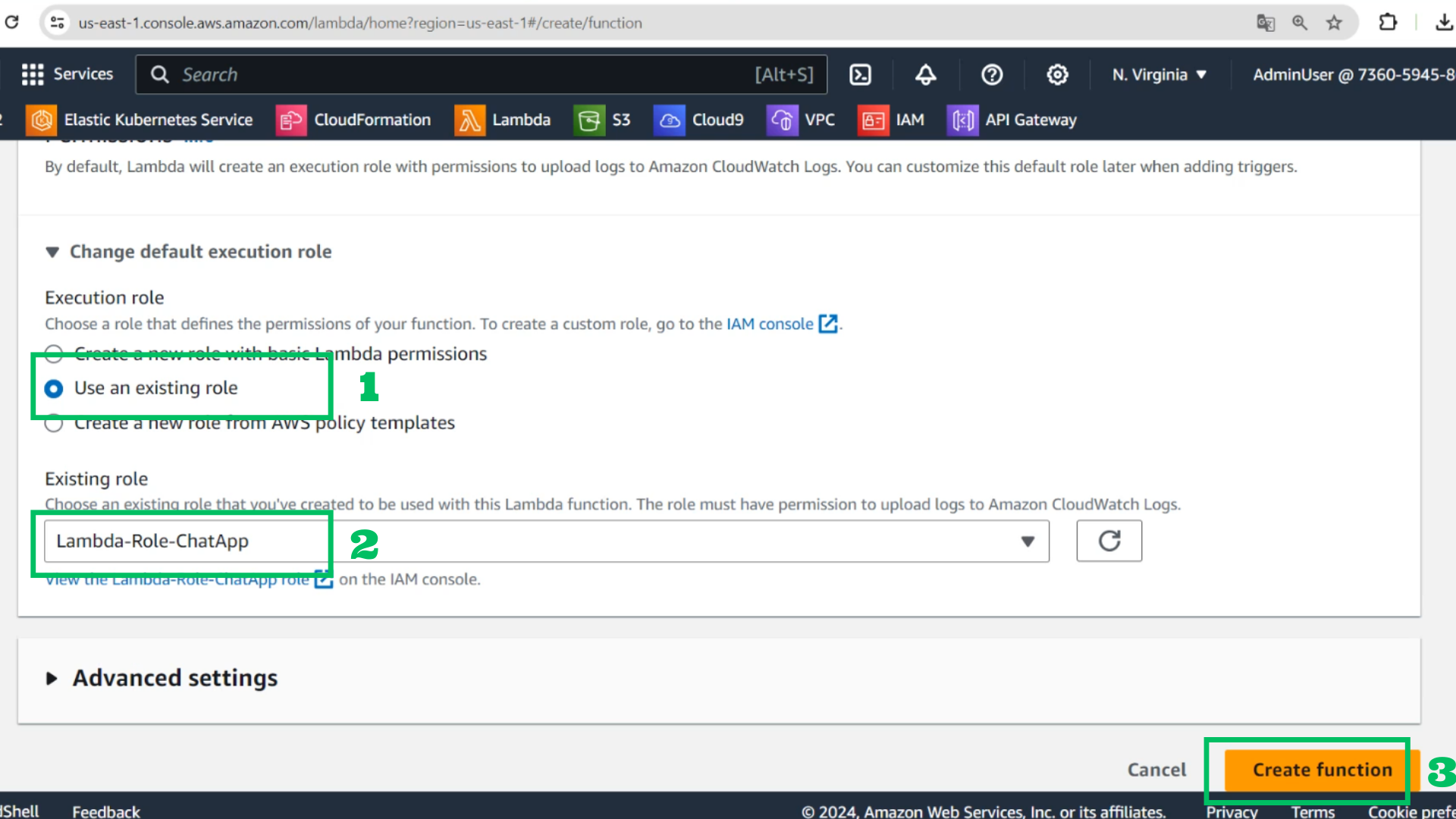
- Use an existing role: Lambda-Role-ChatApp
- Choose Create function
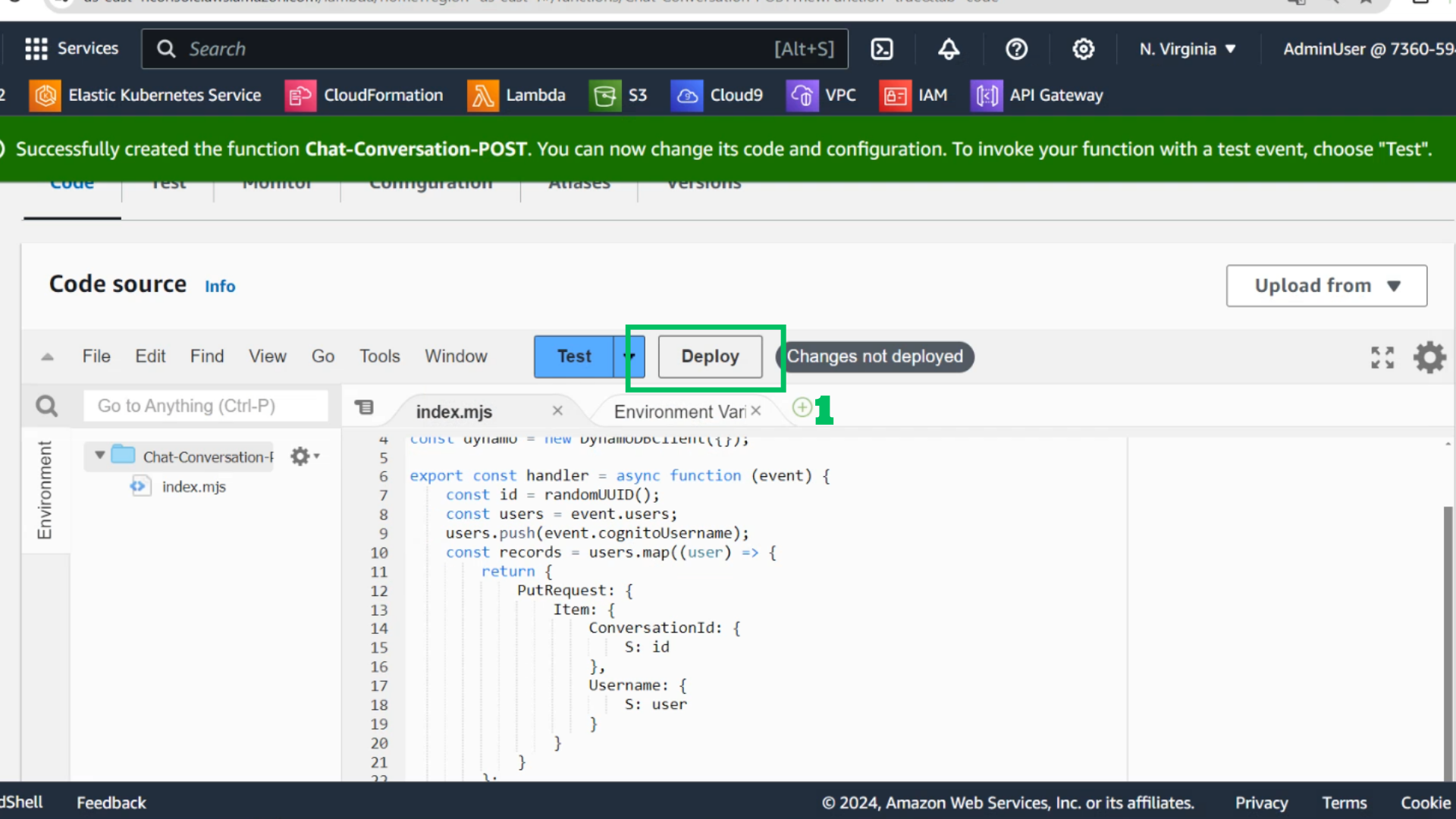
- Copy code and paste it
import { randomUUID } from 'node:crypto';
import {BatchWriteItemCommand, DynamoDBClient} from '@aws-sdk/client-dynamodb';

const dynamo = new DynamoDBClient({});

export const handler = async function (event) {
    const id = randomUUID();
    const users = event.users;
    users.push(event.cognitoUsername);
    const records = users.map((user) => {
        return {
            PutRequest: {
                Item: {
                    ConversationId: {
                        S: id
                    },
                    Username: {
                        S: user
                    }
                }
            }
        };
    });

    await dynamo.send(new BatchWriteItemCommand({
        RequestItems: {
            'Chat-Conversations': records
        }
    }));

    return id;
};
- Choose deploy
- At API interface
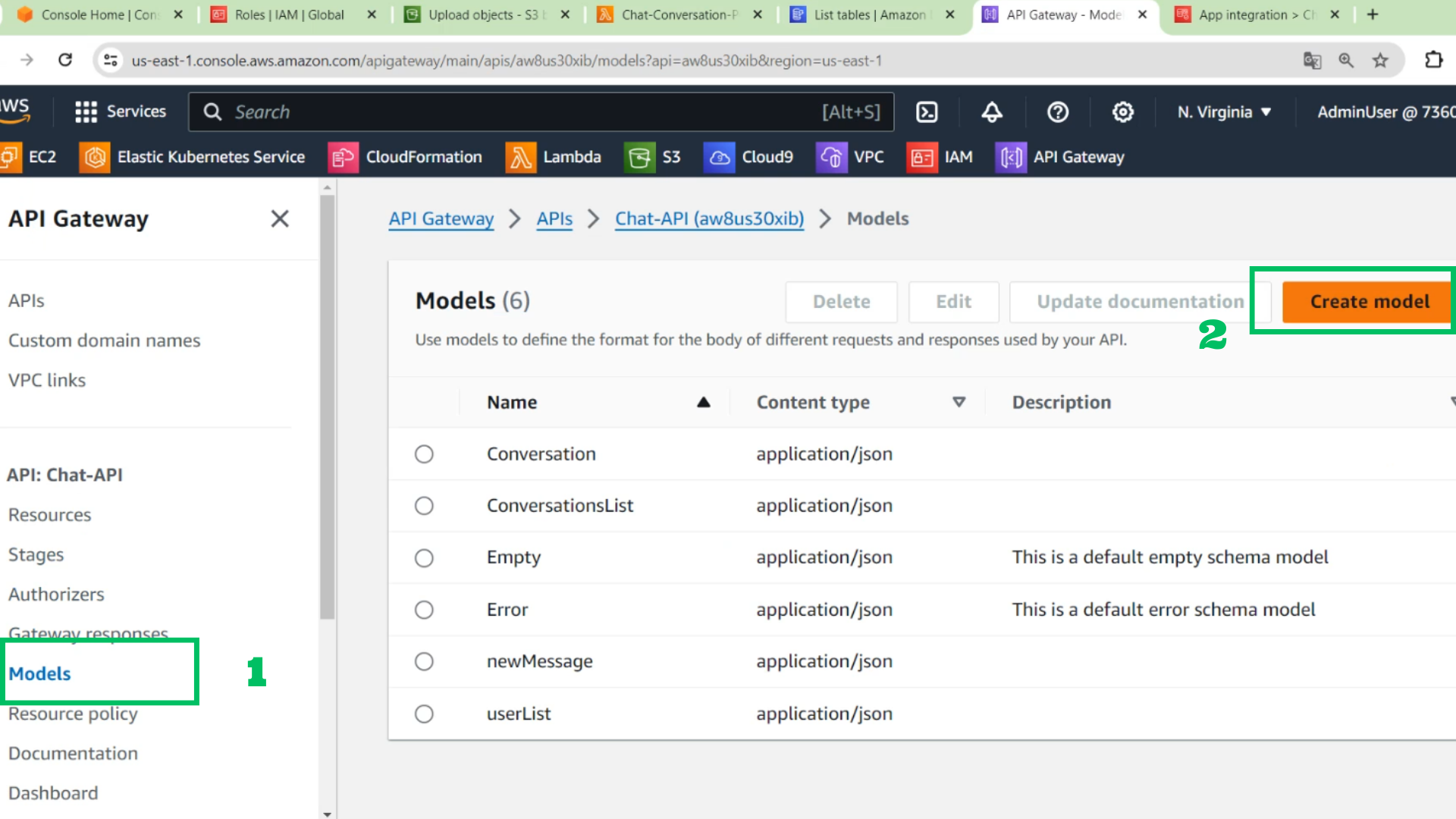
- Choose Models
- Choose Create model
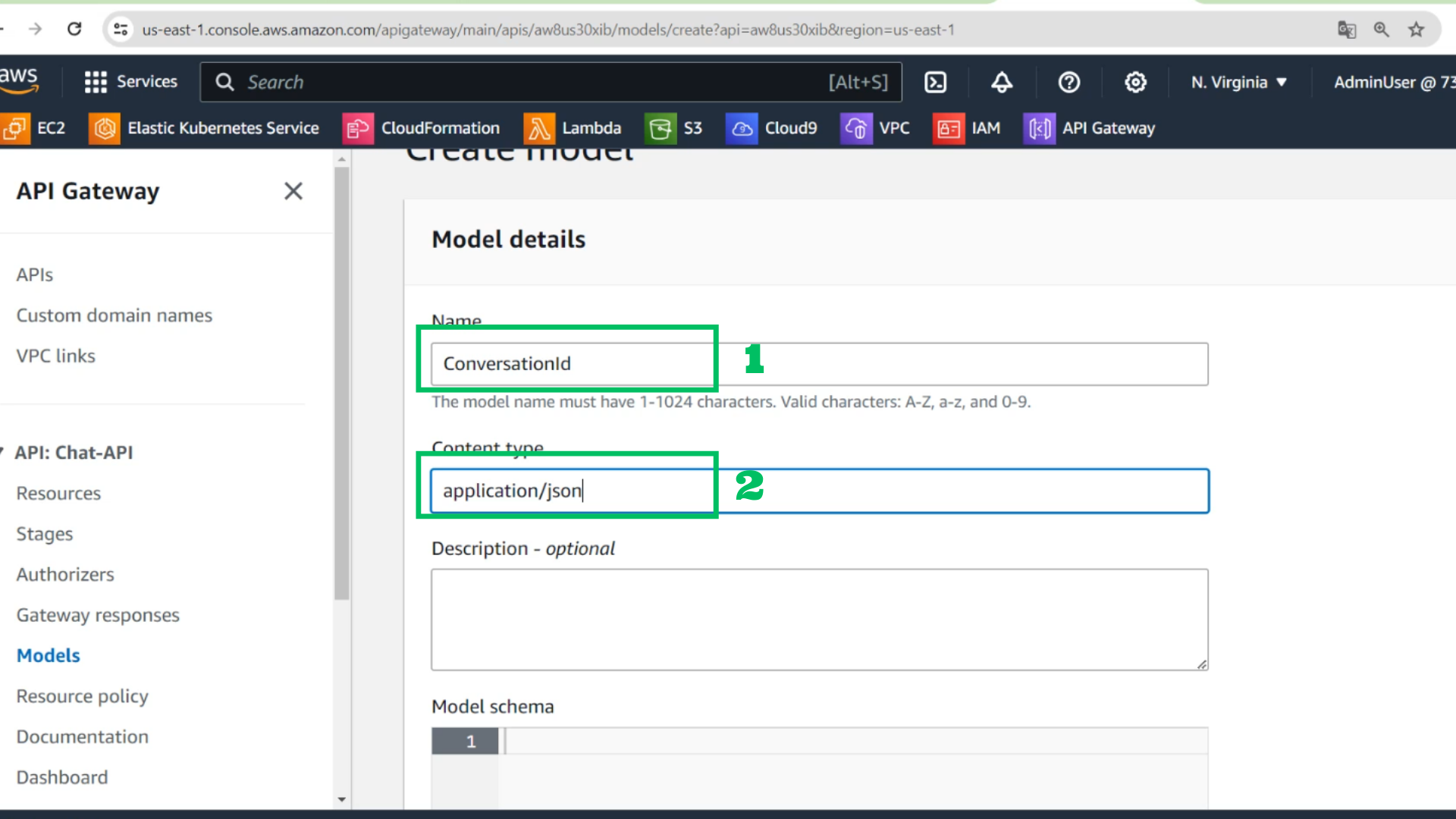
- At model details interface
- Name: ConversationId
- Content type: application/json
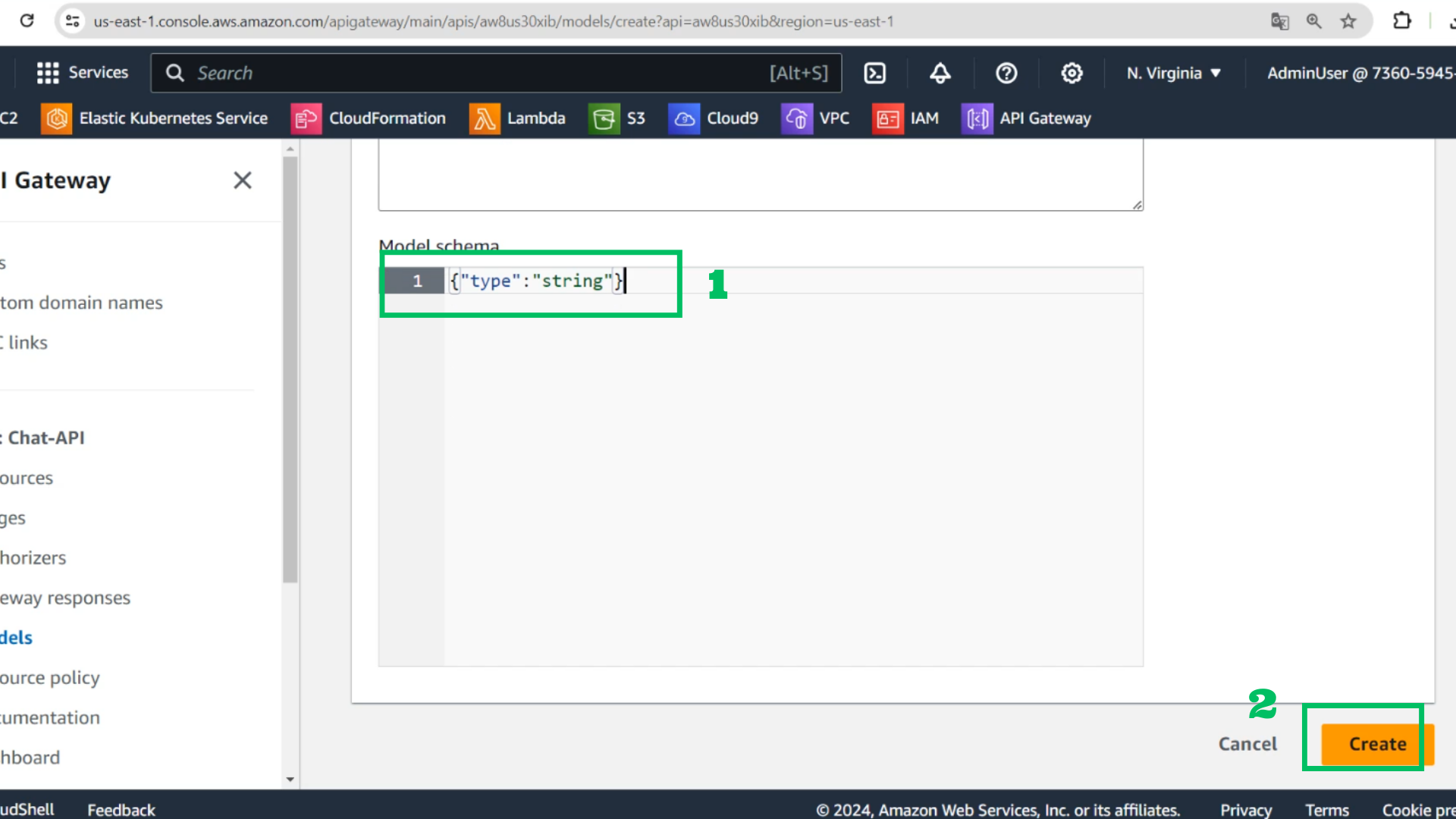
- Model schema
{"type": "string"}
- Choose Create
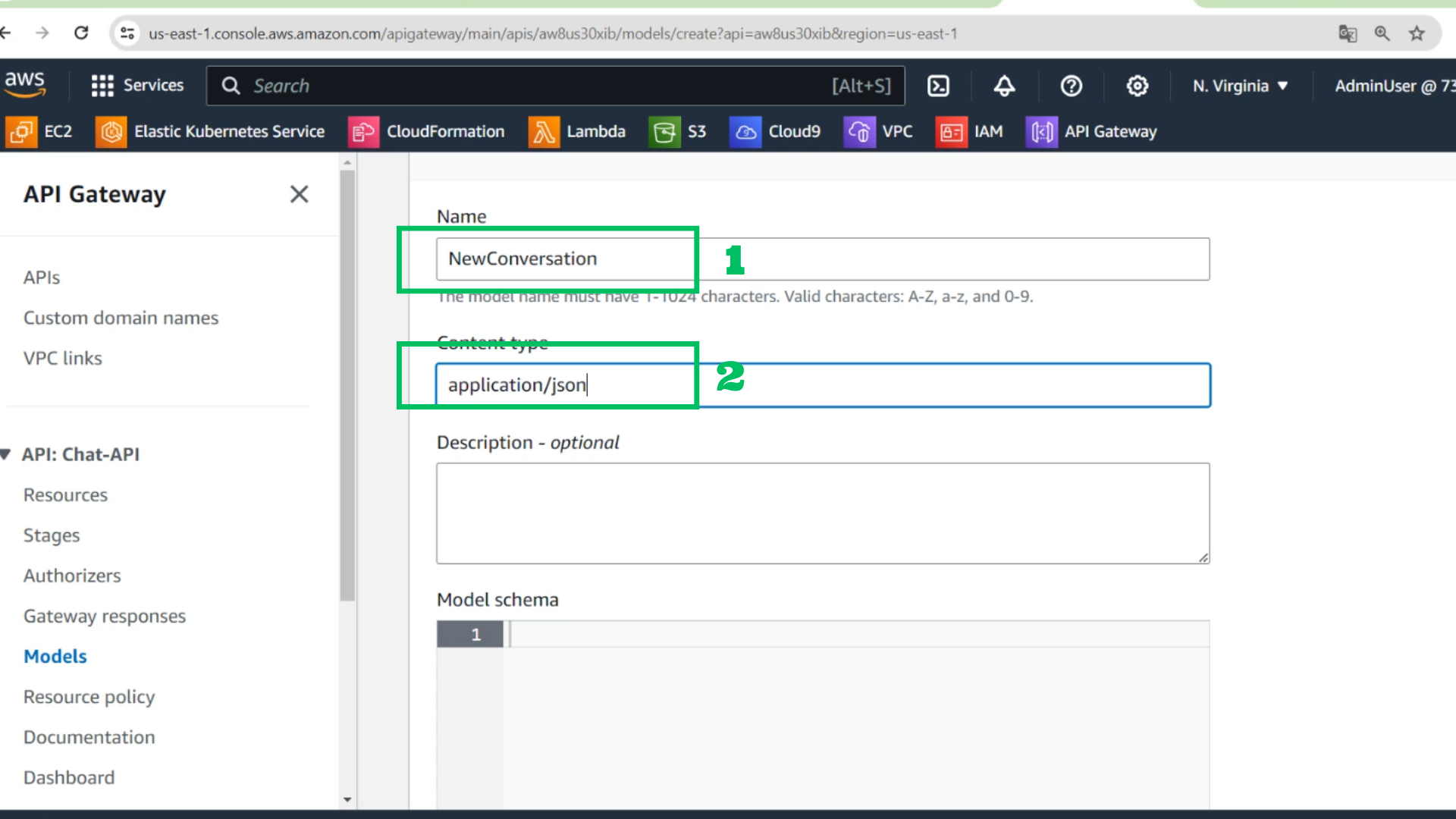
- At model details interface
- Name: NewConversation
- Content type: application/json
- Model schema
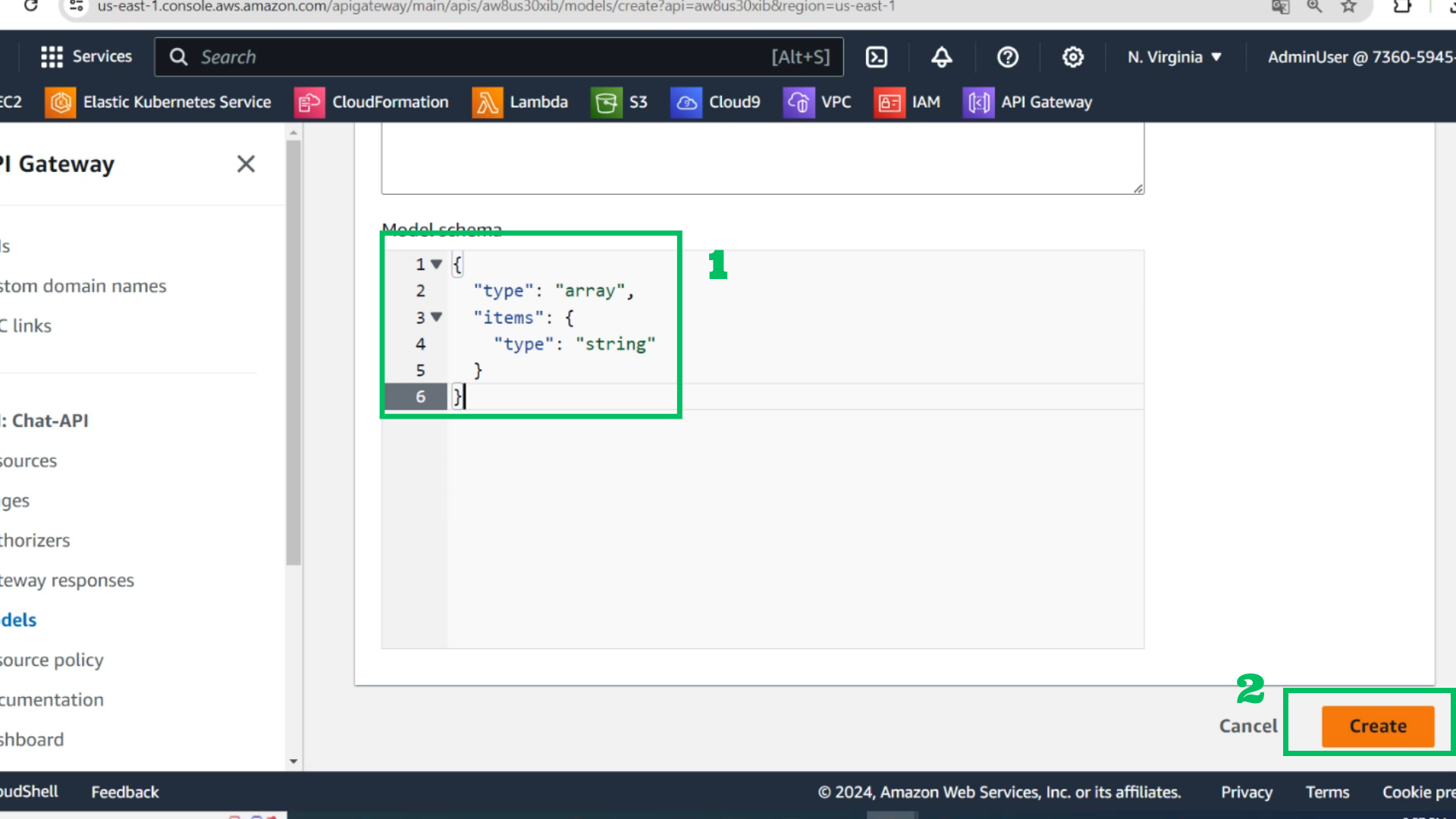
{
  "type": "array",
  "items": {
    "type": "string"
  }
}
- Choose Create
- At API gateway
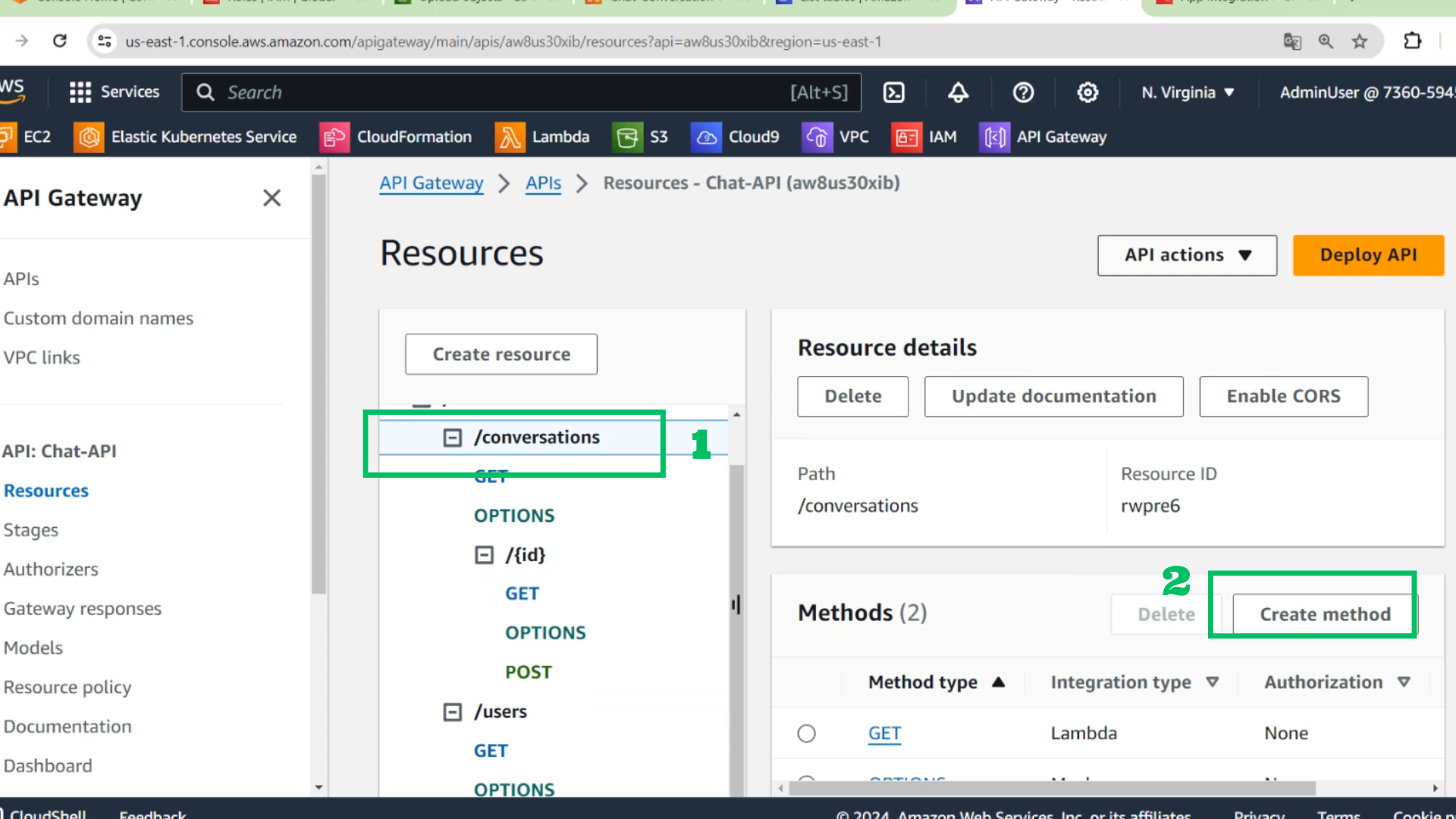
- Choose /conversations
- Choose Create method
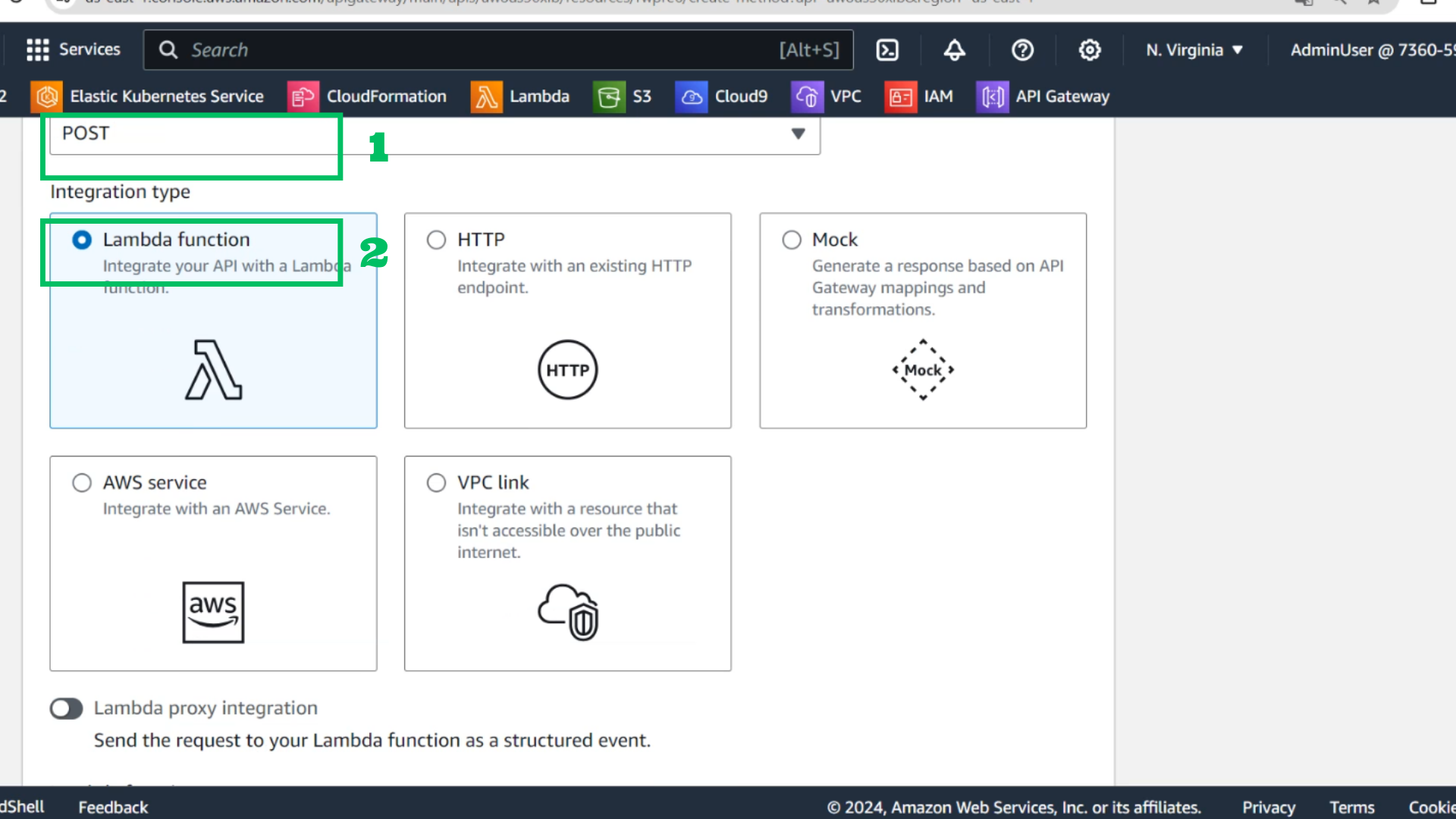
- Choose POST
- Choose Lambda function
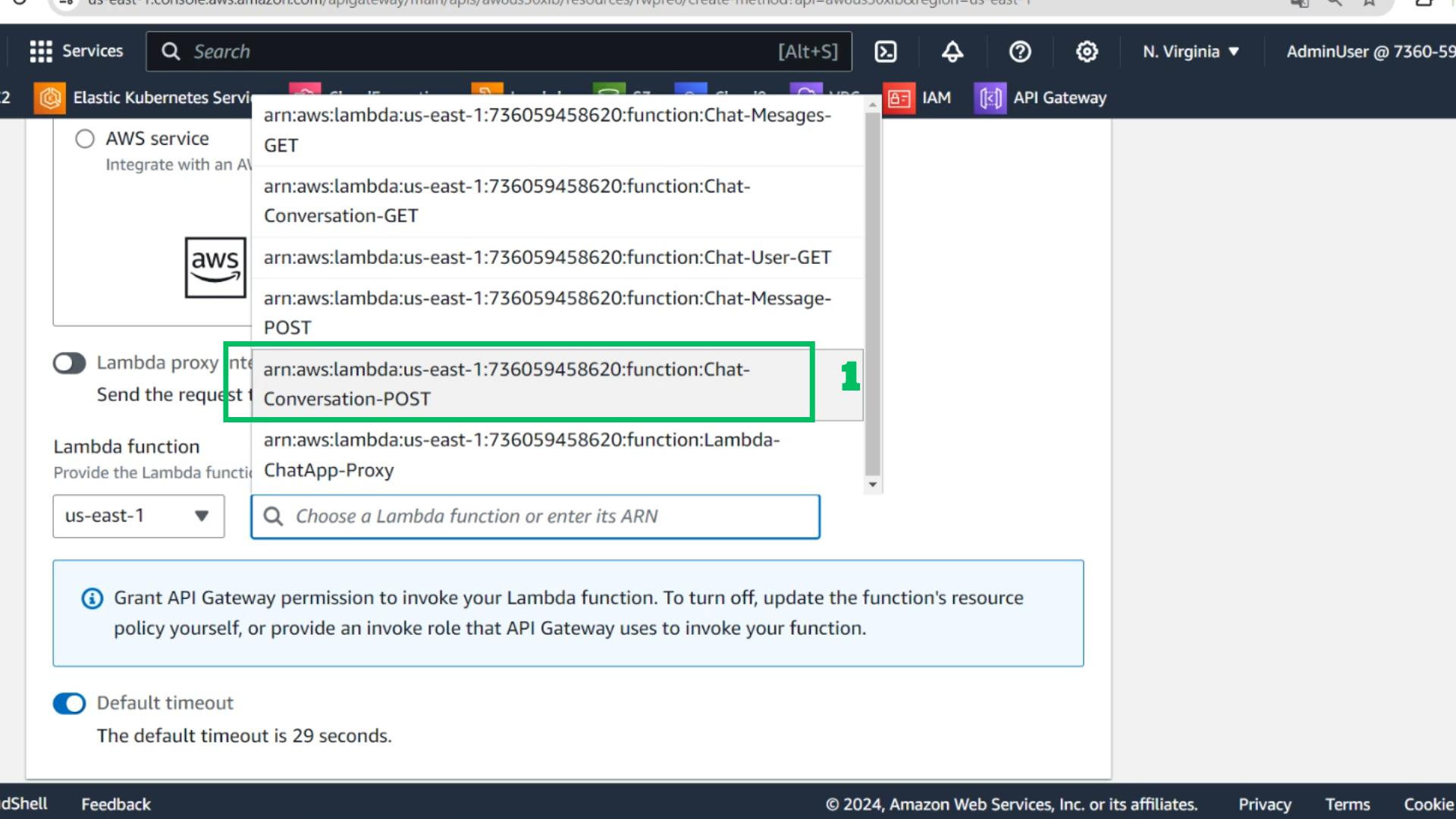
- Choose Lambda function : Chat-Conversation-POST
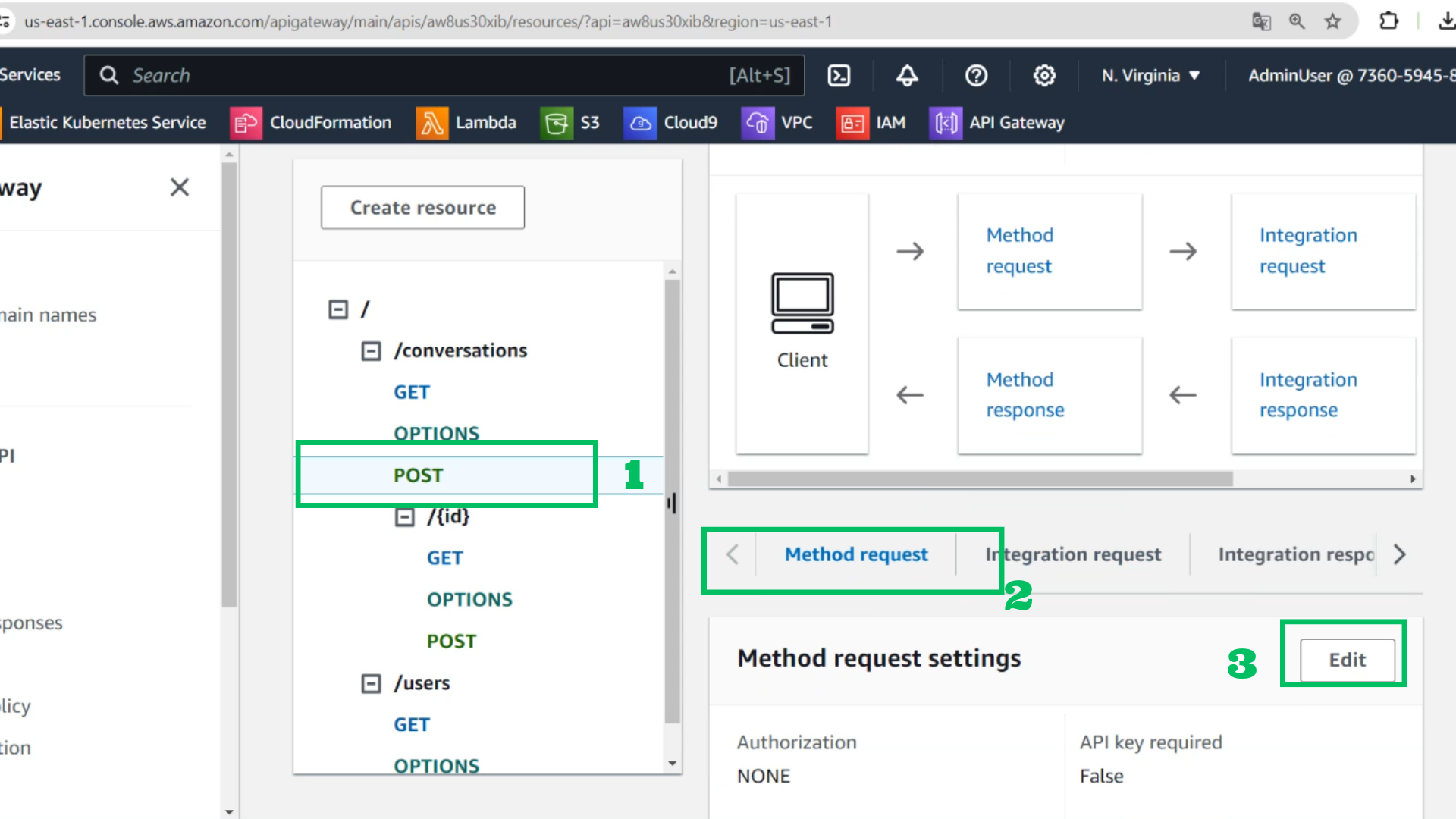
- Choose POST method in /conversations
- Choose Method request
- Choose Edit
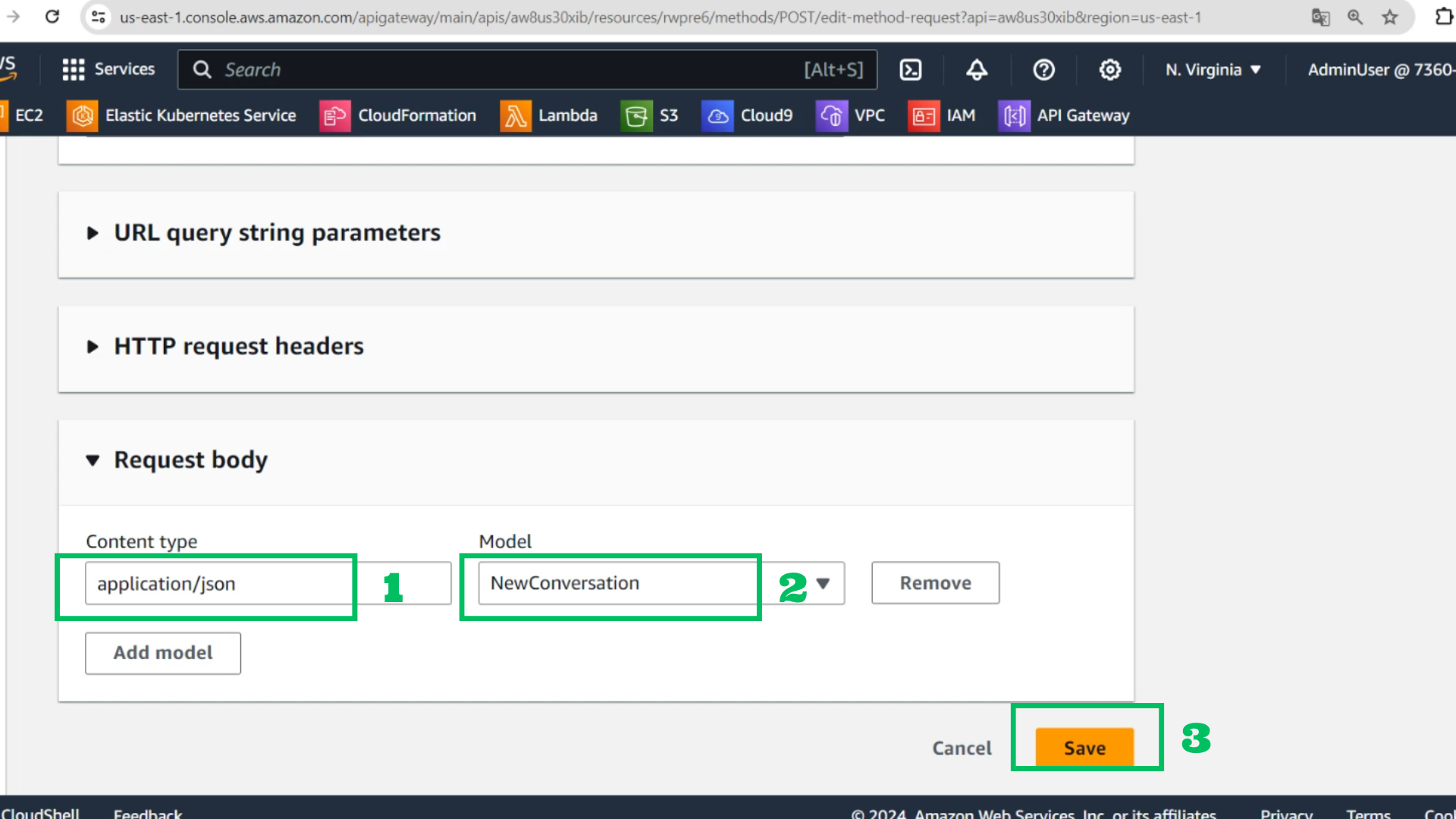
- At Request body
- Content type: application/json
- Model: NewConversation
- Choose Save
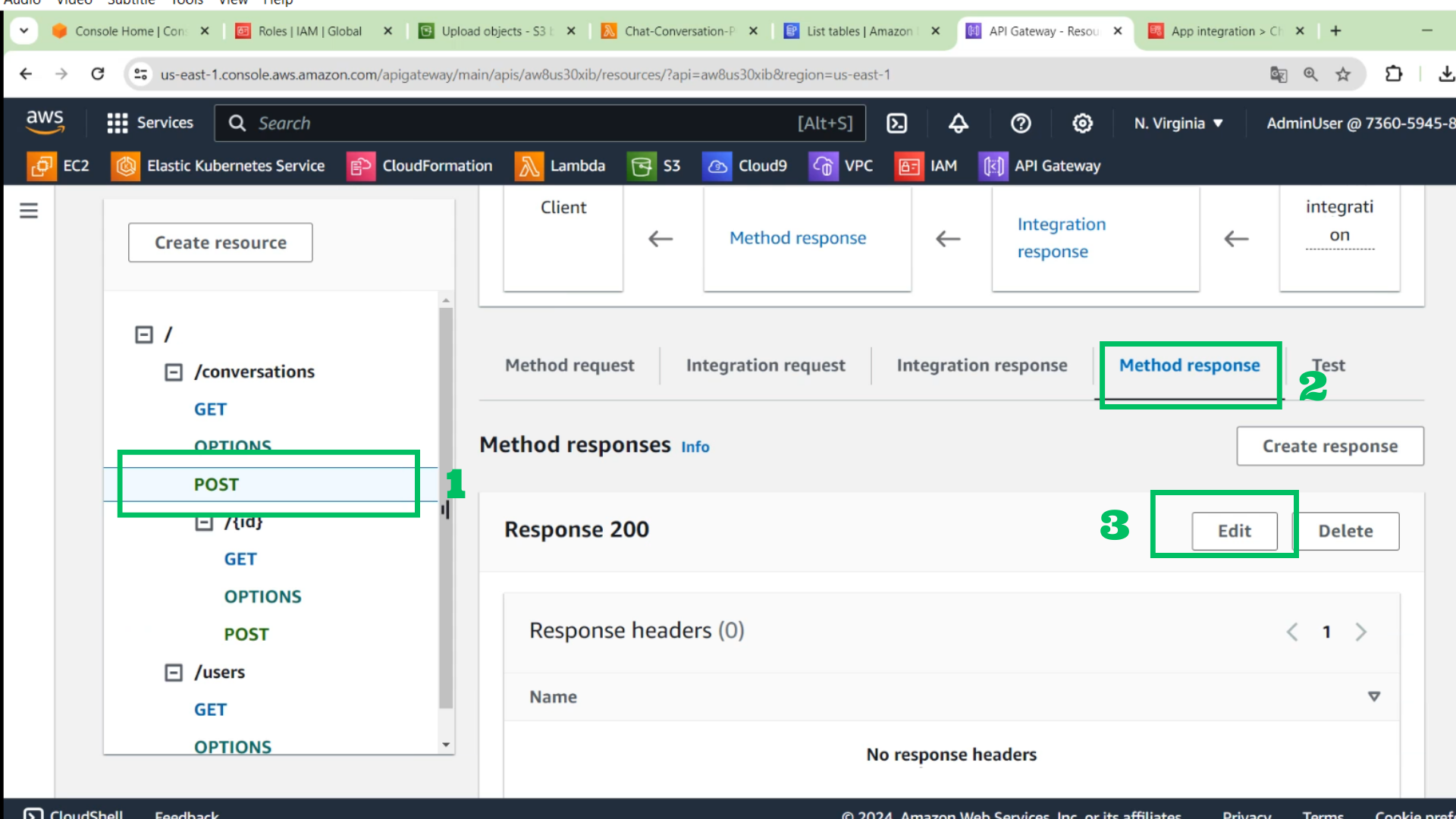
- Choose POST method in /conversations
- Choose Method response
- Choose Edit
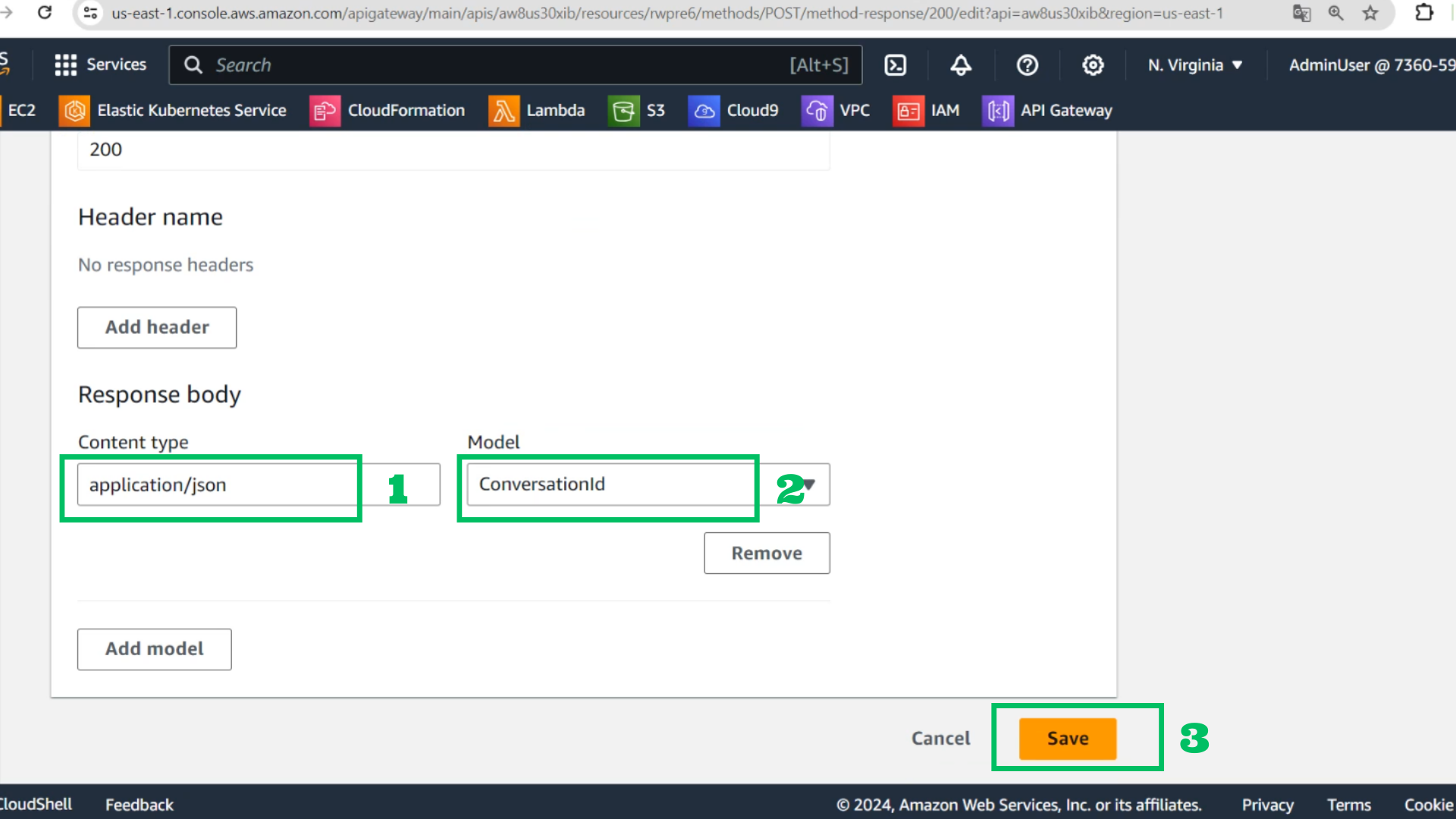
- At Request body
- Content type: application/json
- Model: ConversationId
- Choose Save
- Choose POST method in /conversations
- Choose Integration request
- Choose Edit
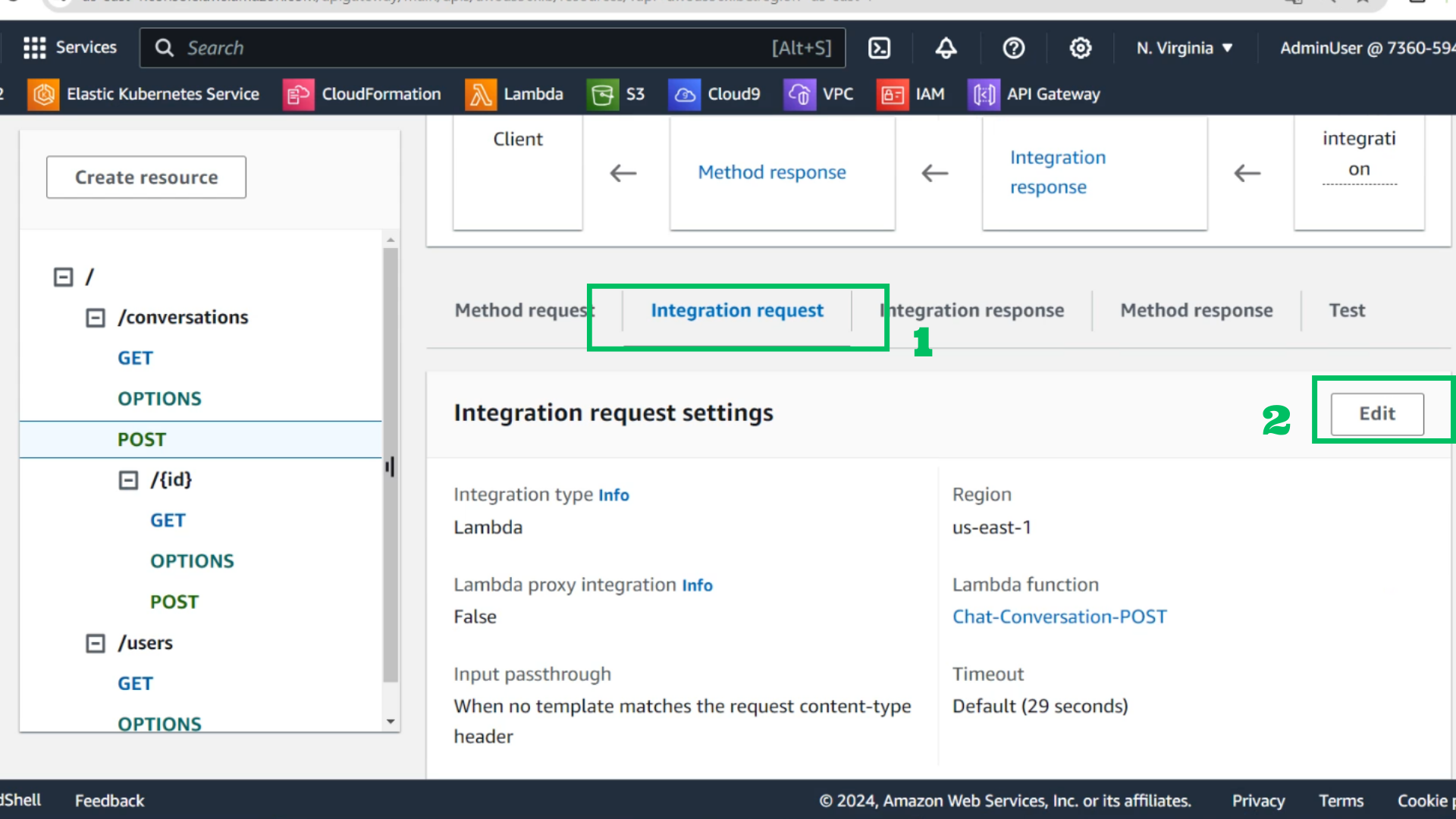
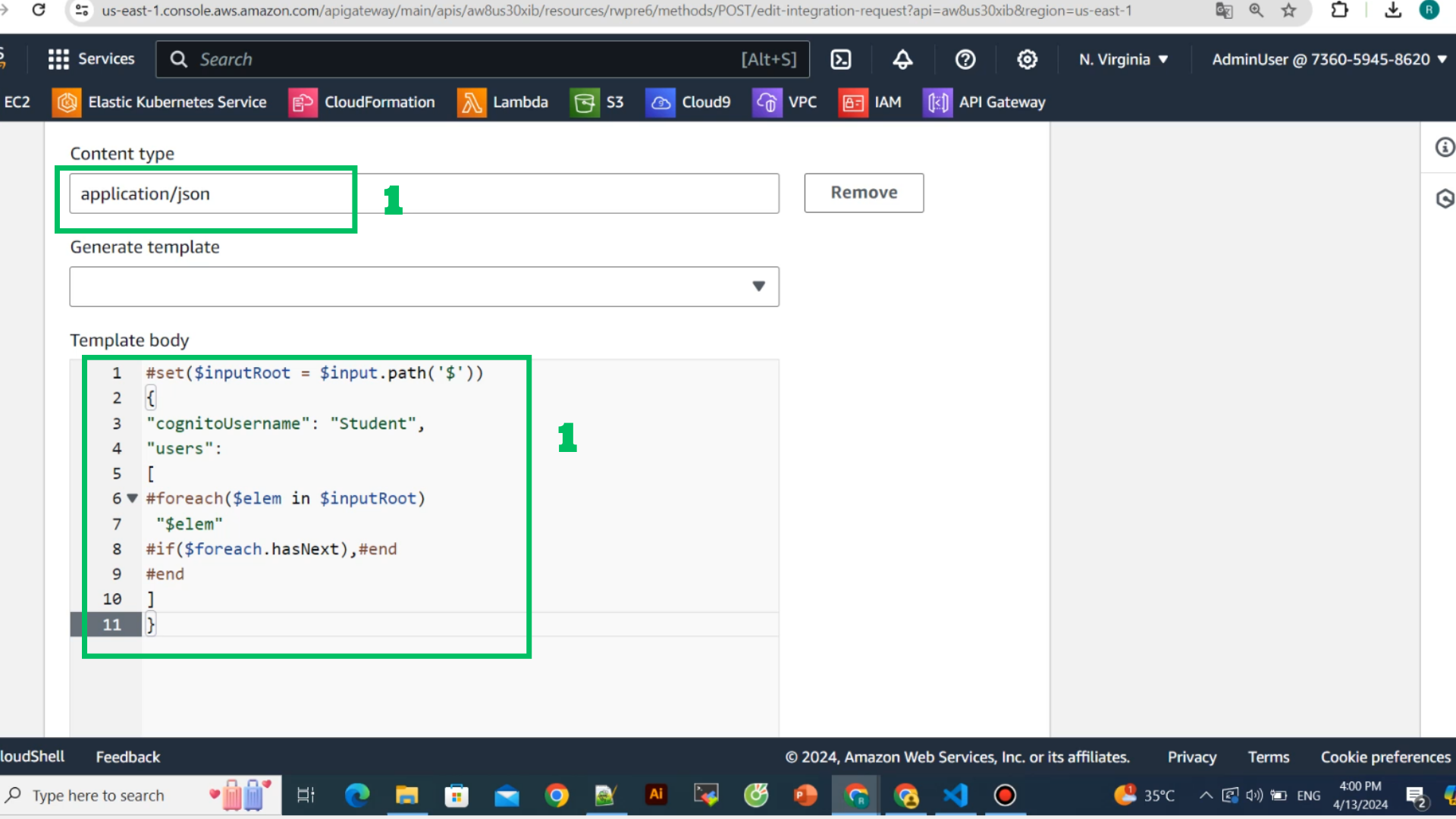
- Content type: application/json
- Template body
#set($inputRoot = $input.path('$'))
{
"cognitoUsername": "Student",
"users":
[
#foreach($elem in $inputRoot)
 "$elem"
#if($foreach.hasNext),#end
#end
]
}
- Choose Save
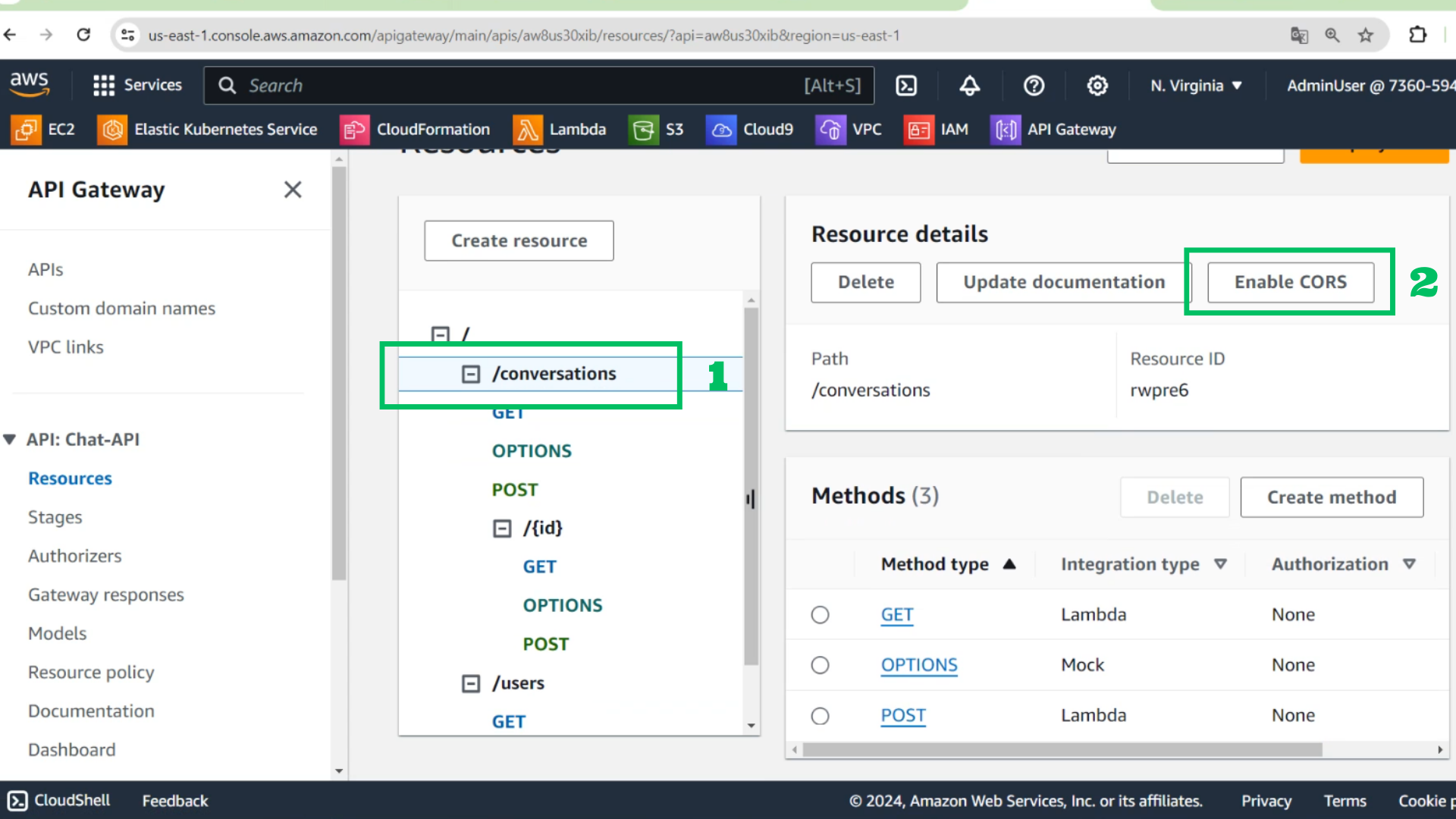
- Choose /conversations
- Choose Enable CORS
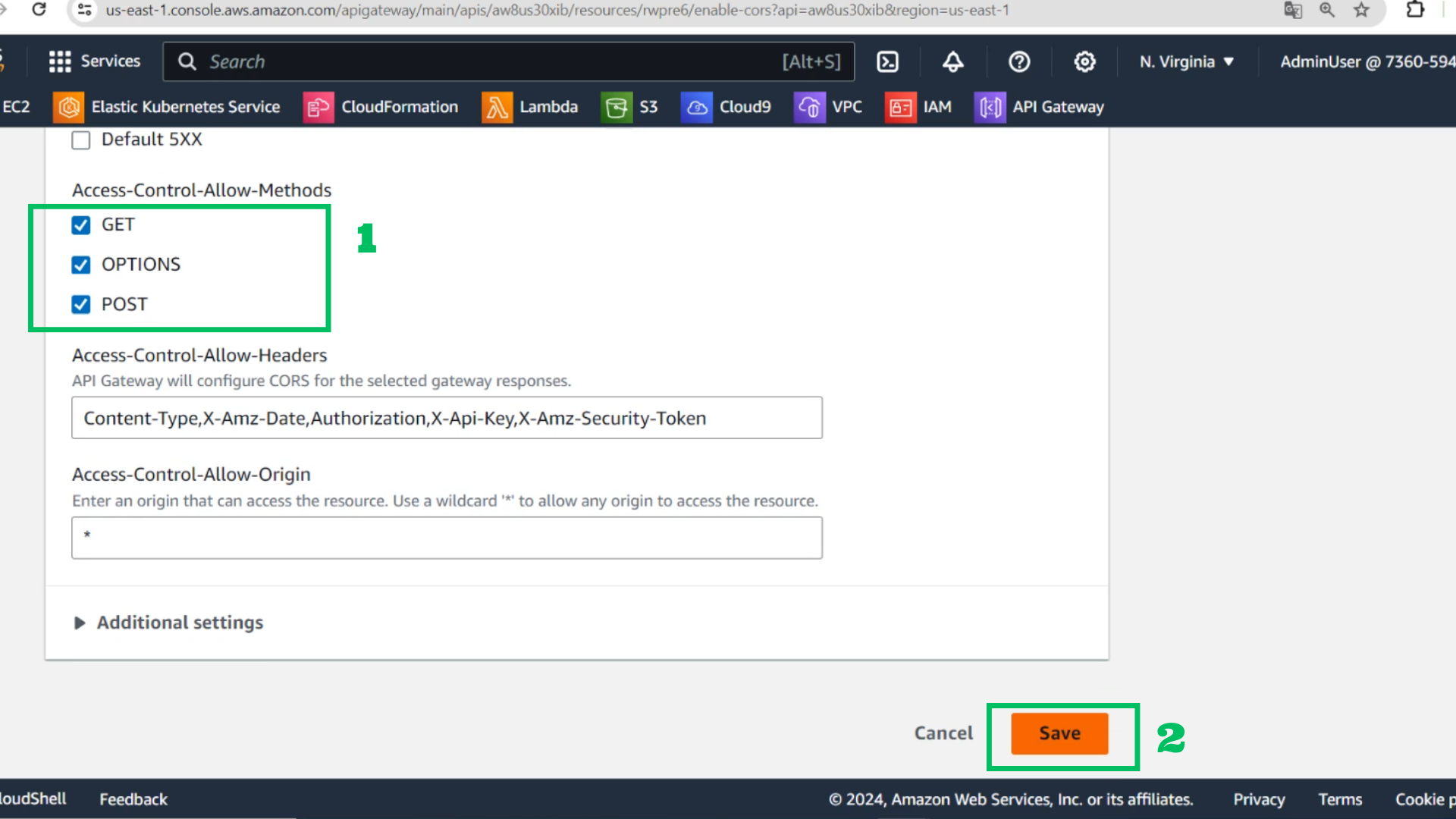
- Choose GET
- Choose OPTIONS
- Choose POST
- Choose Save
- At API Gateway
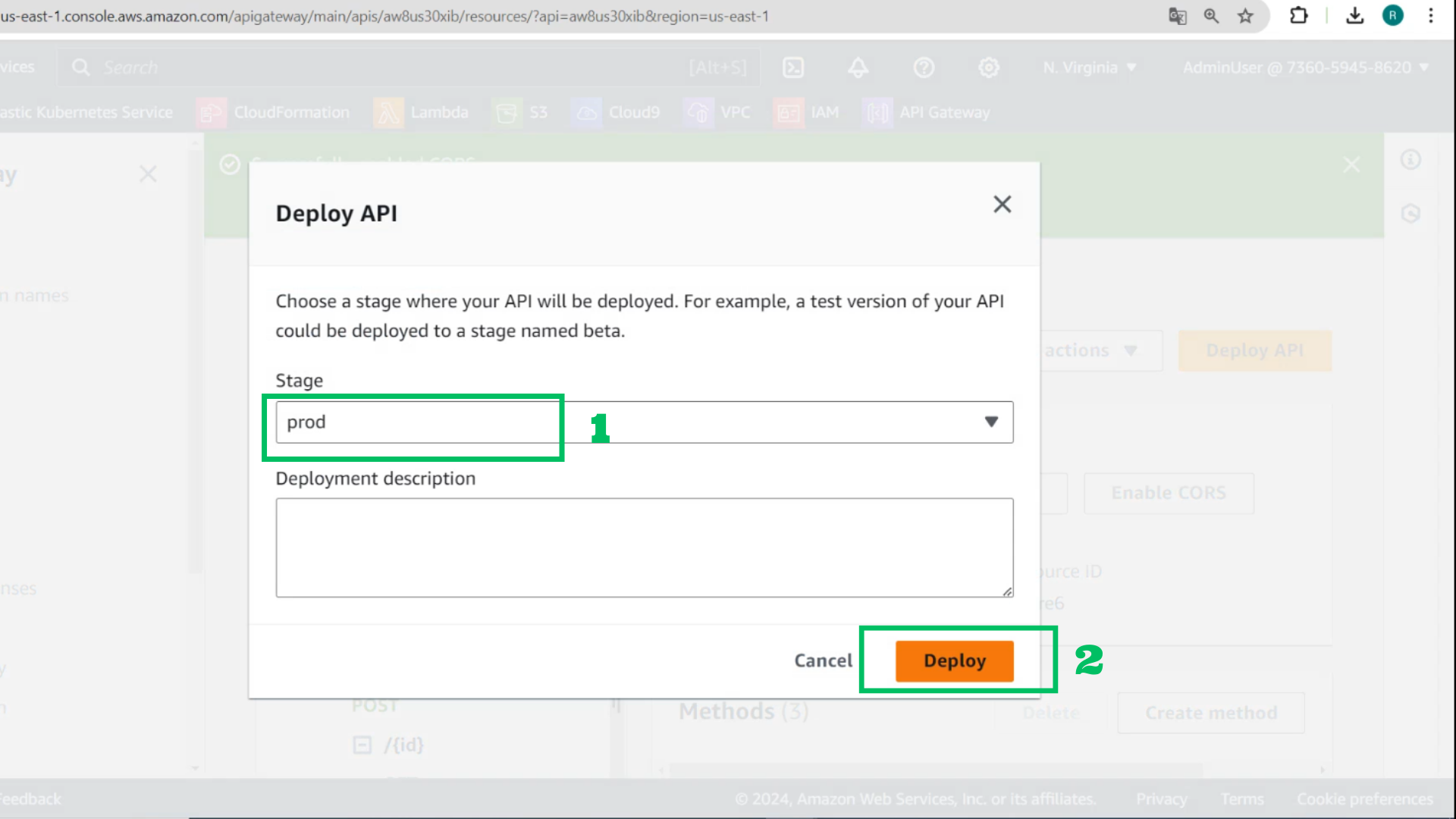
- Choose Deploy stage prod again
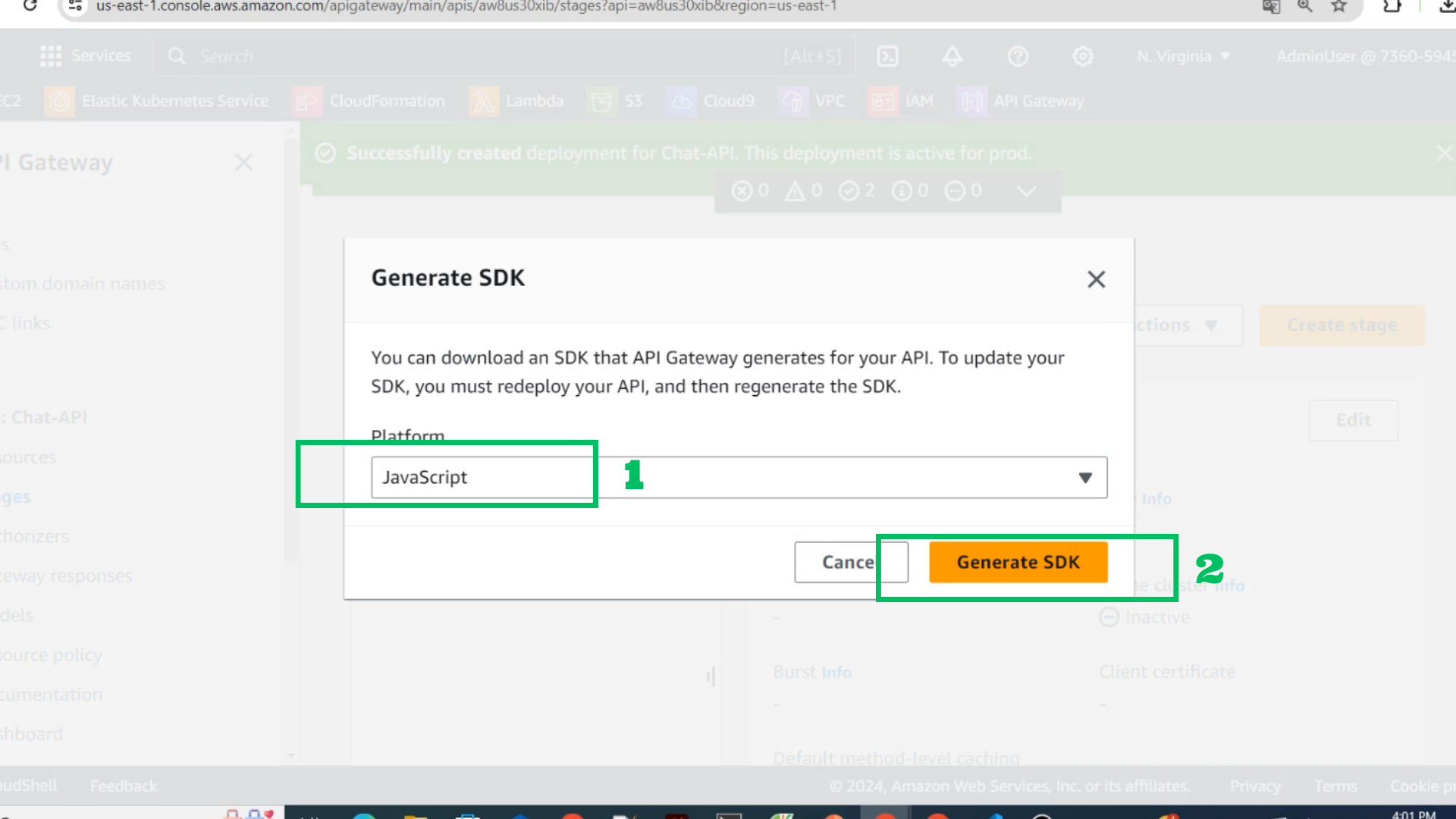
- And choose generate SDK
- Platform: Javascript
- Choose GenerateSDK
- At S3 Bucket
- Choose Upload
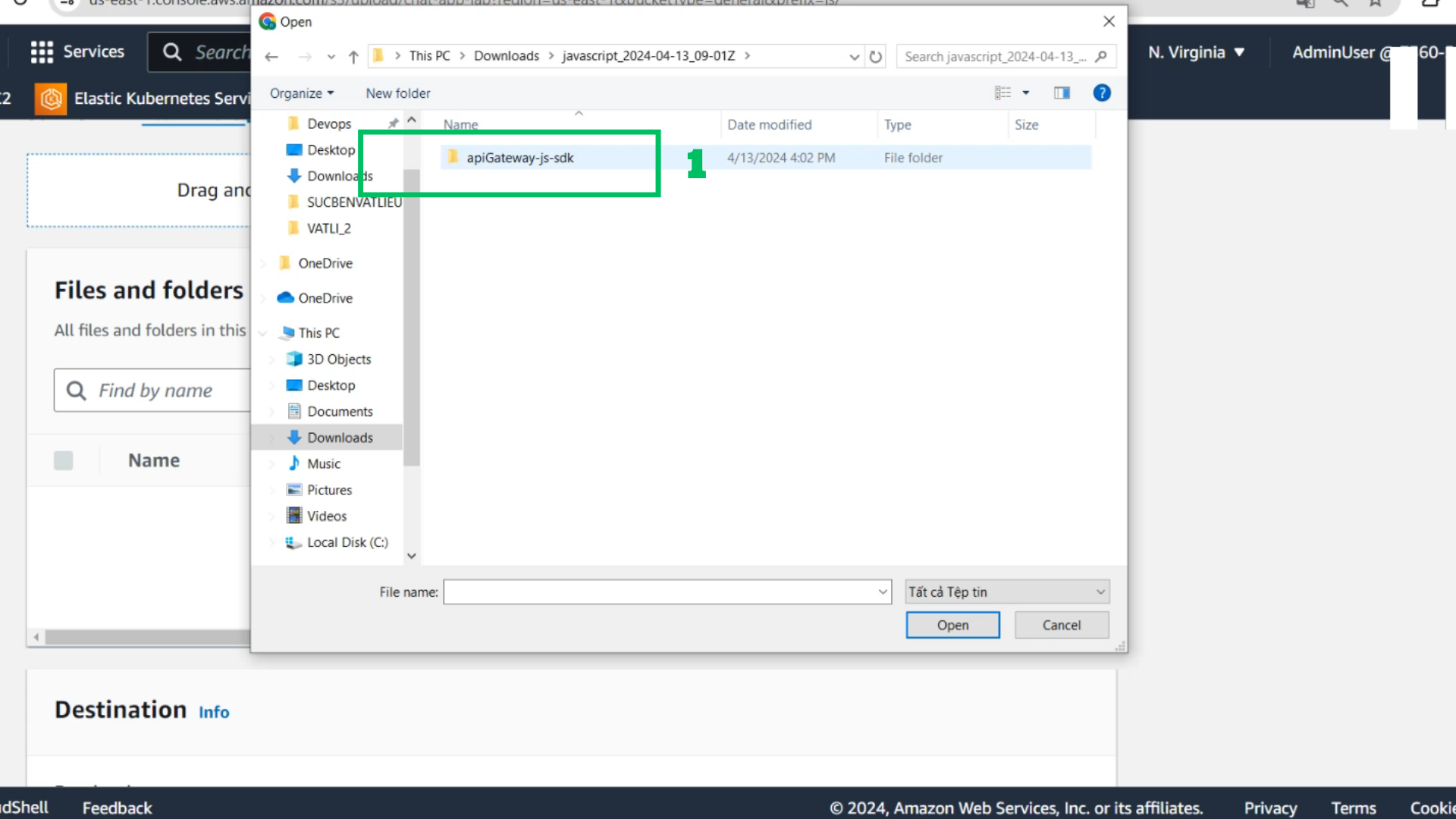
- Choose Add files
- Choose folder sdk unziped and drop to upload
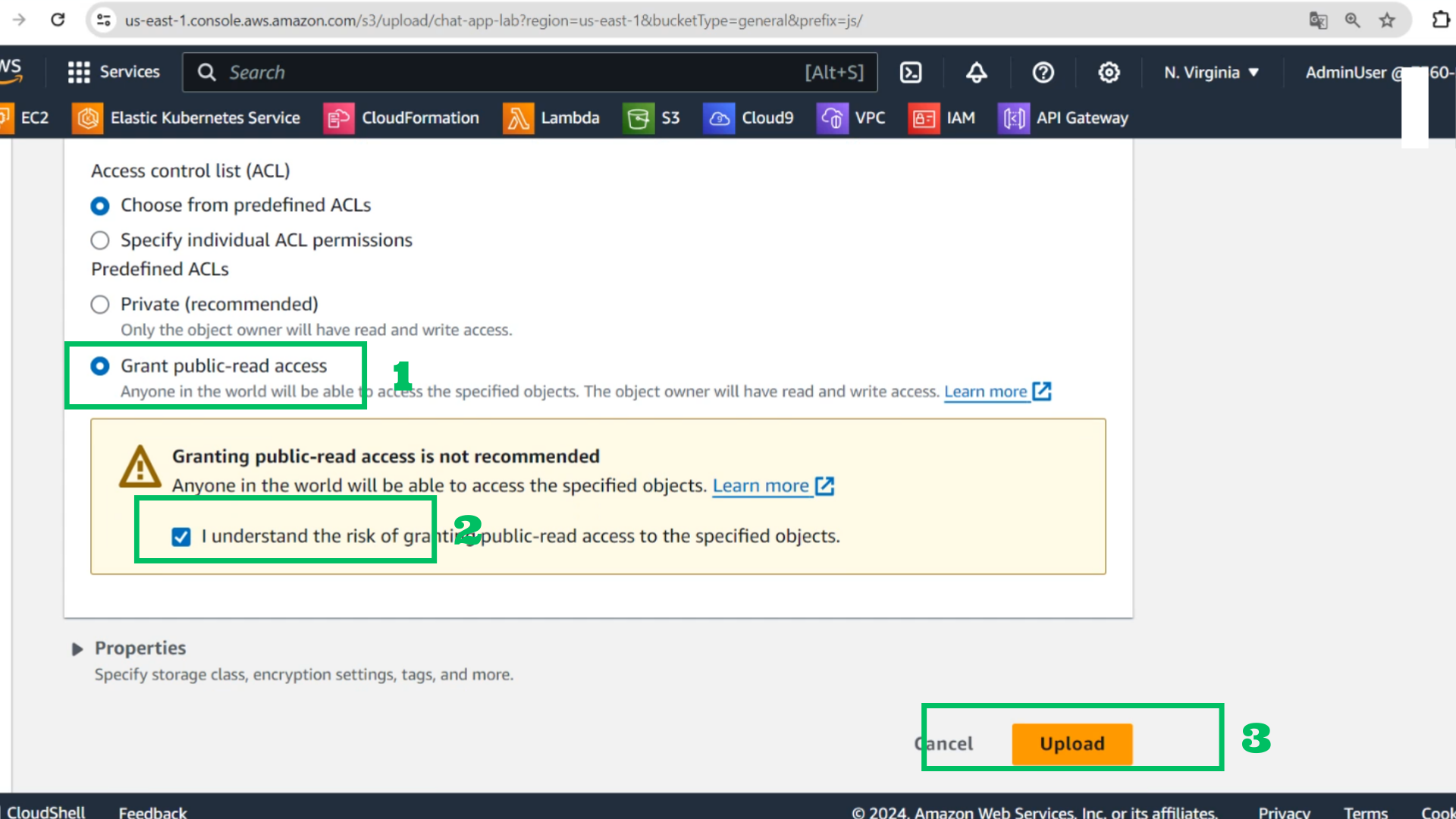
- Grant public-read access
- Choose I understand
- Choose Upload
- At S3 Bucket
- Choose Upload
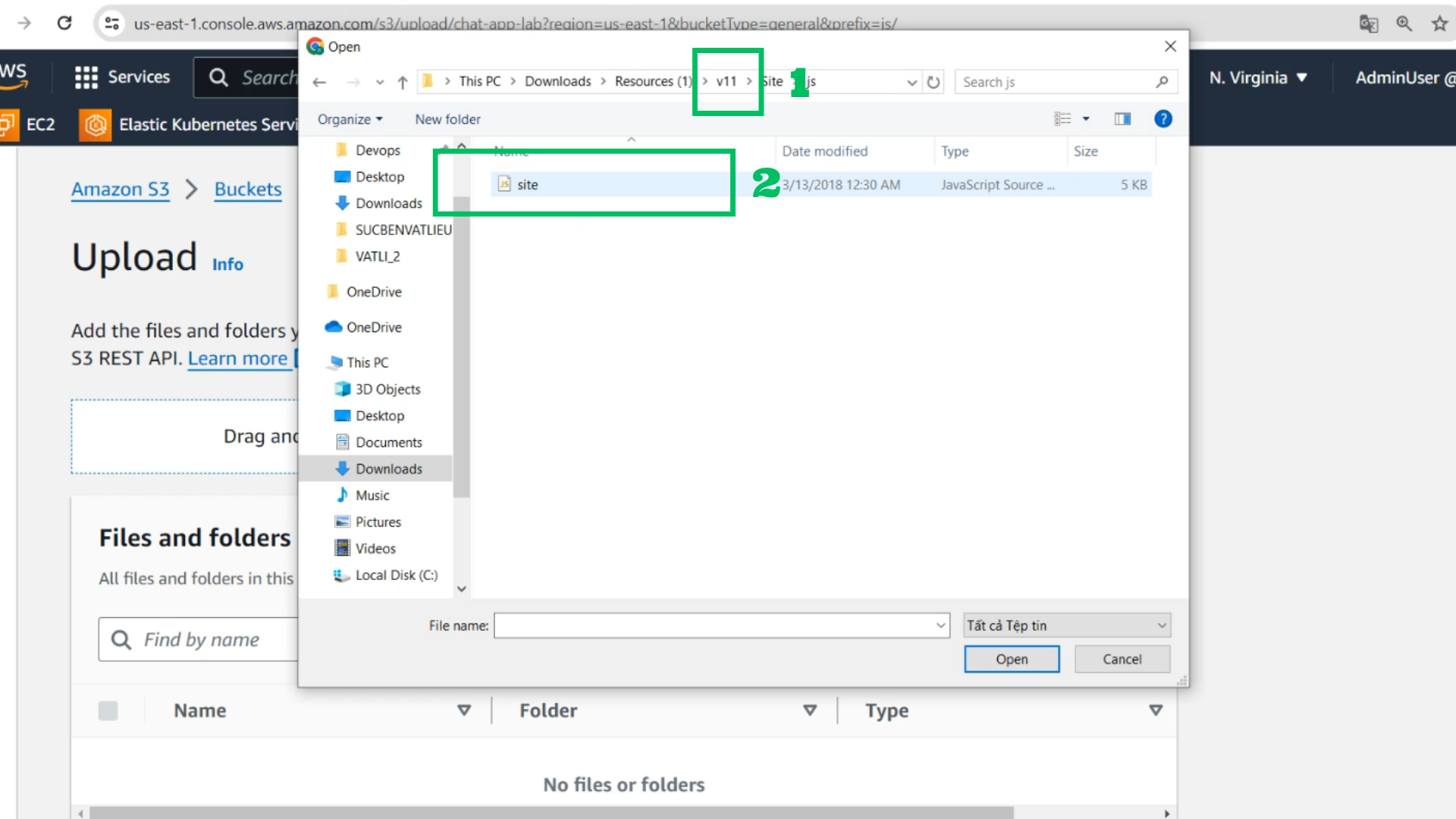
- Choose Add files
- Go to v11 folder
- Choose site.js and drop it
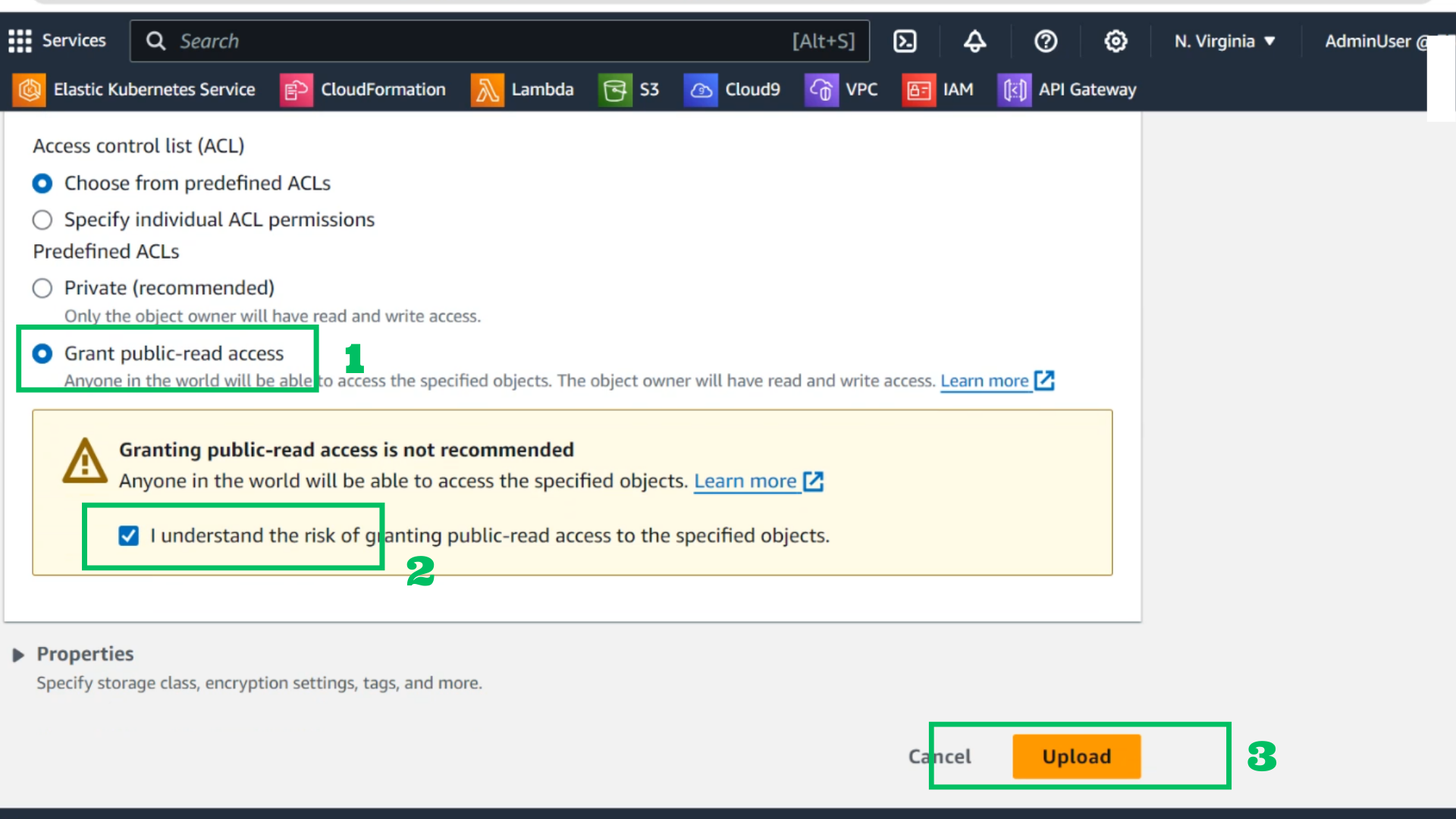
- Grant public-read access
- Choose I understand
- Choose Upload
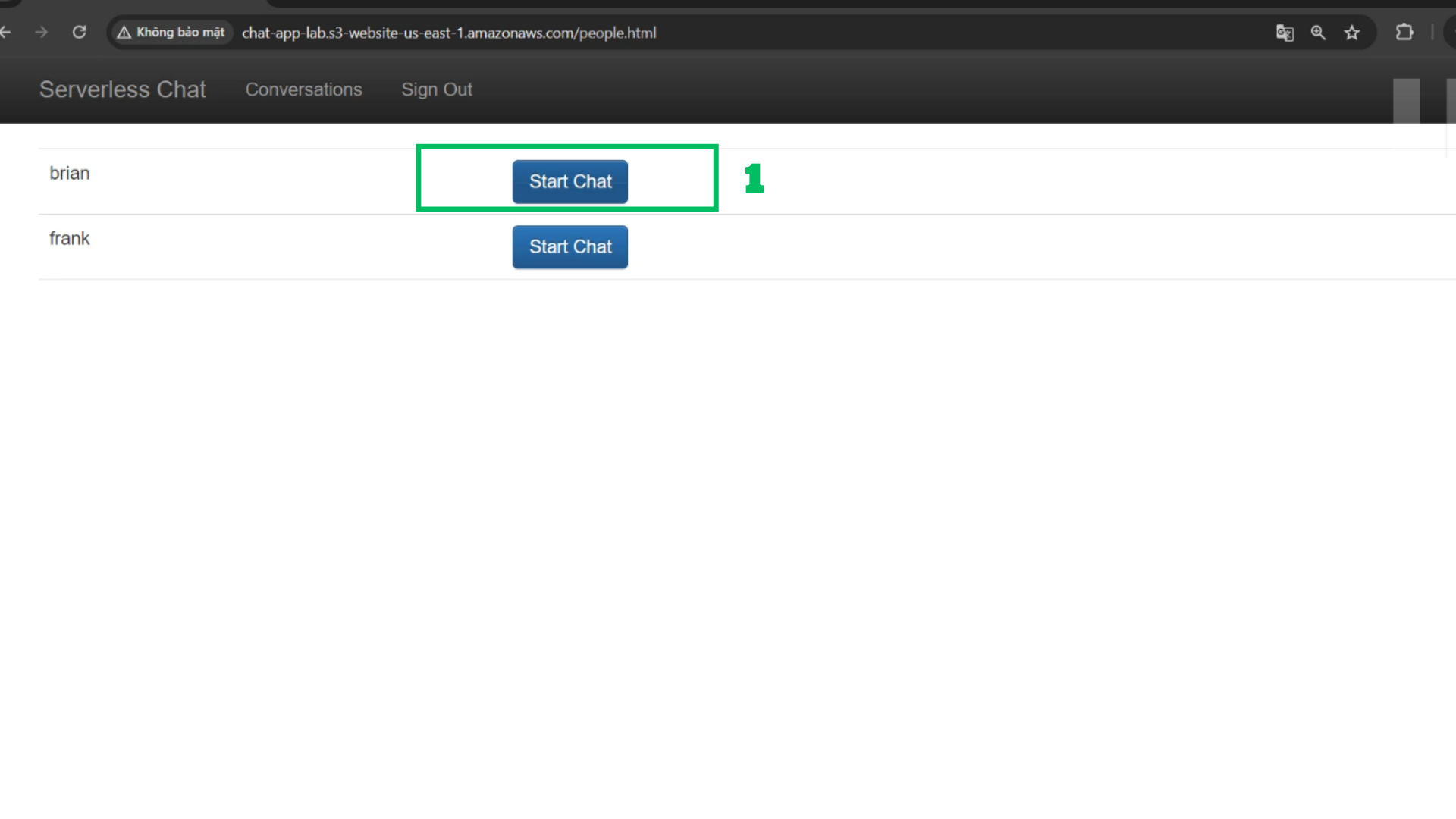
- Test with browser
- Start a new conversation
- Test with new messages