Build a Complete serverless Chat Website > Creating an API > Creating a policy for the Lambda function
Creating a policy for the Lambda function
- Access IAM
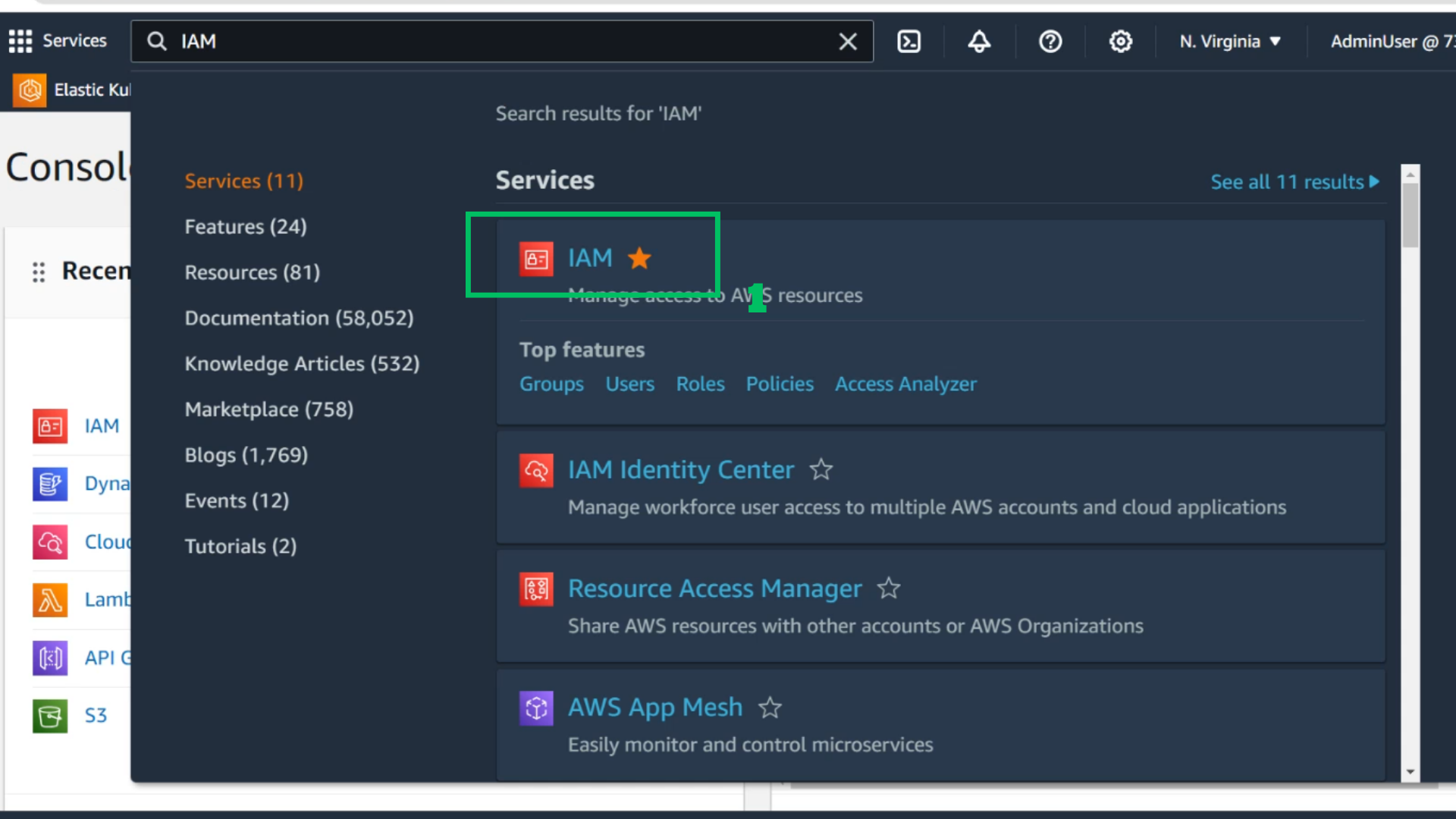
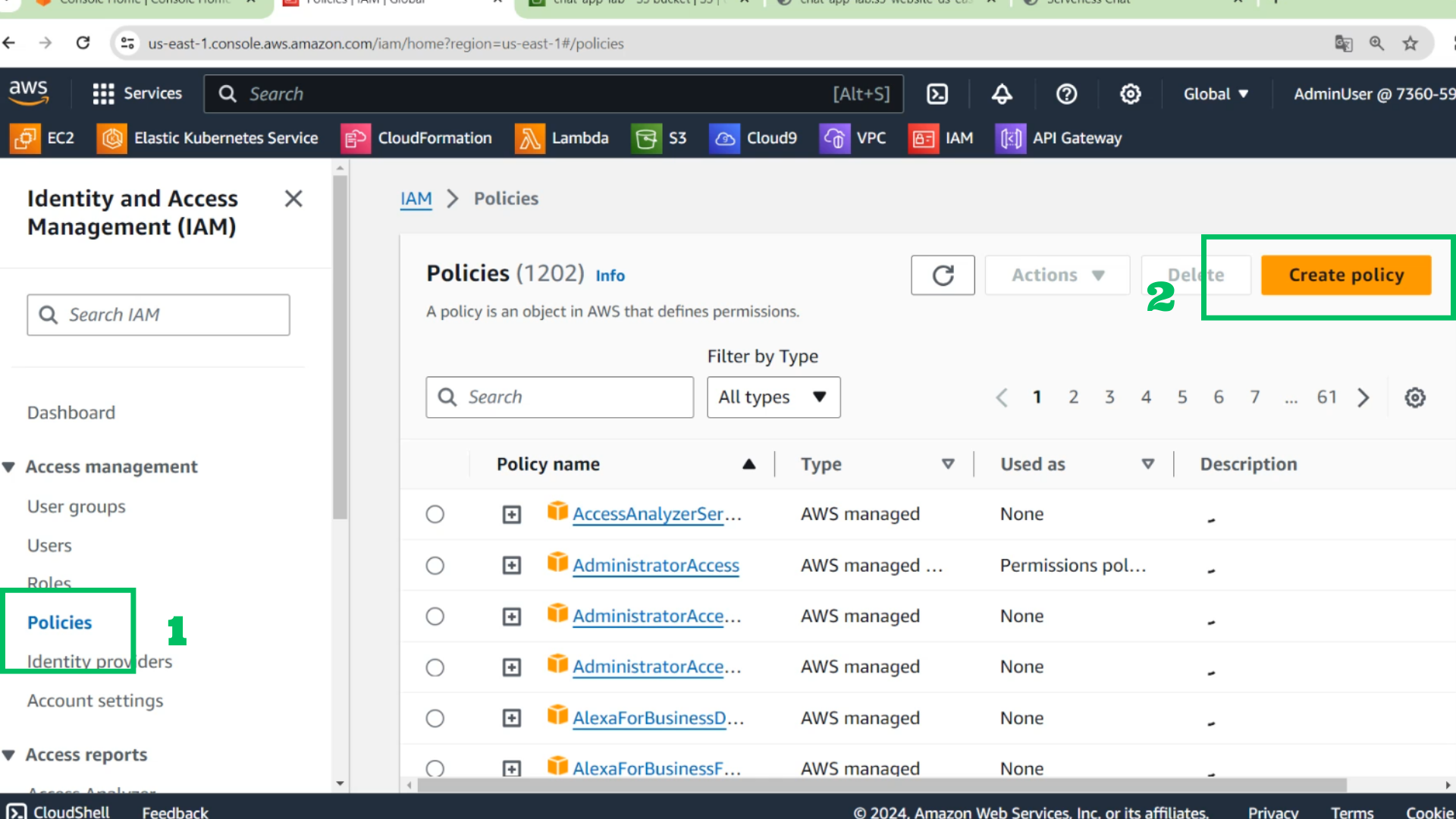
- At the IAM interface
- Choose Policies
- Choose Create policy
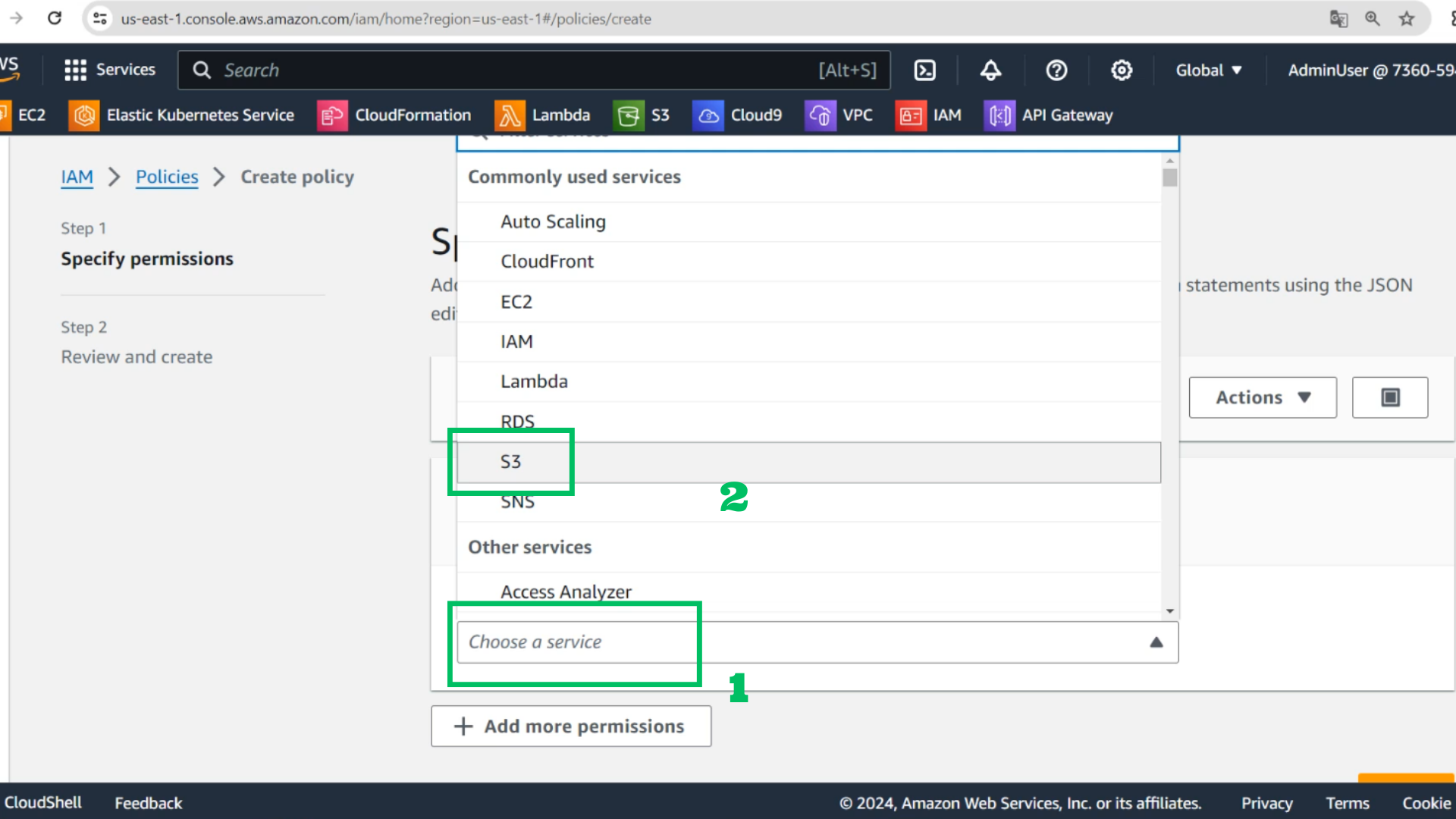
- At the Policy interface
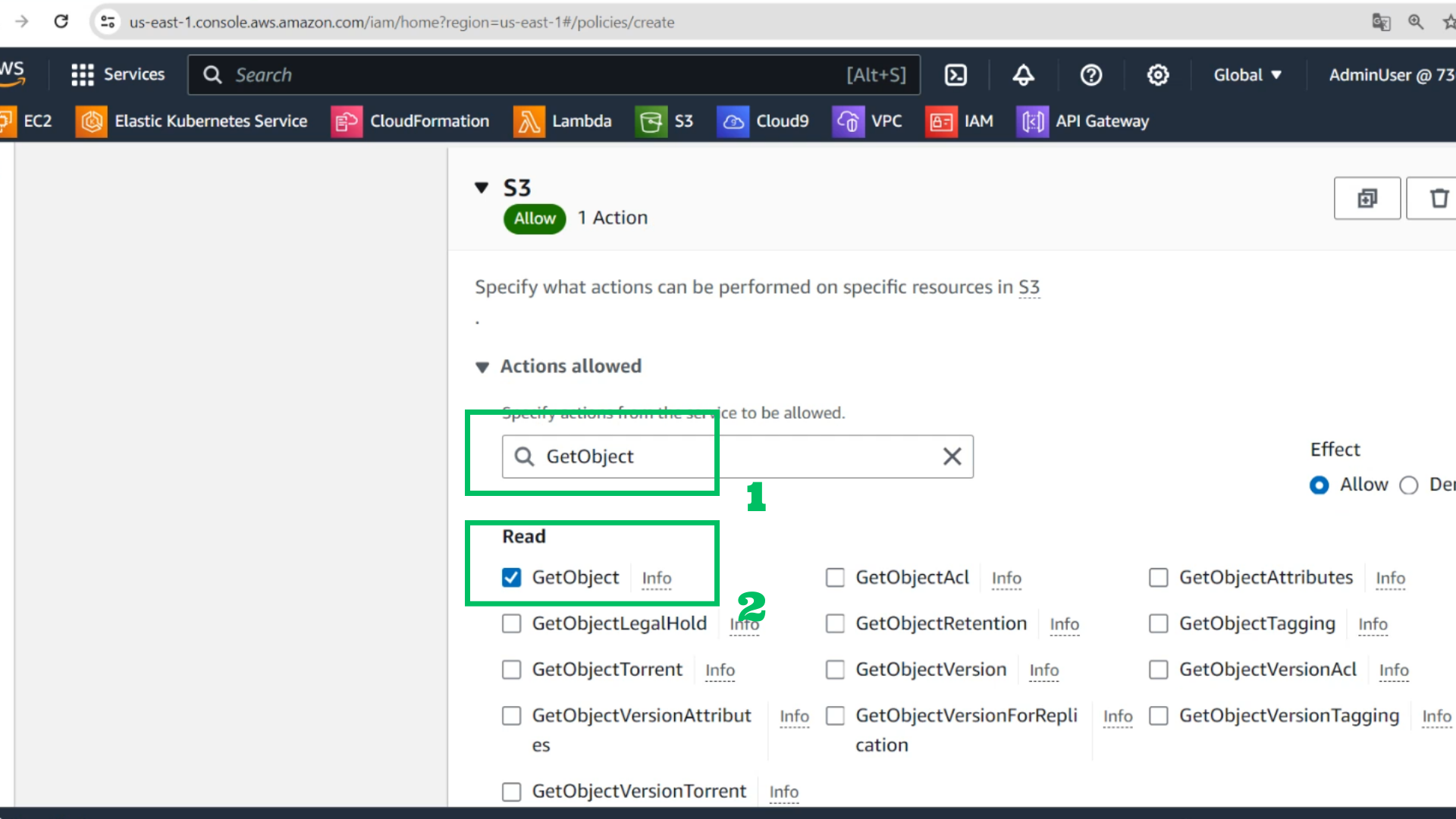
- Choose service: S3
- Choose Actions allowed: GetObject
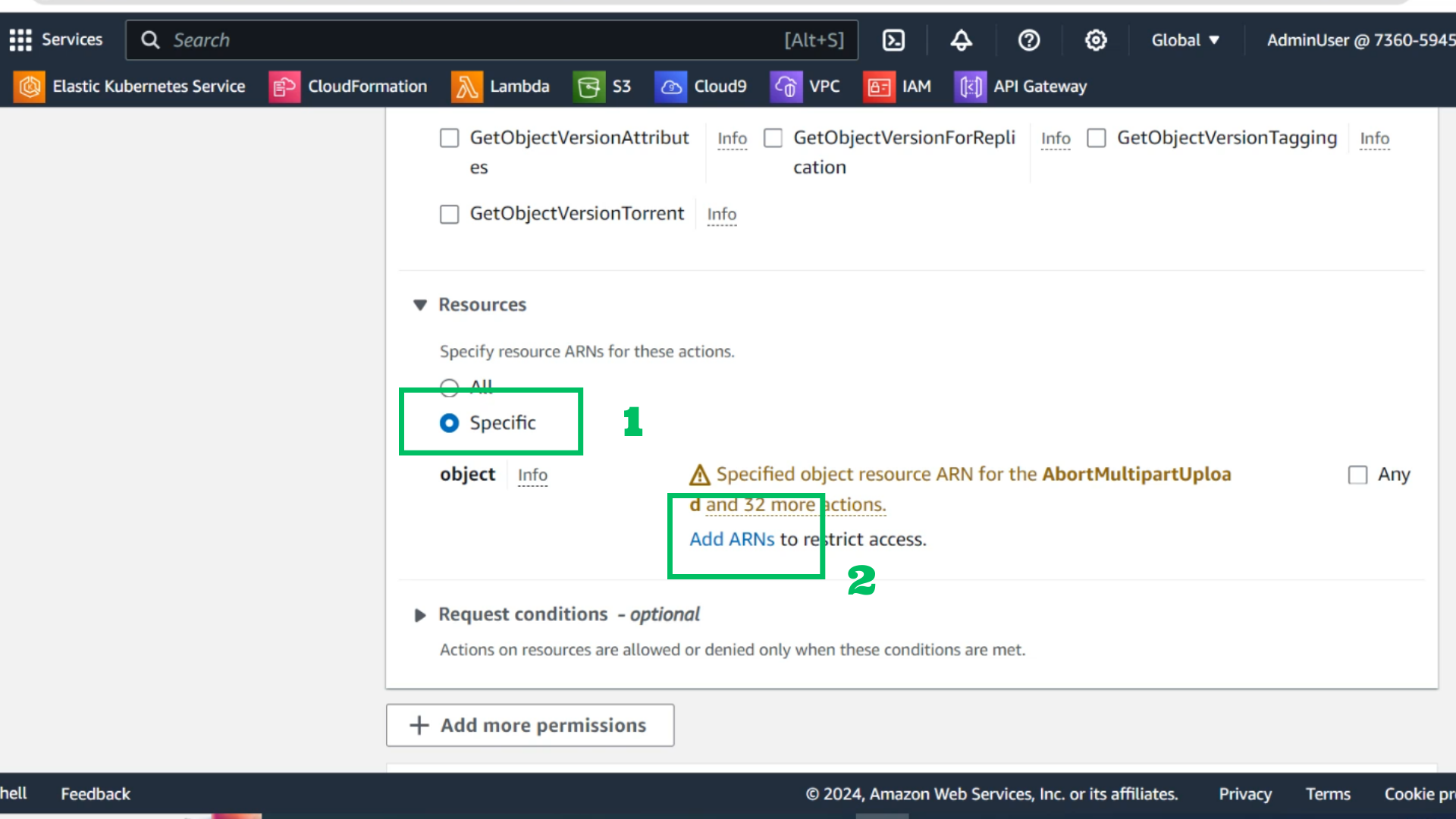
- Choose Resource: Specific
- Add ARNs
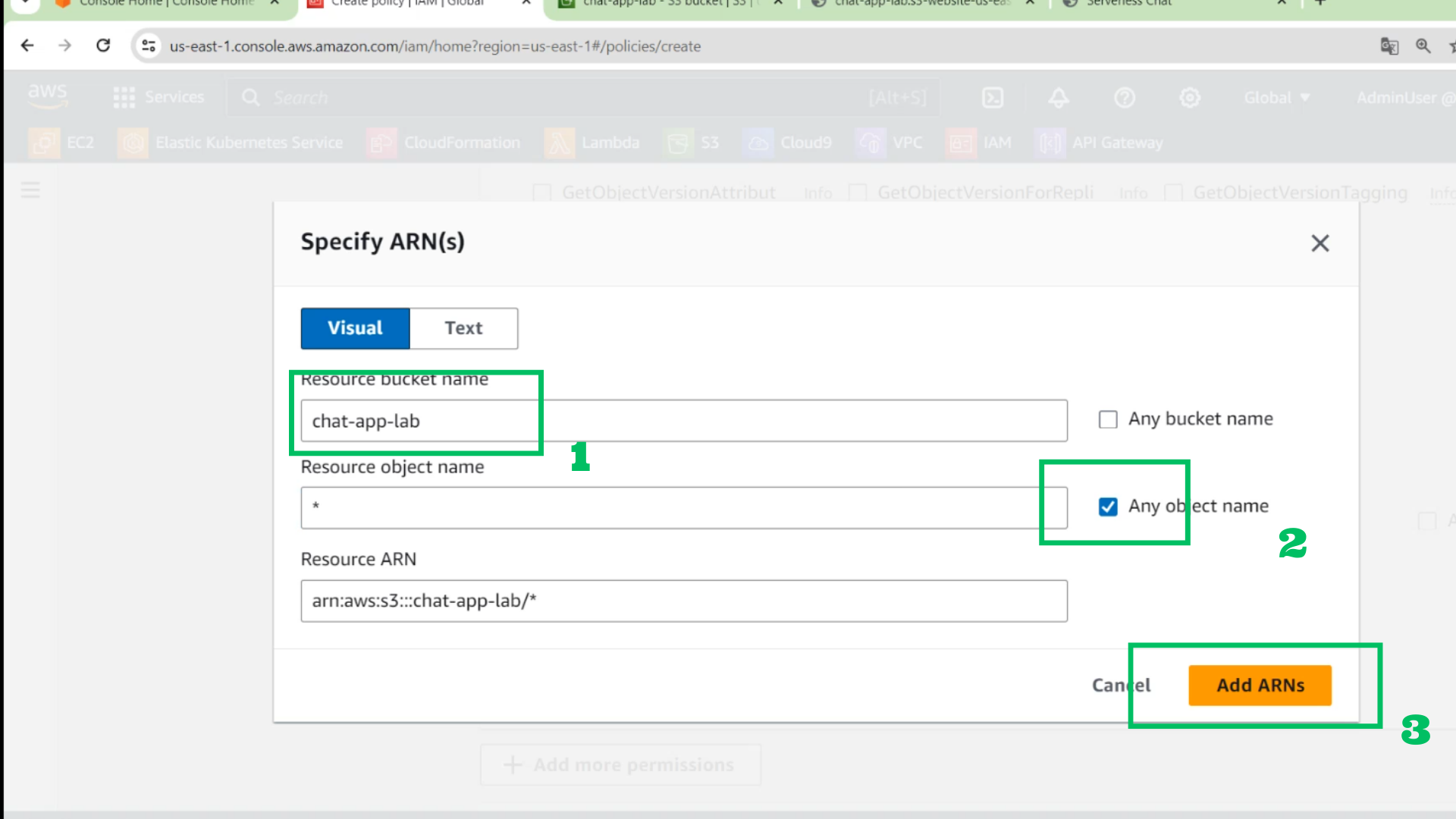
 4. At the ARN interface
- Name bucket: chat-app-lab
- Object name: *
- Choose Add ARNs
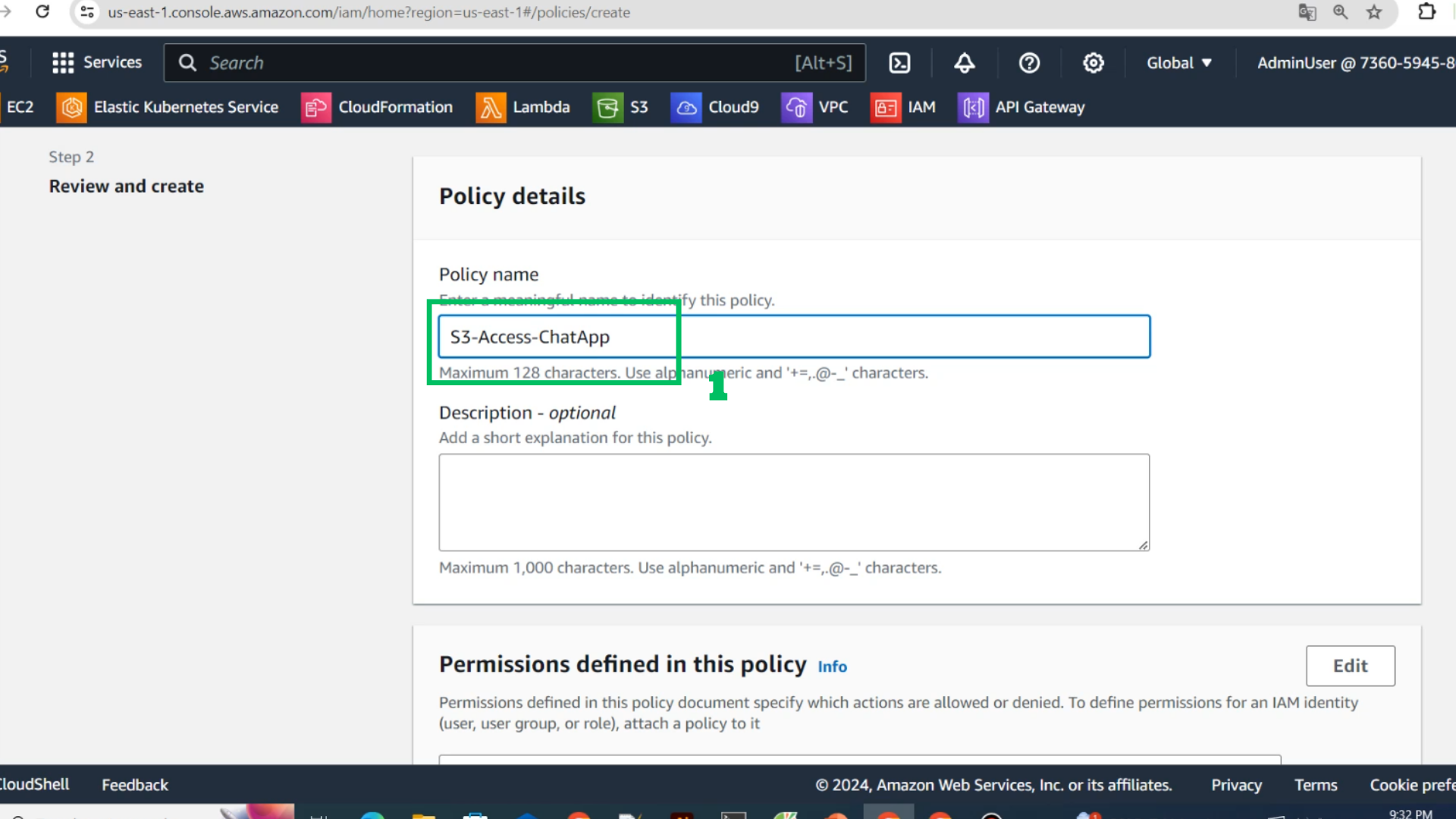
 5. Name the Policy
- Policy name : S3-Access-ChatApp
 6. Choose Create policy
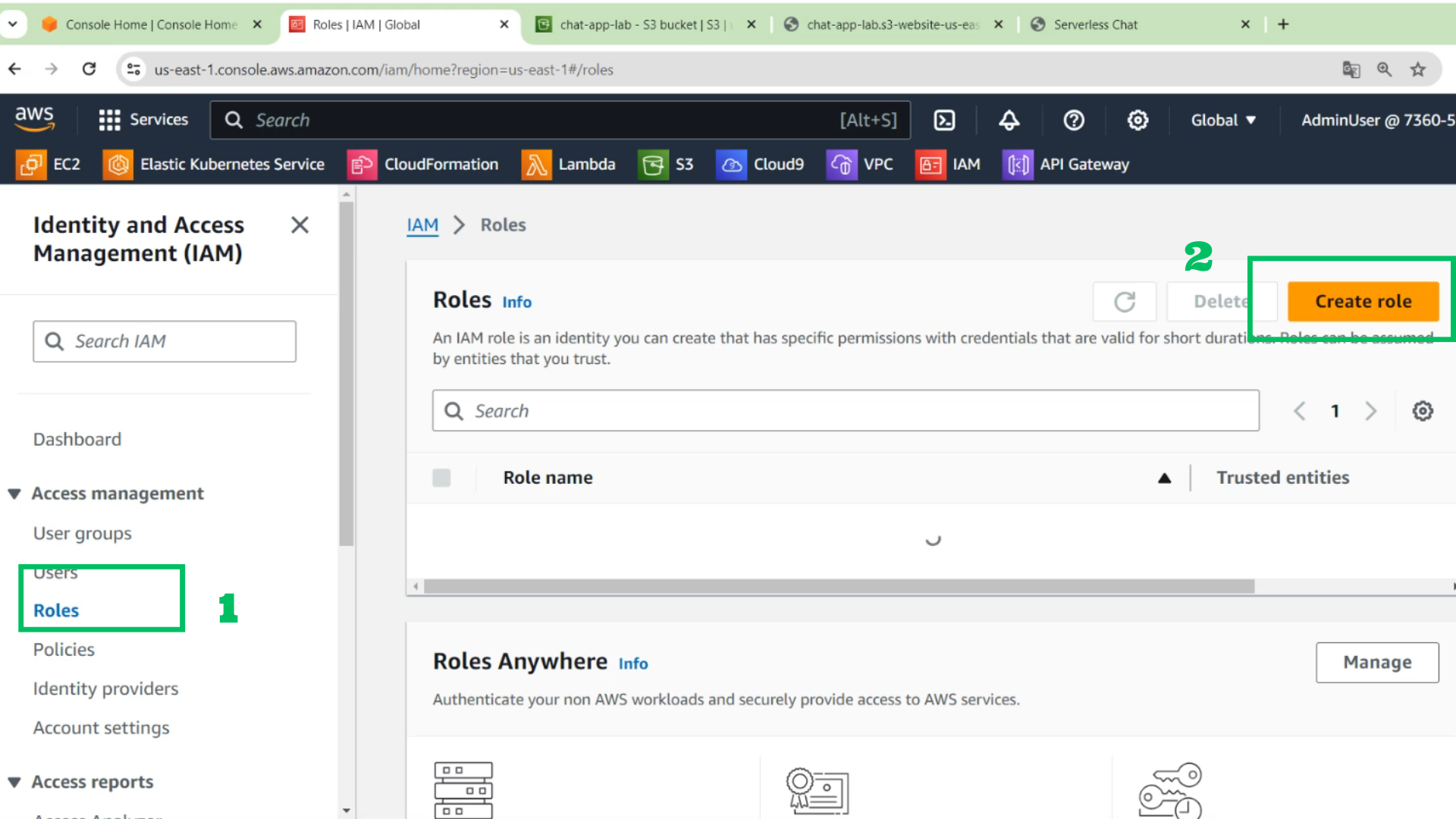
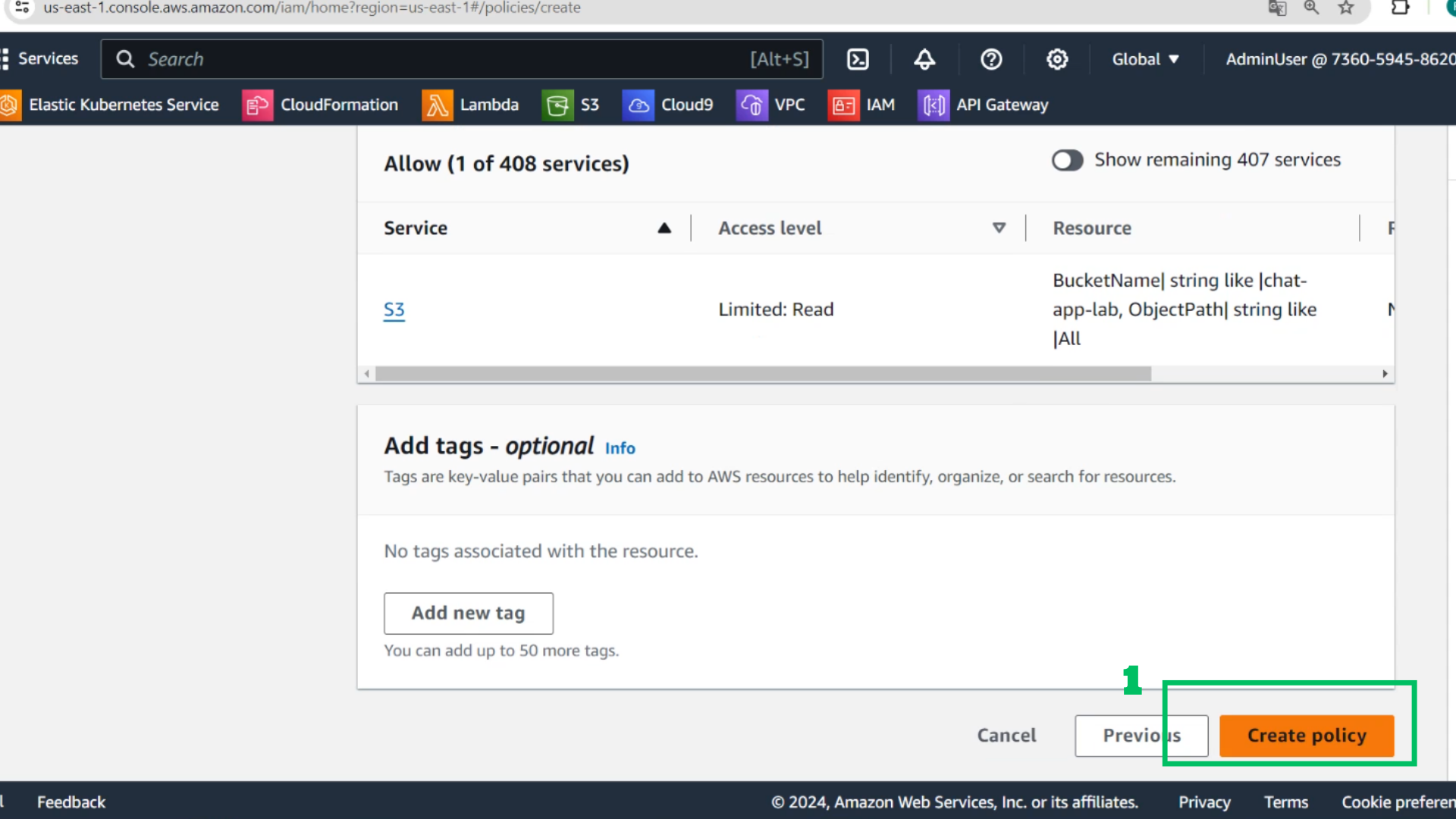 7. At the IAM interface
- Choose Roles
- Choose Create role
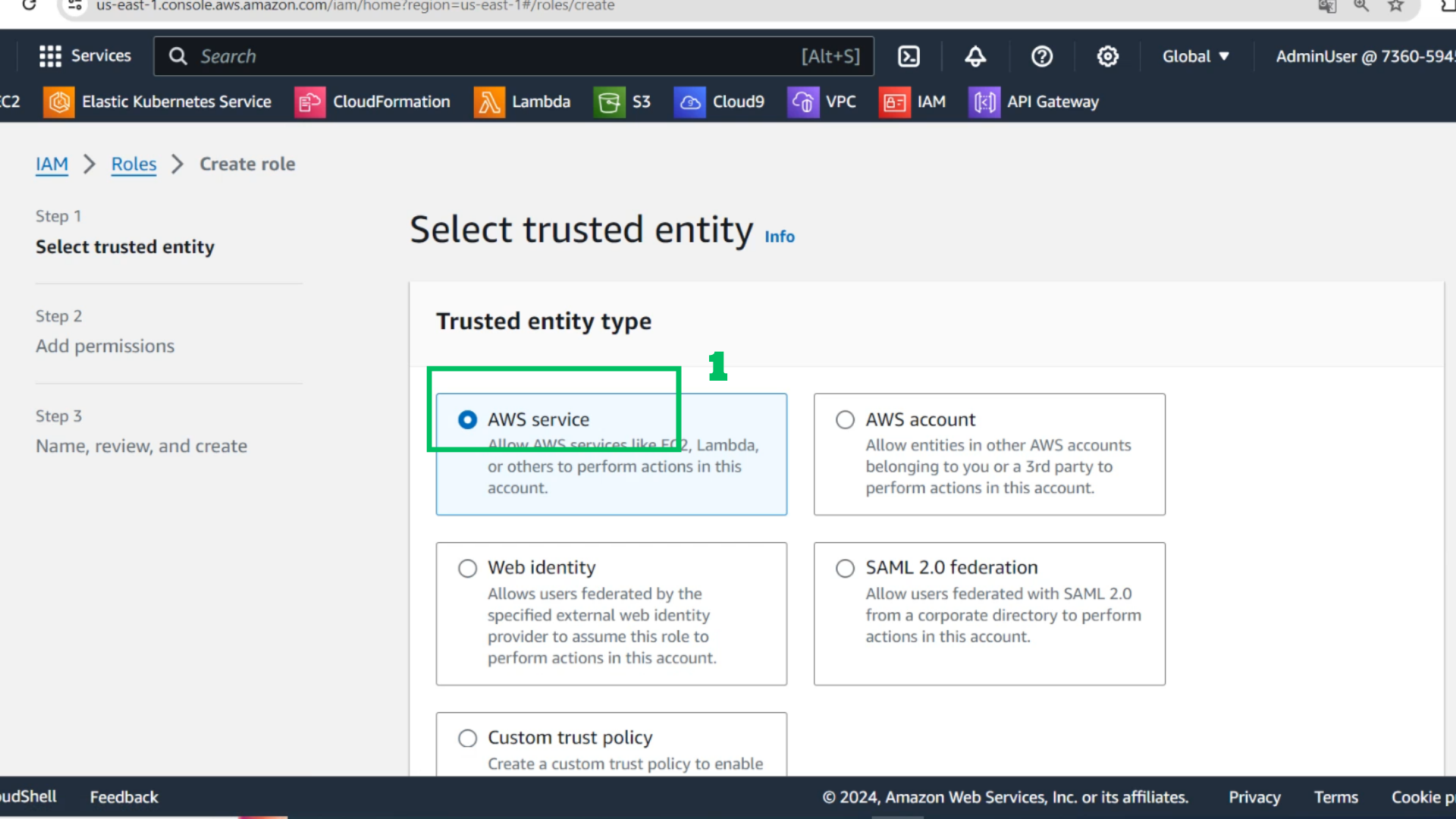
 8. Choose AWS Service
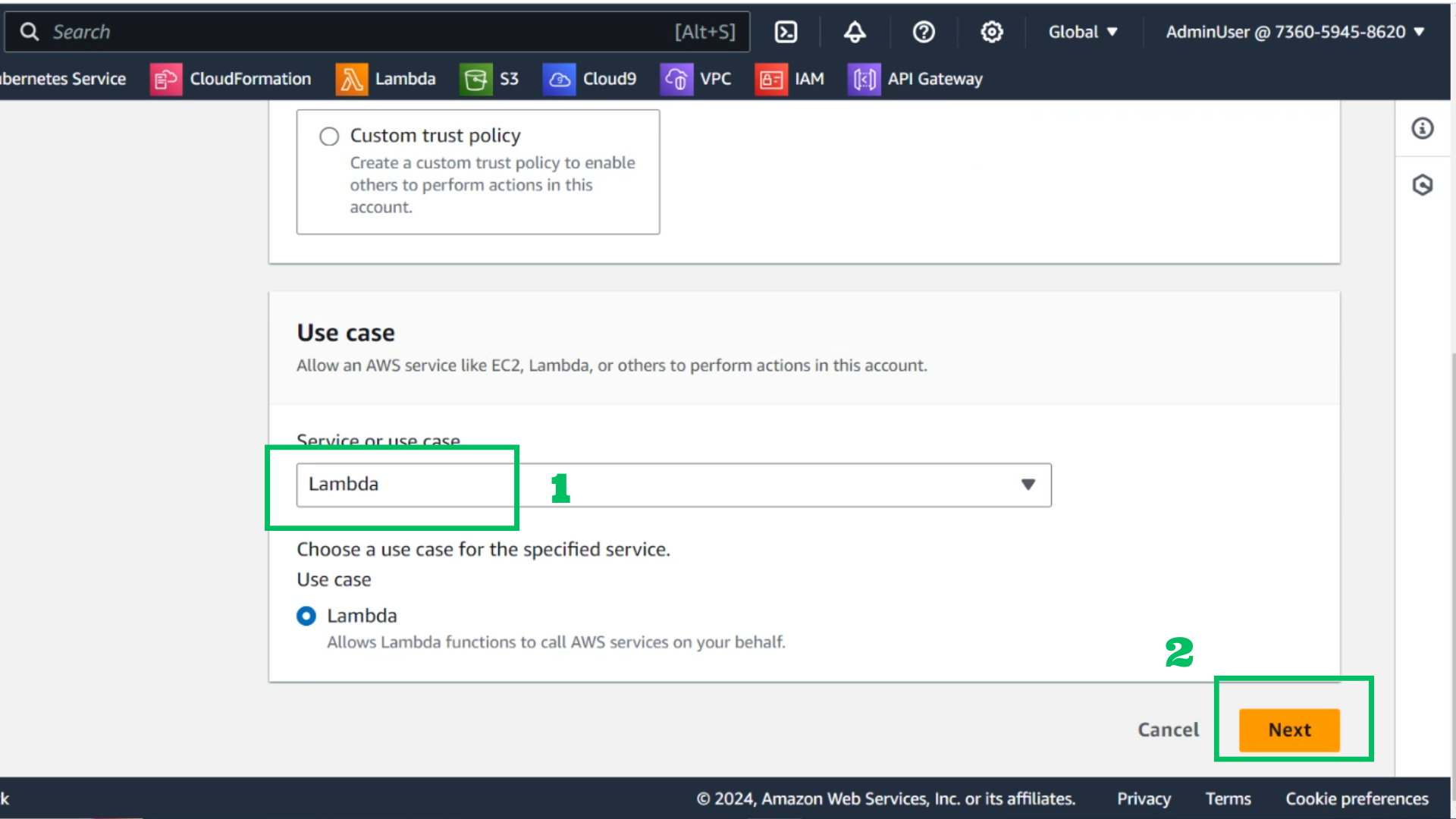
 9. Choose Lambda service
- Choose Next
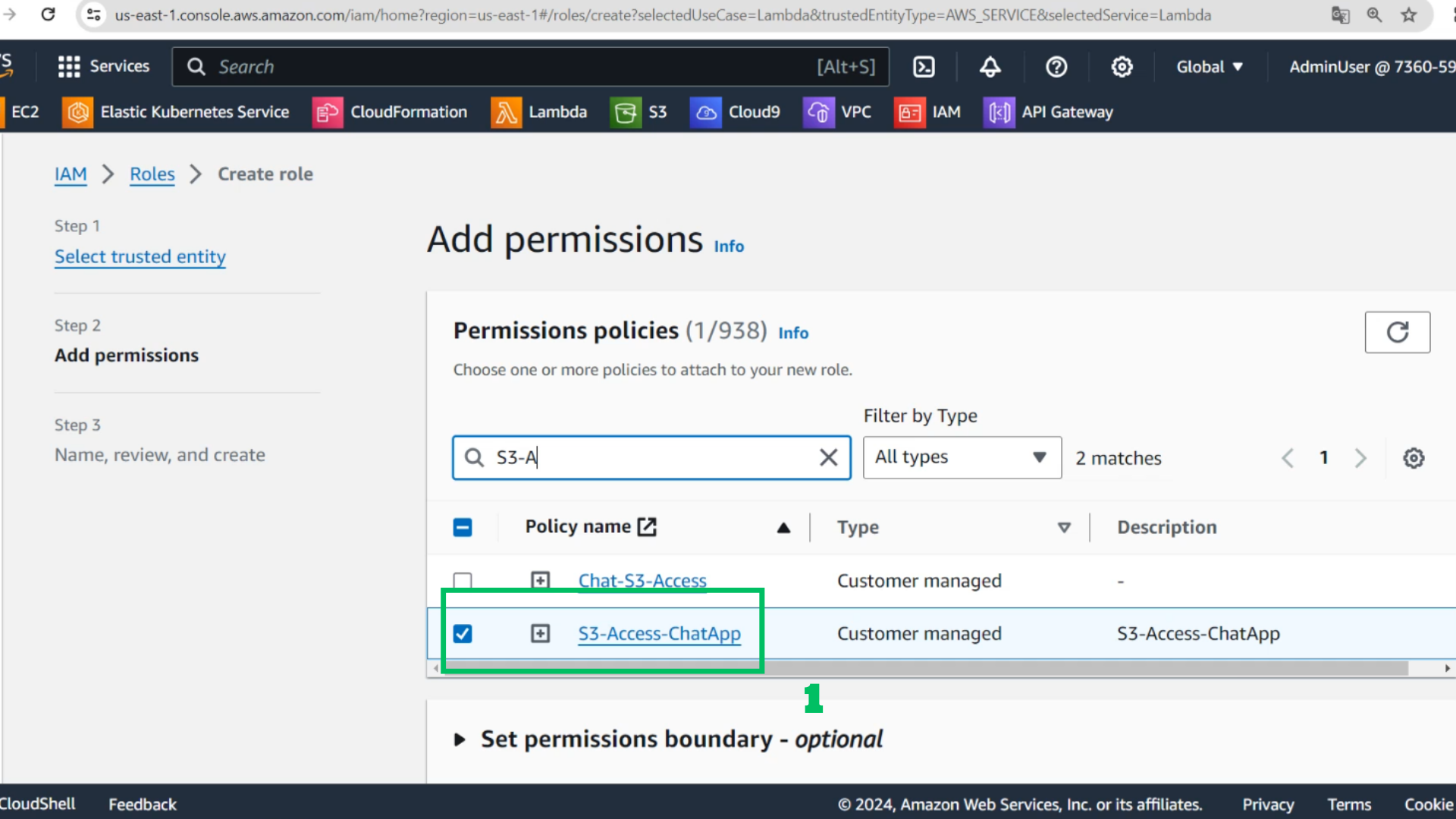
 10. At Add permissions
- Find and Choose S3-Access-ChatApp
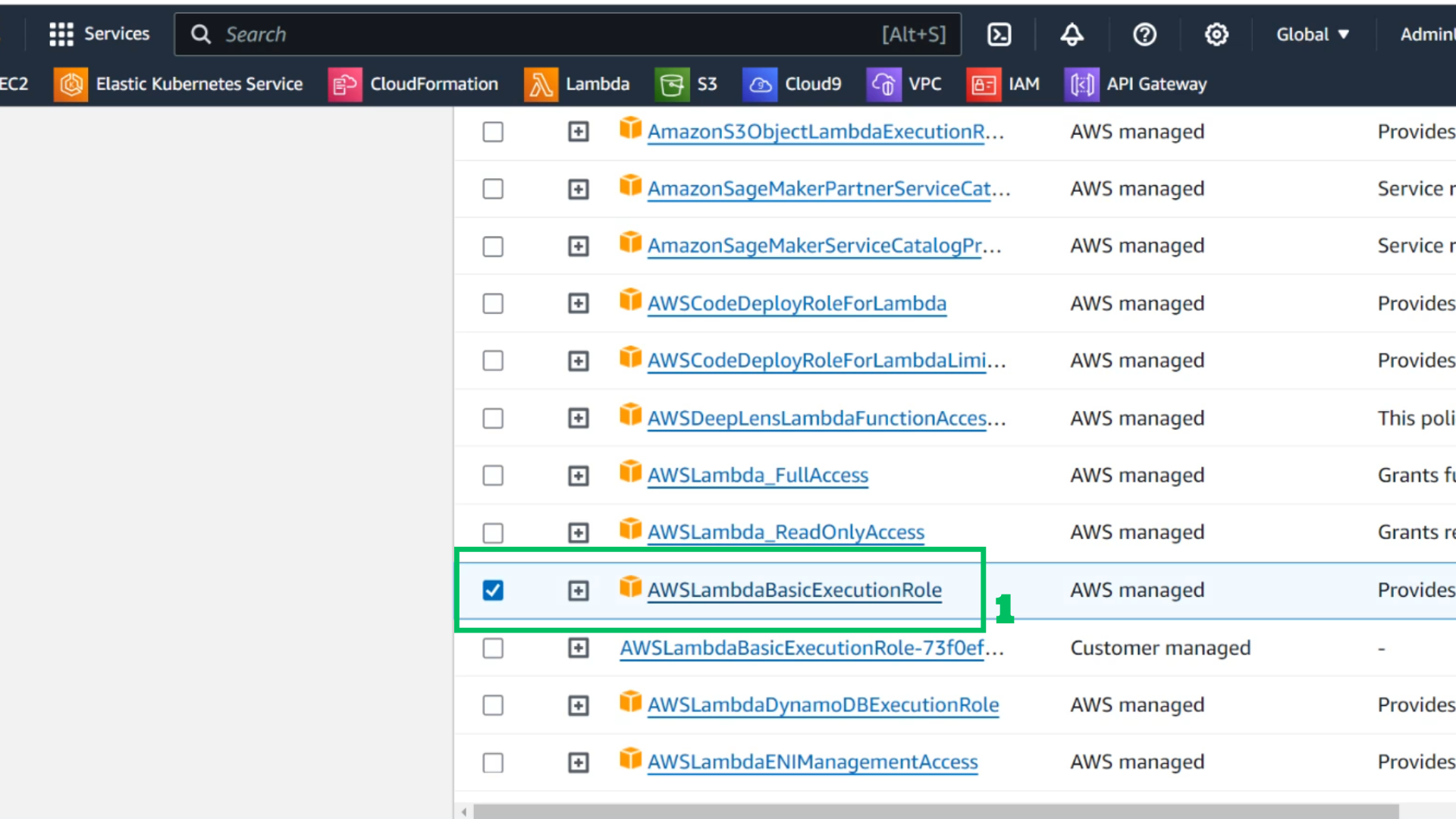
- Find and Choose AWSLambdaBasicExecutionRole
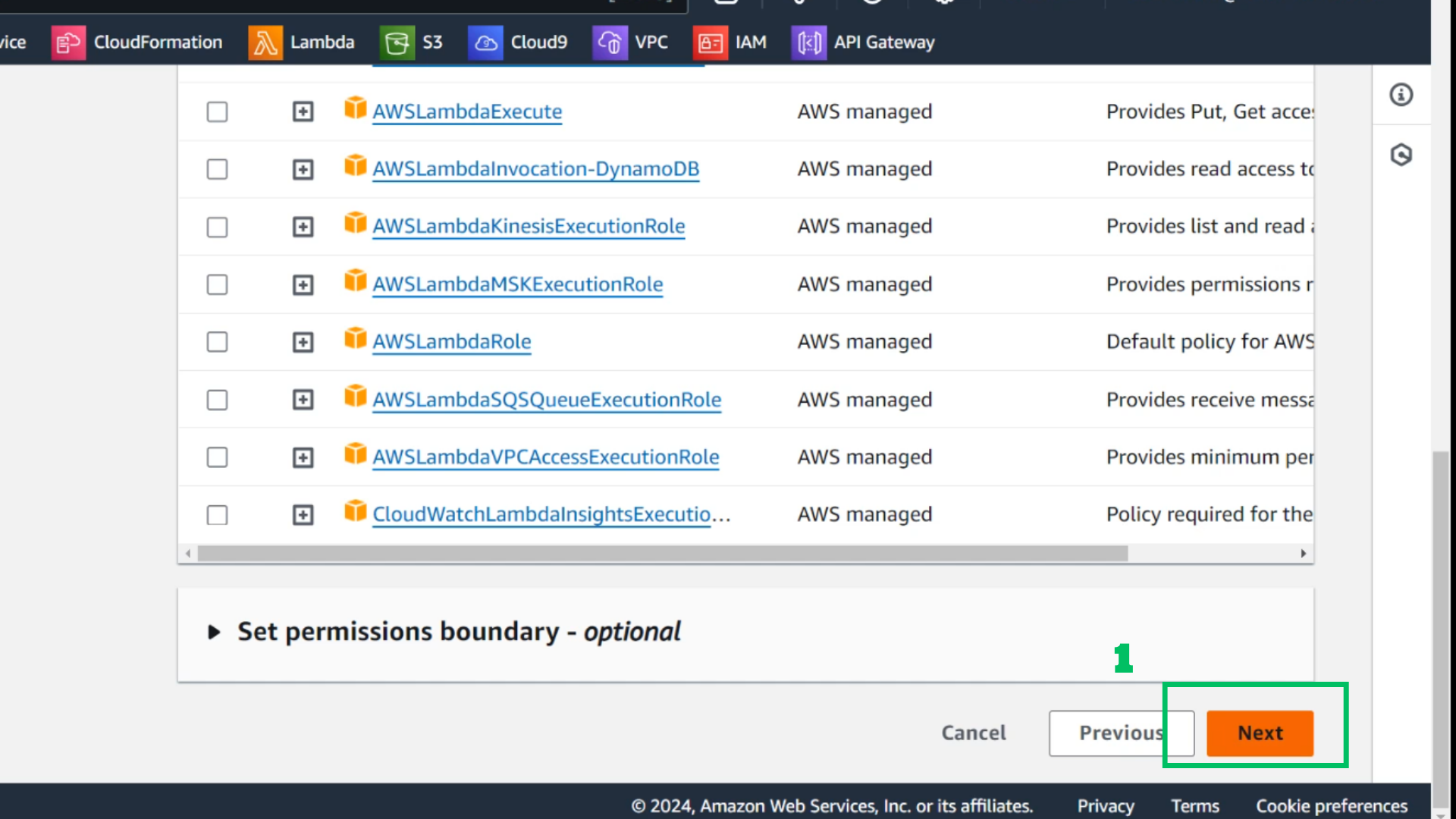
- Choose Next
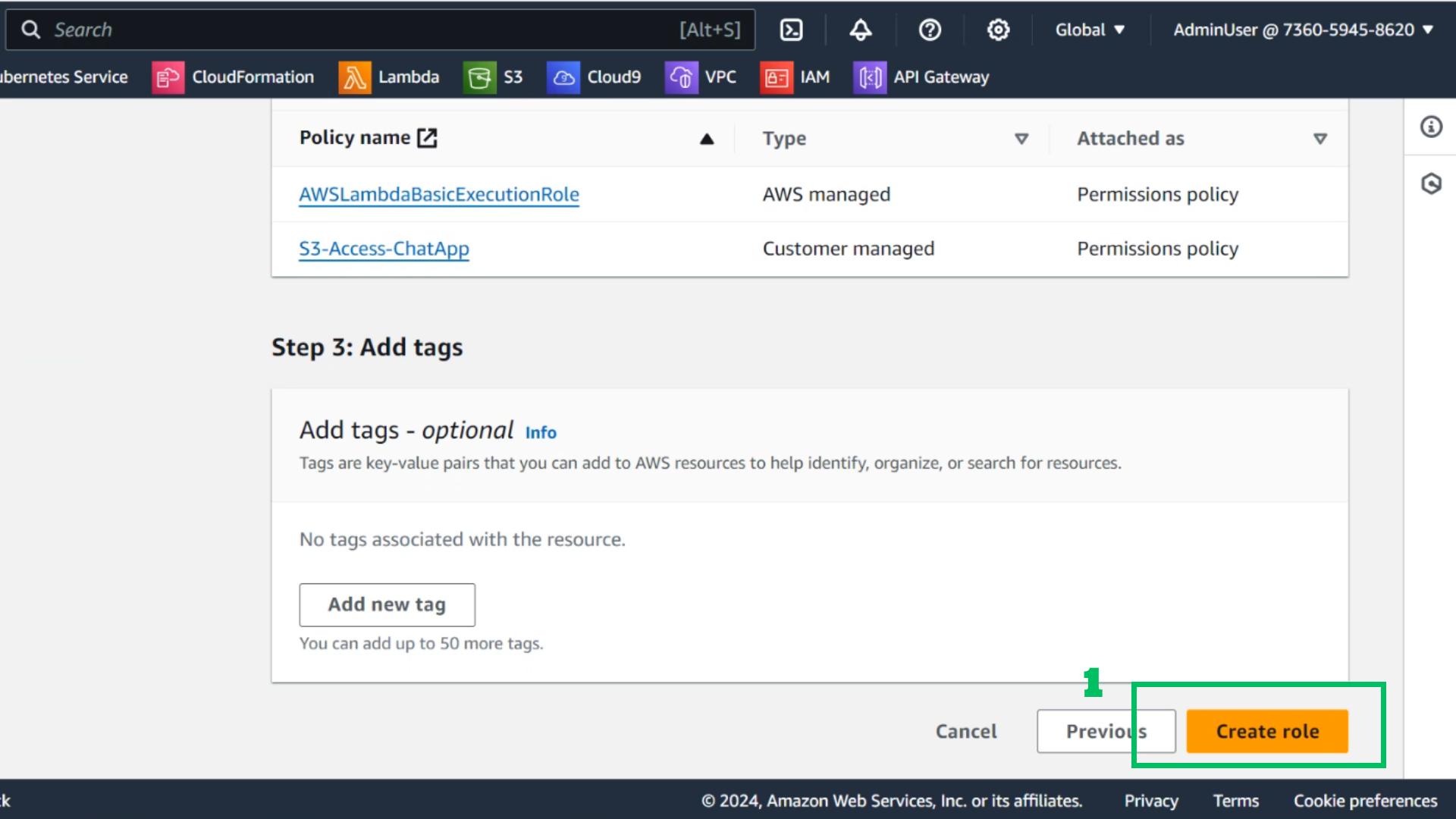
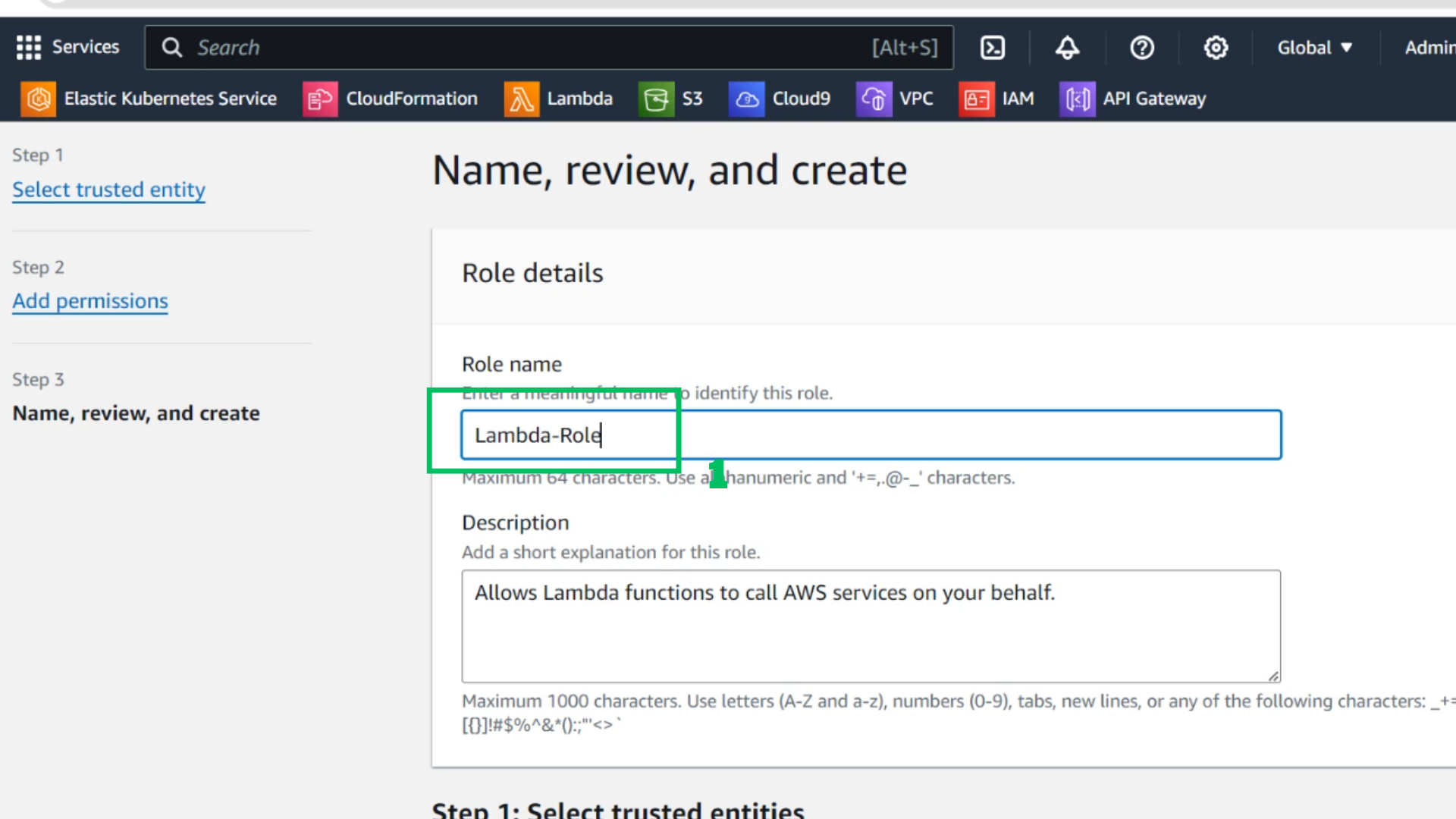
- At Name, review and create
- Role name: Lambda-Role
- Choose Create role