Build a Complete serverless Chat Website > Use DynamoDB for storage > Write new messages to DynamoDB
Write new messages to DynamoDB
- At lambda function
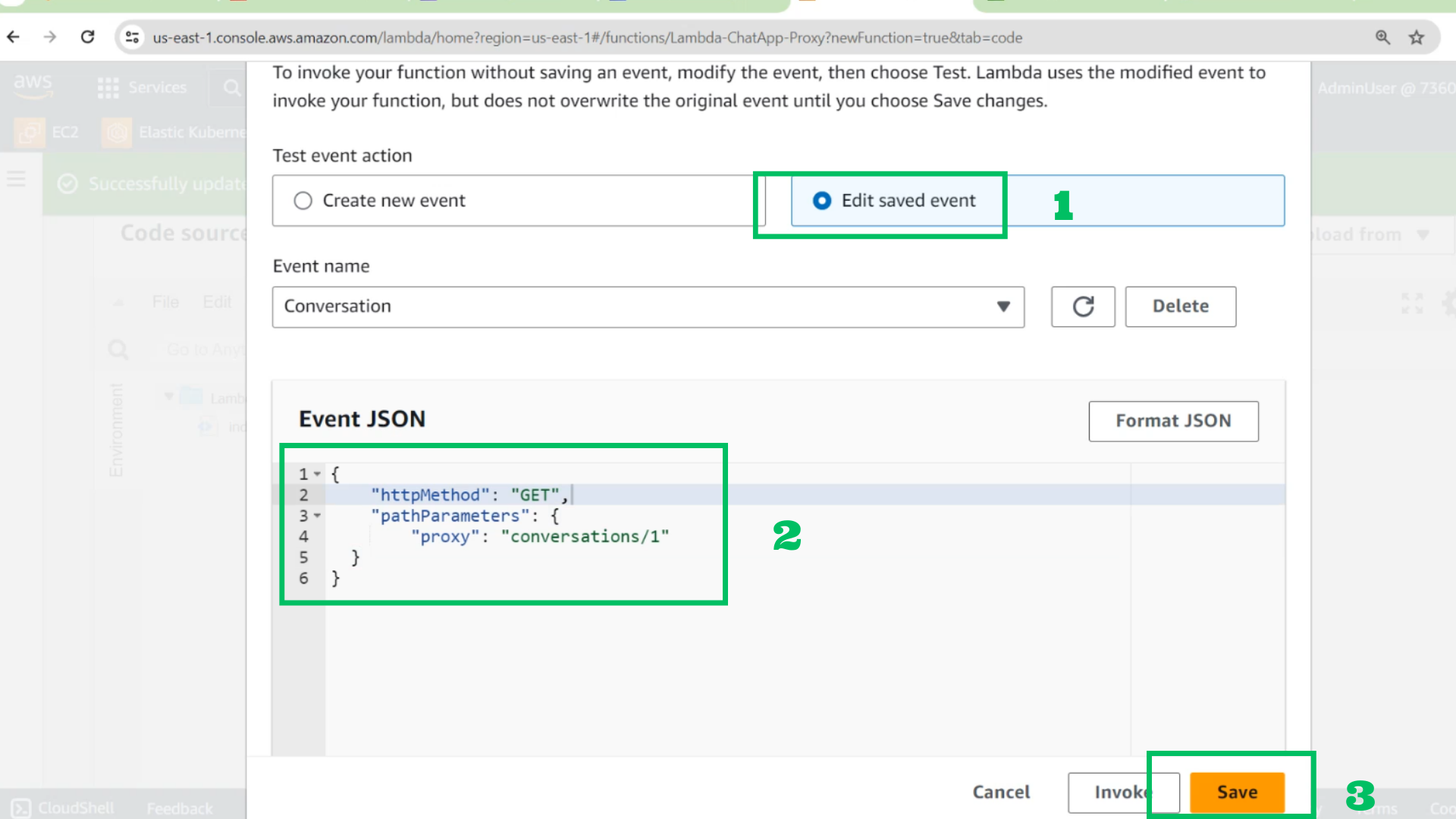
- Choose configure test event
- Choose Edit saved event
- Event JSON
{
    "httpMethod": "GET",
    "pathParameters": {
        "proxy": "conversations/1"
    }
}
- Choose Save
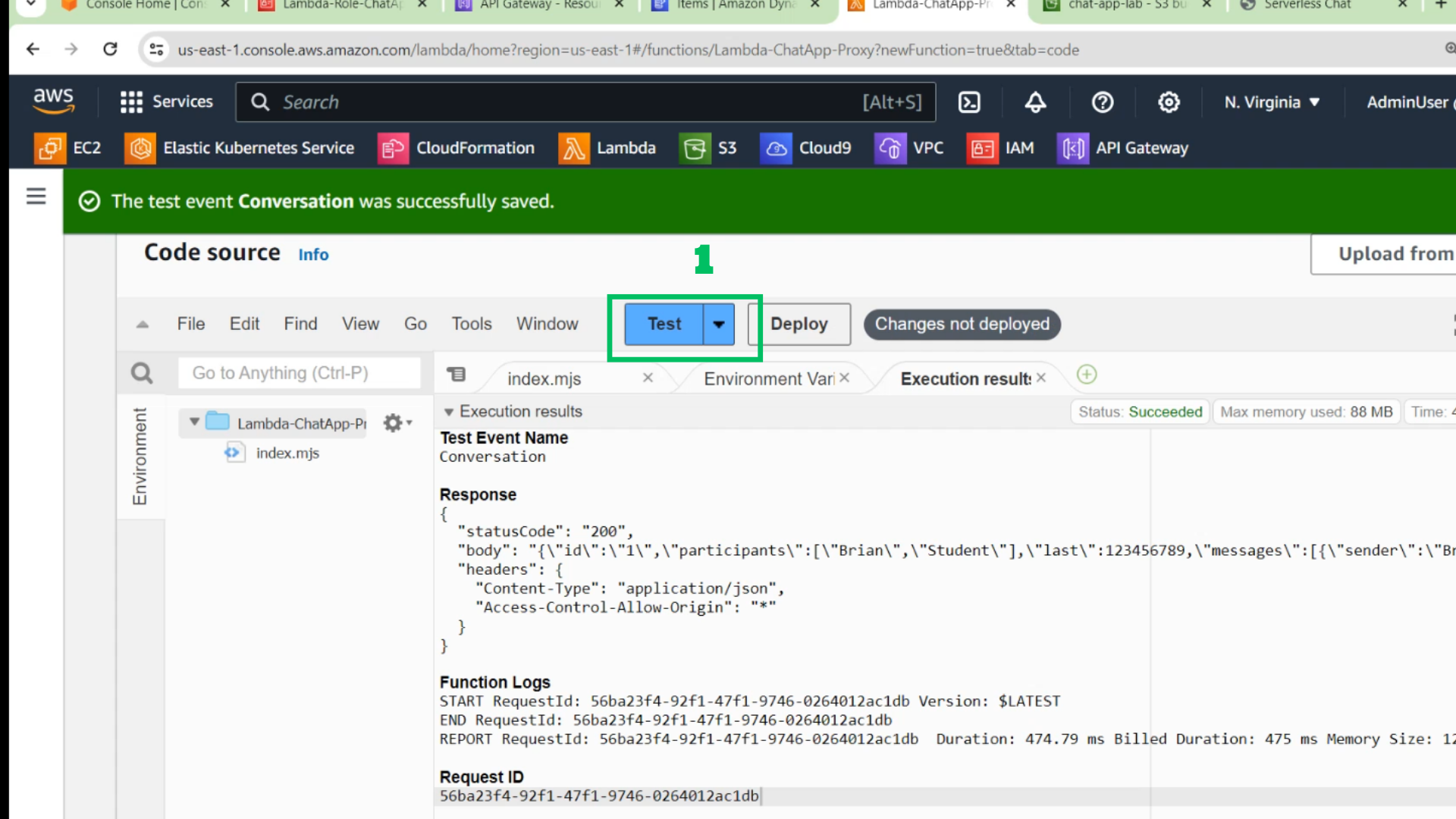
- Choose Test and check results
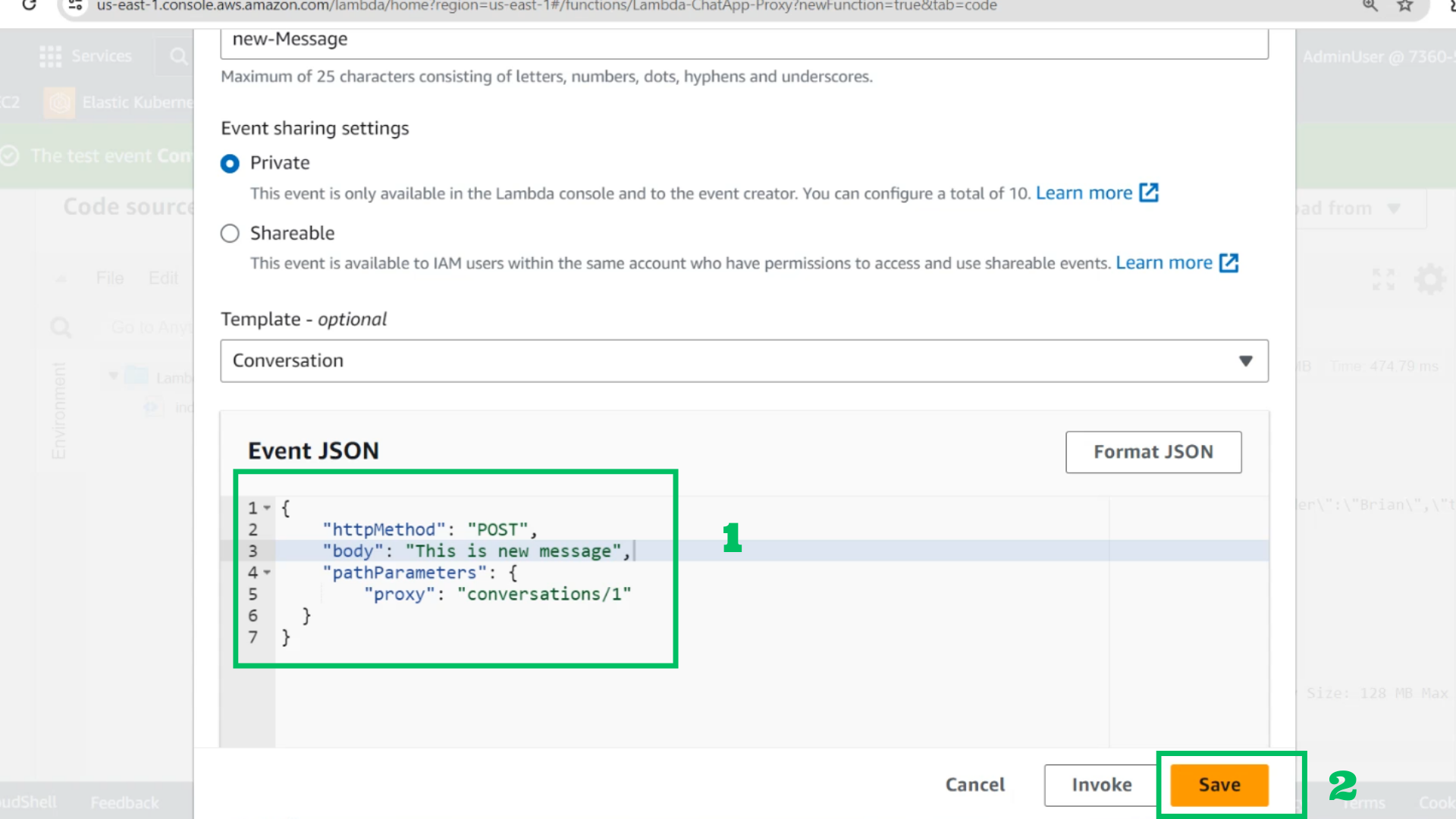
- Change Event JSON
{
    "httpMethod": "POST",
    "body": "This is new message",
    "pathParameters": {
        "proxy": "conversations/1"
    }
}
- Choose Save and Test
- Or Invoke
- Go to DynamoDB tables and check new item
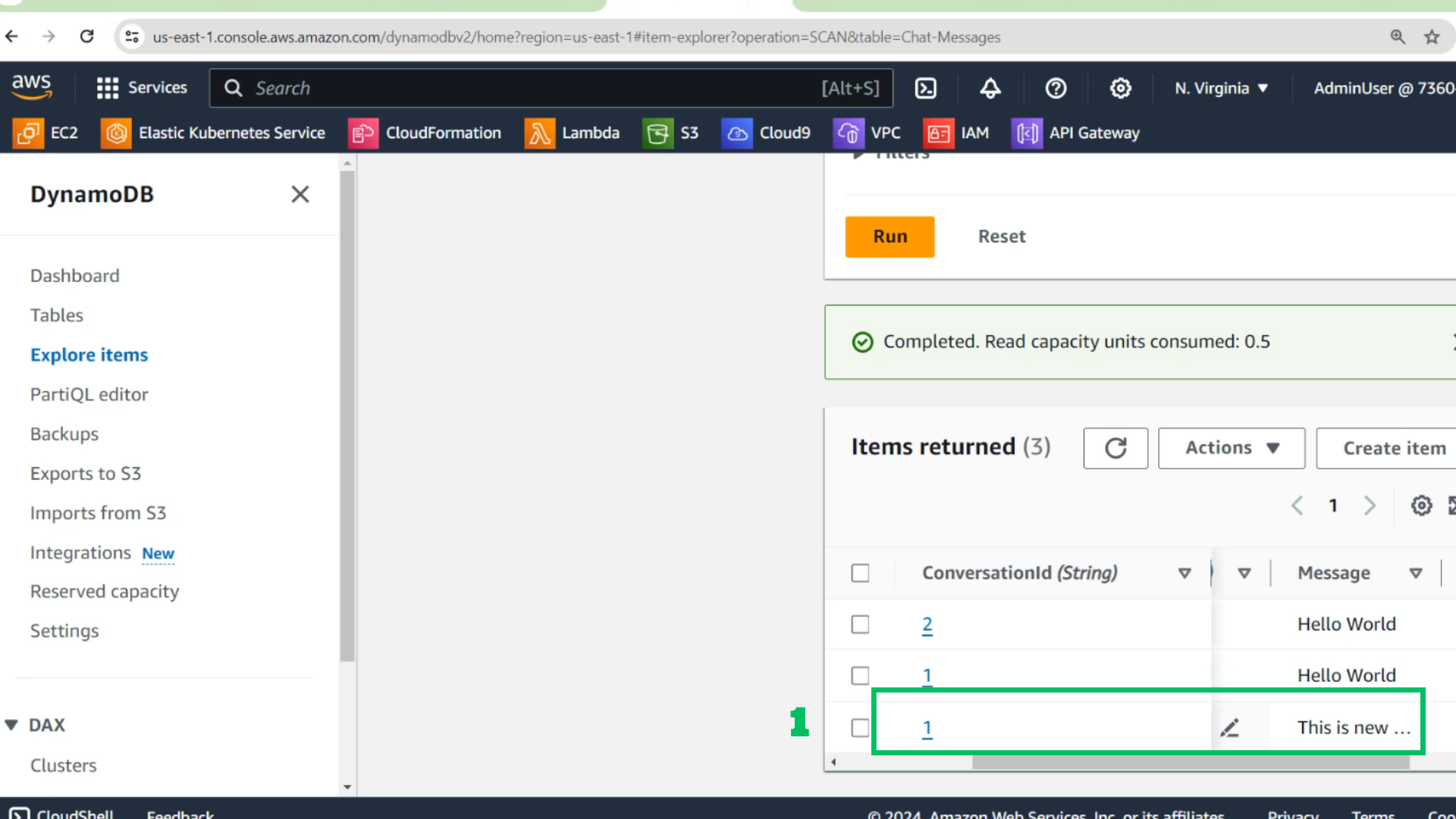
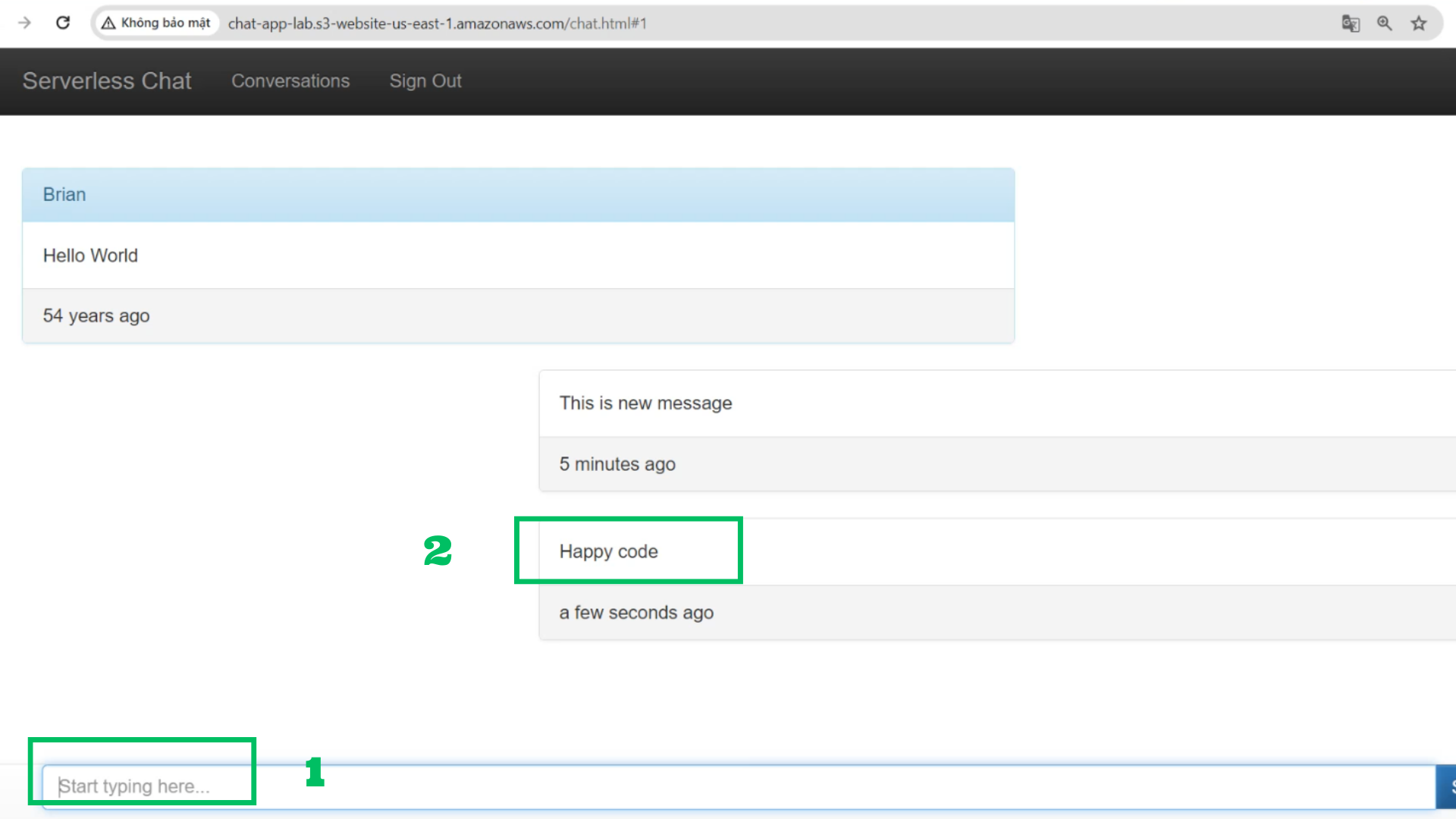
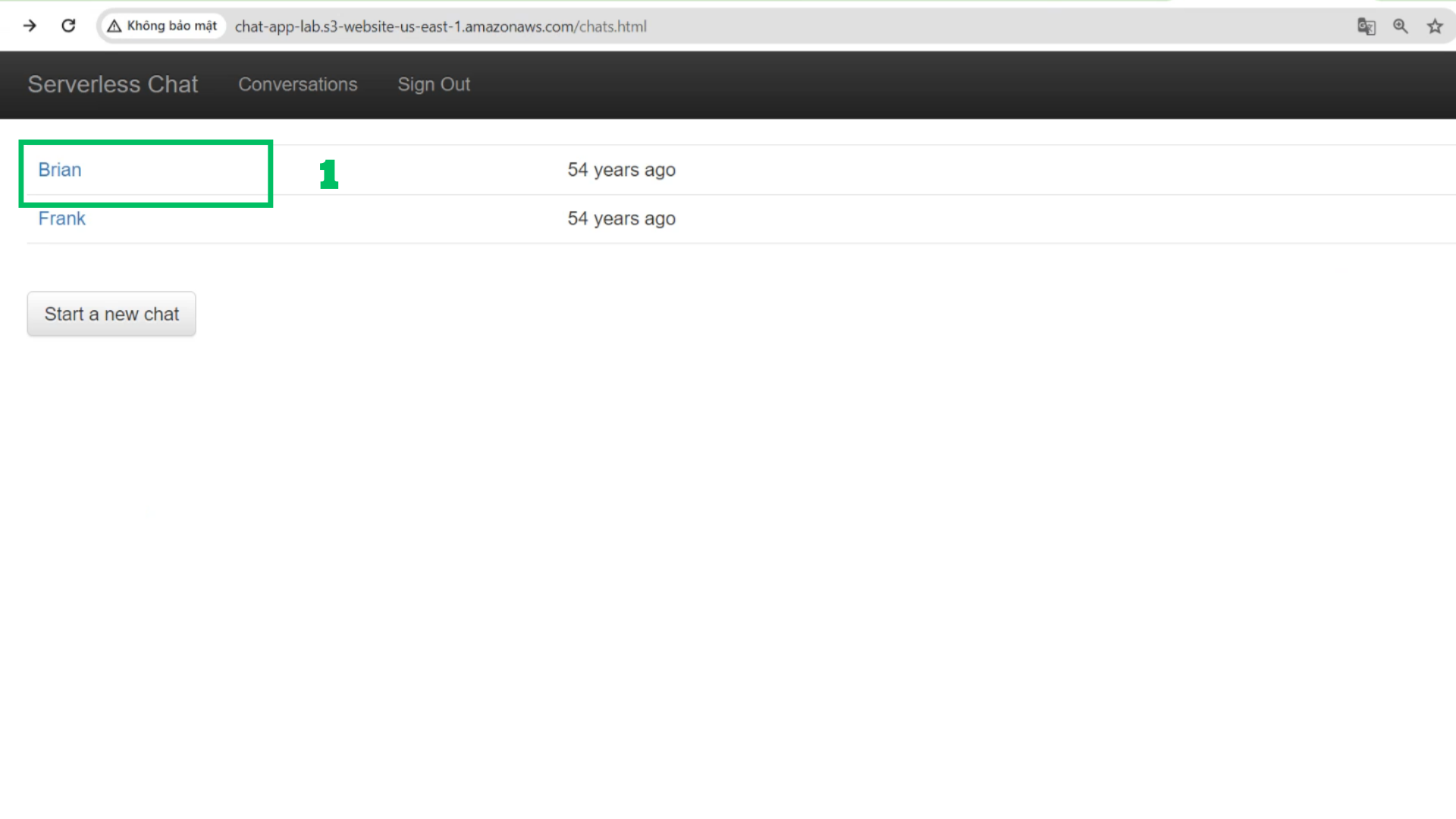
- Check again with browser
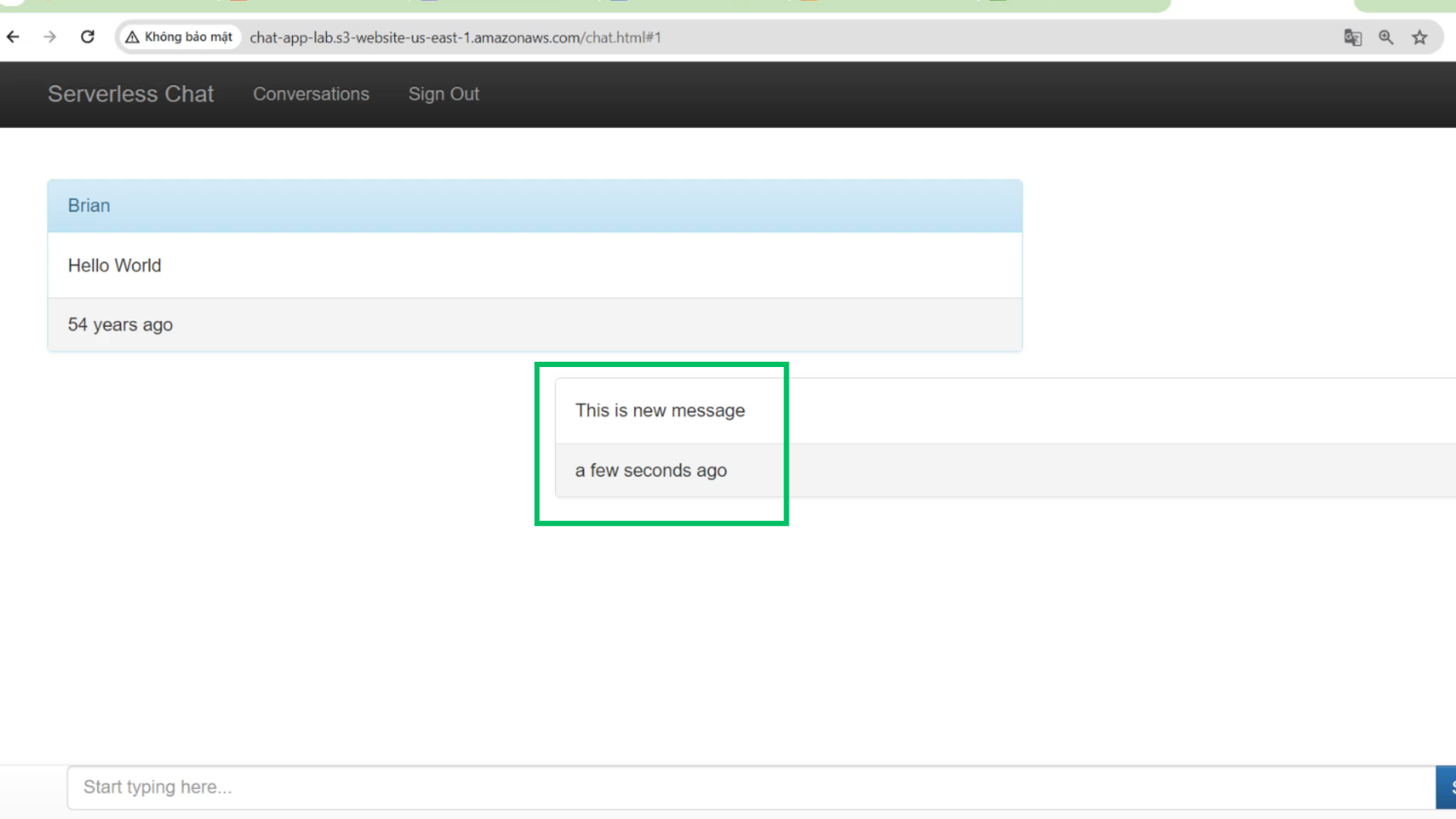
- This is new items
- At S3 Bucket
- Choose Upload
- Choose Add files
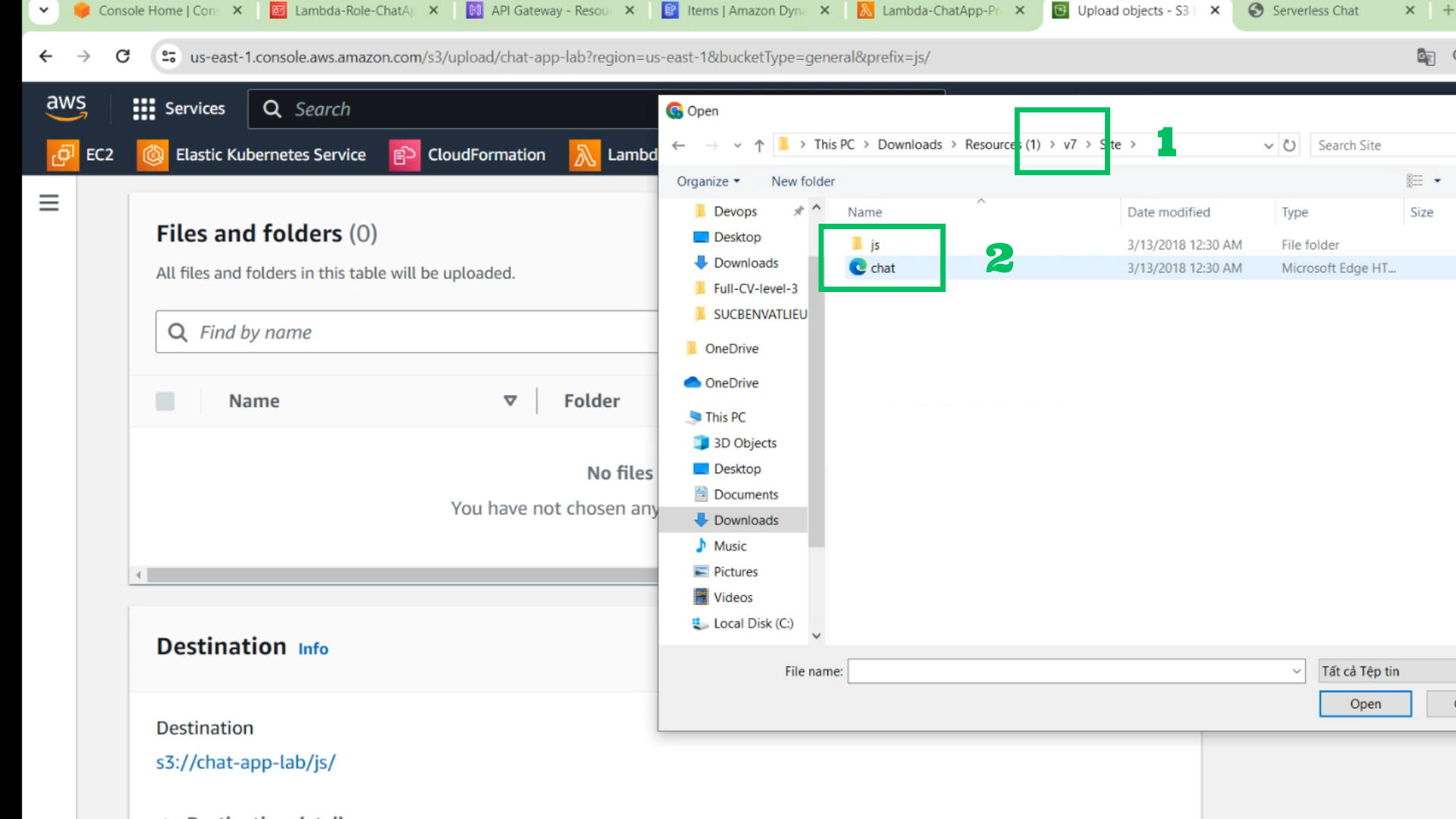
- Go to site folder in v7 folder
- Add all file to upload
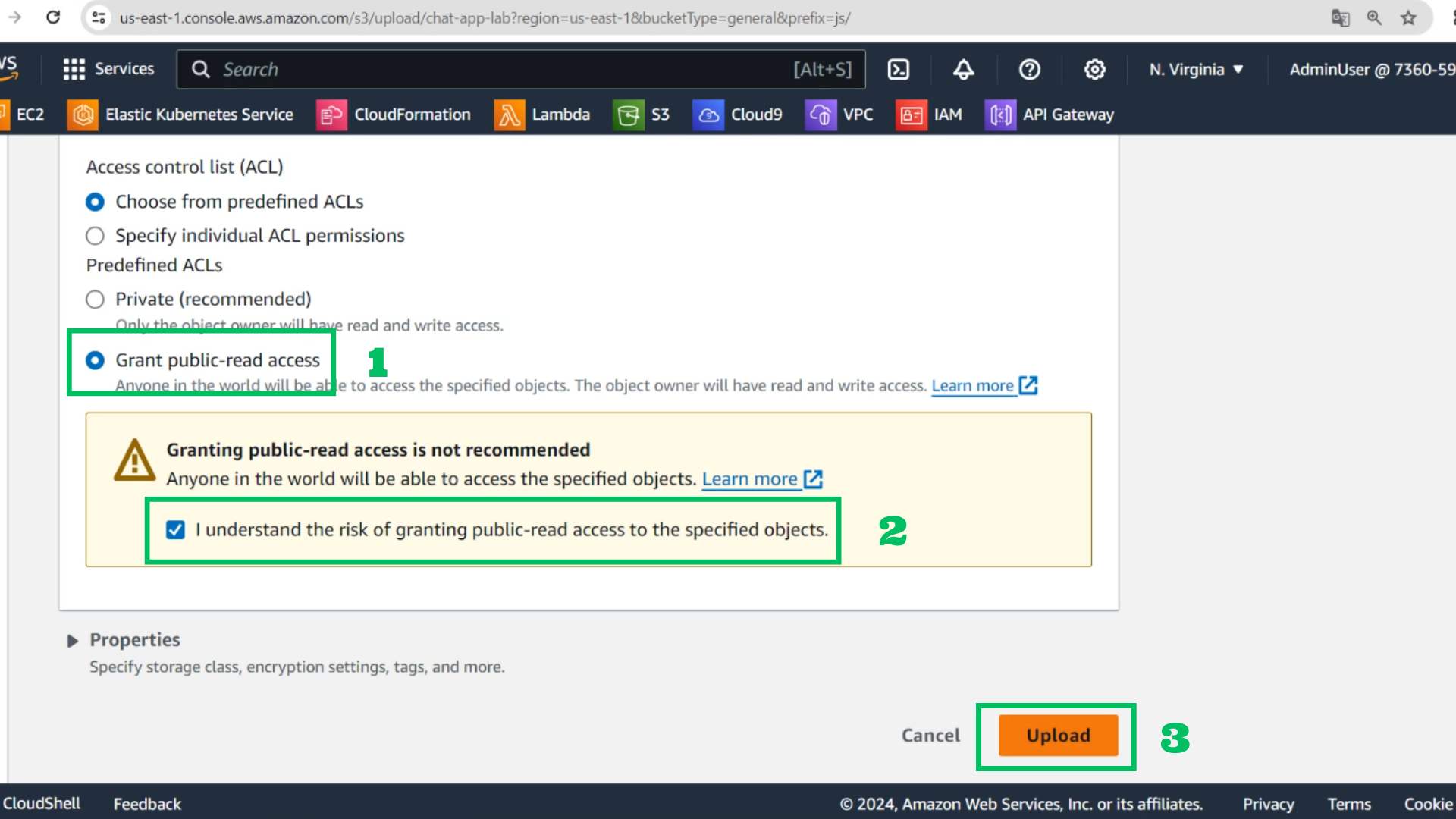
- Choose Grant public-read acccess
- Choose I understand
- Choose Upload
- Check with browser
- Type new message