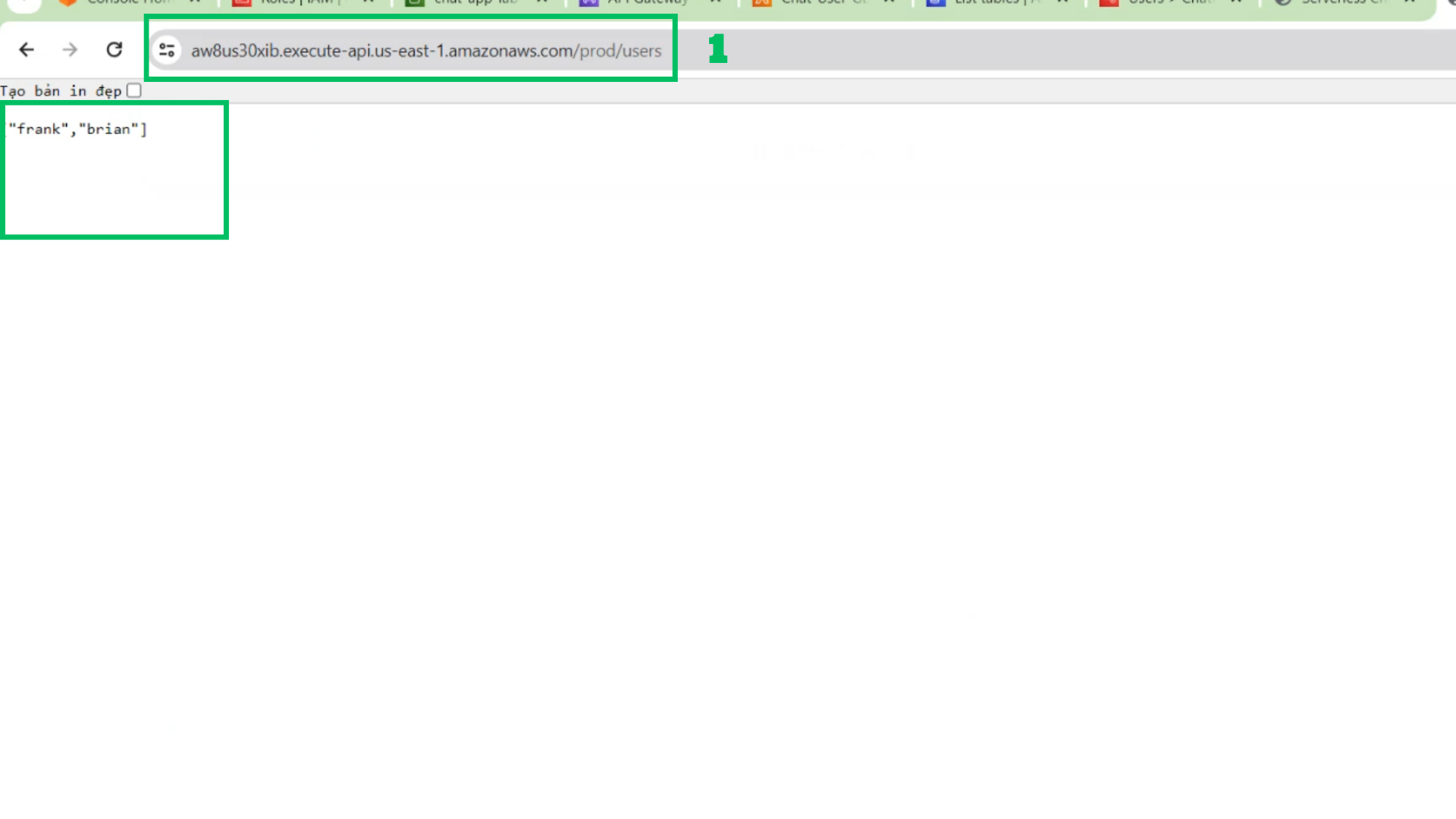
List Users in the API
- At IAM Interface
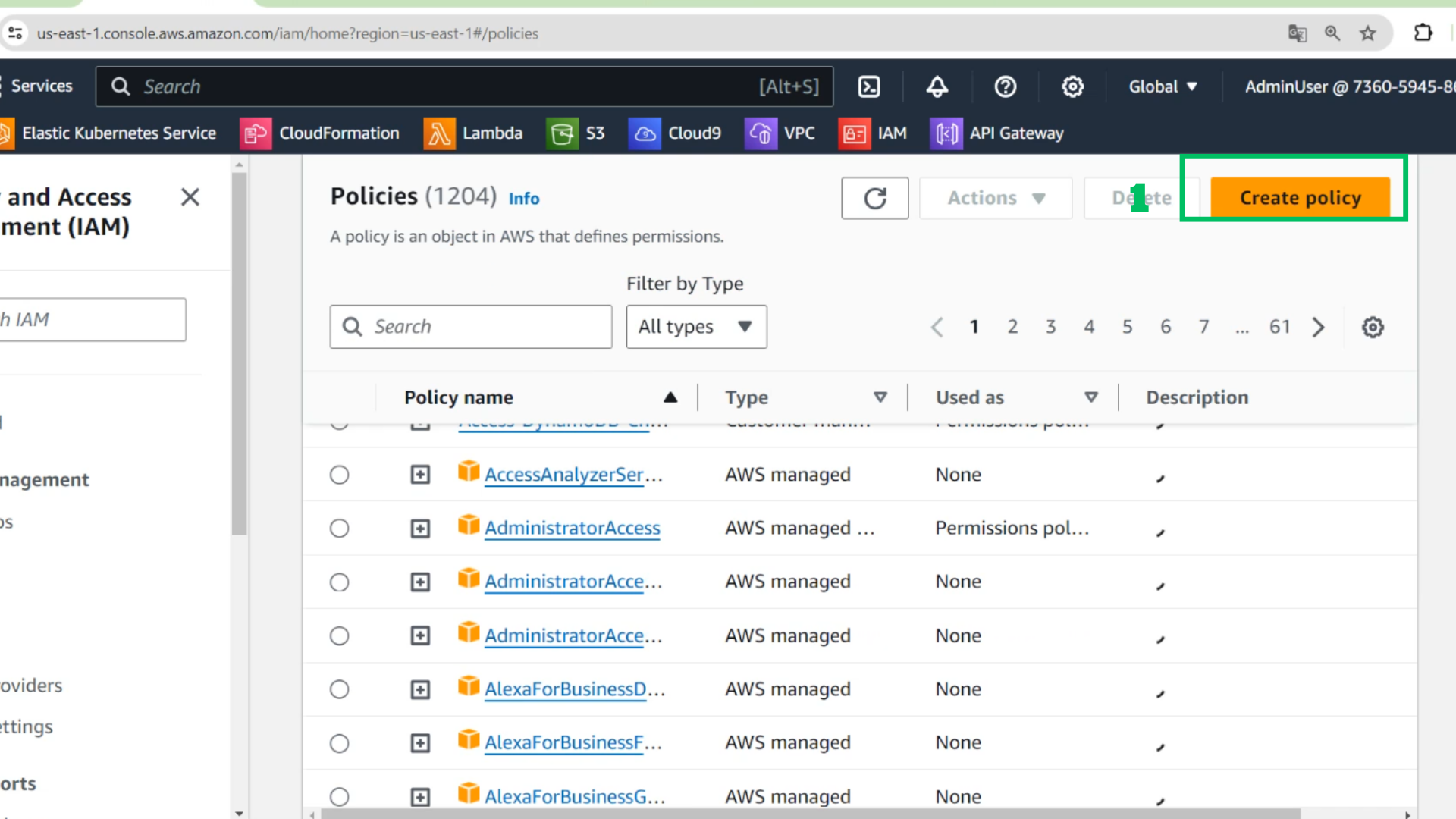
- Choose Create policy
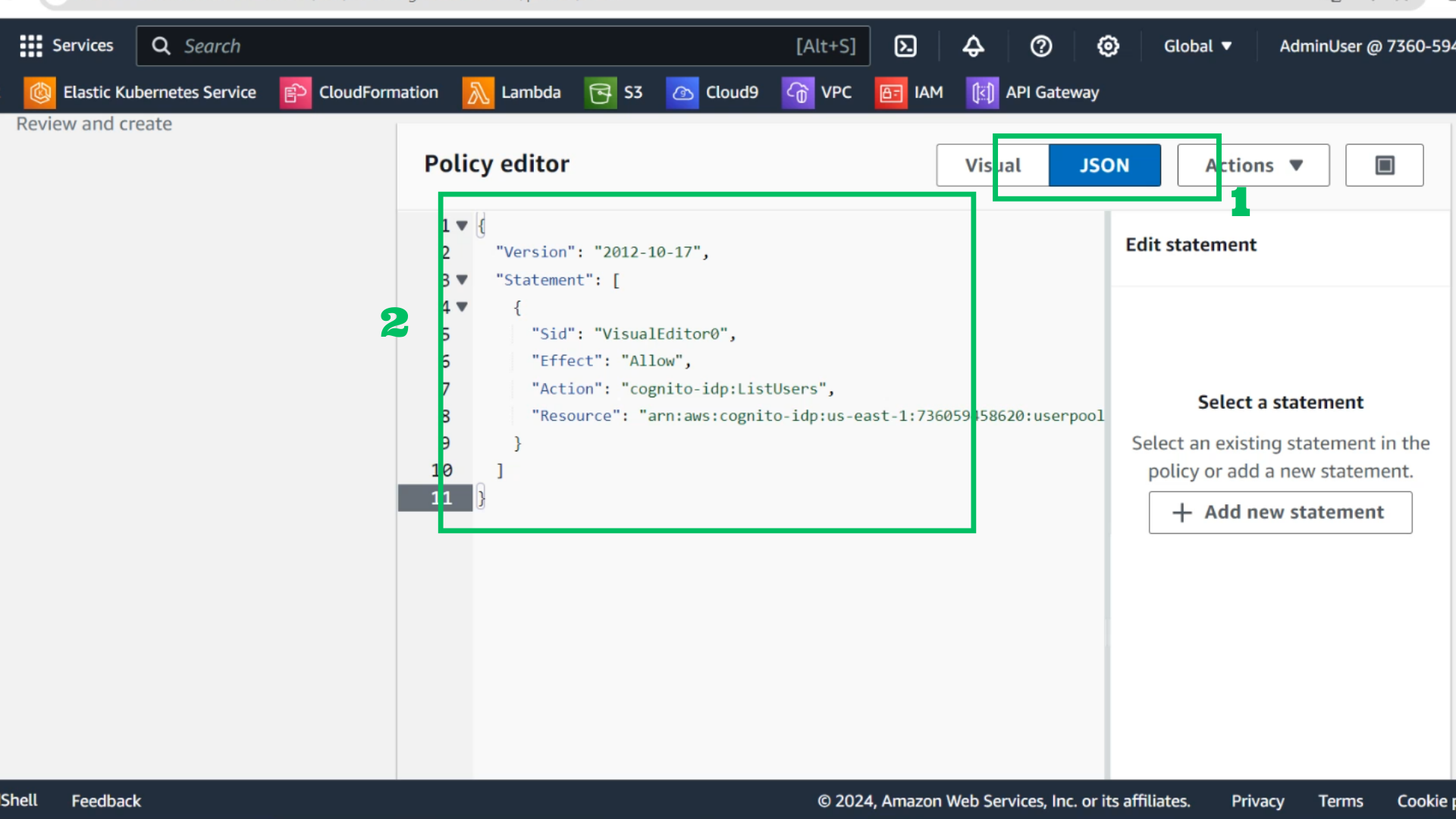
- Choose JSON
- Copy policy and paste it
{
  "Version": "2012-10-17",
  "Statement": [
    {
      "Sid": "VisualEditor0",
      "Effect": "Allow",
      "Action": "cognito-idp:ListUsers",
      "Resource": "arn:aws:cognito-idp:<your region>:<account id>:userpool/<user pool id>"
    }
  ]
}
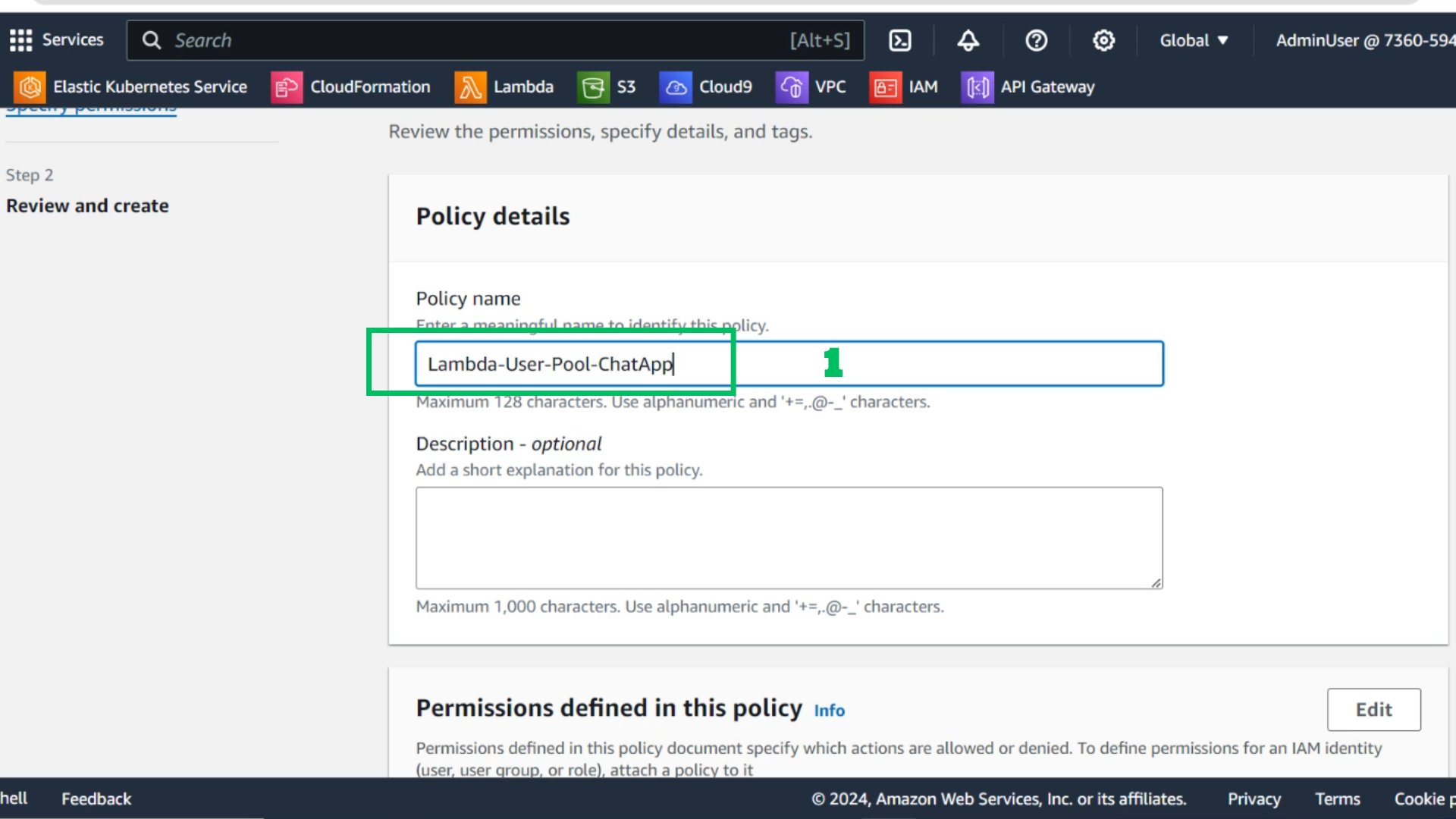
 3. Policy name: Lambda-User-Pool-ChatApp
 4. Choose Create policy
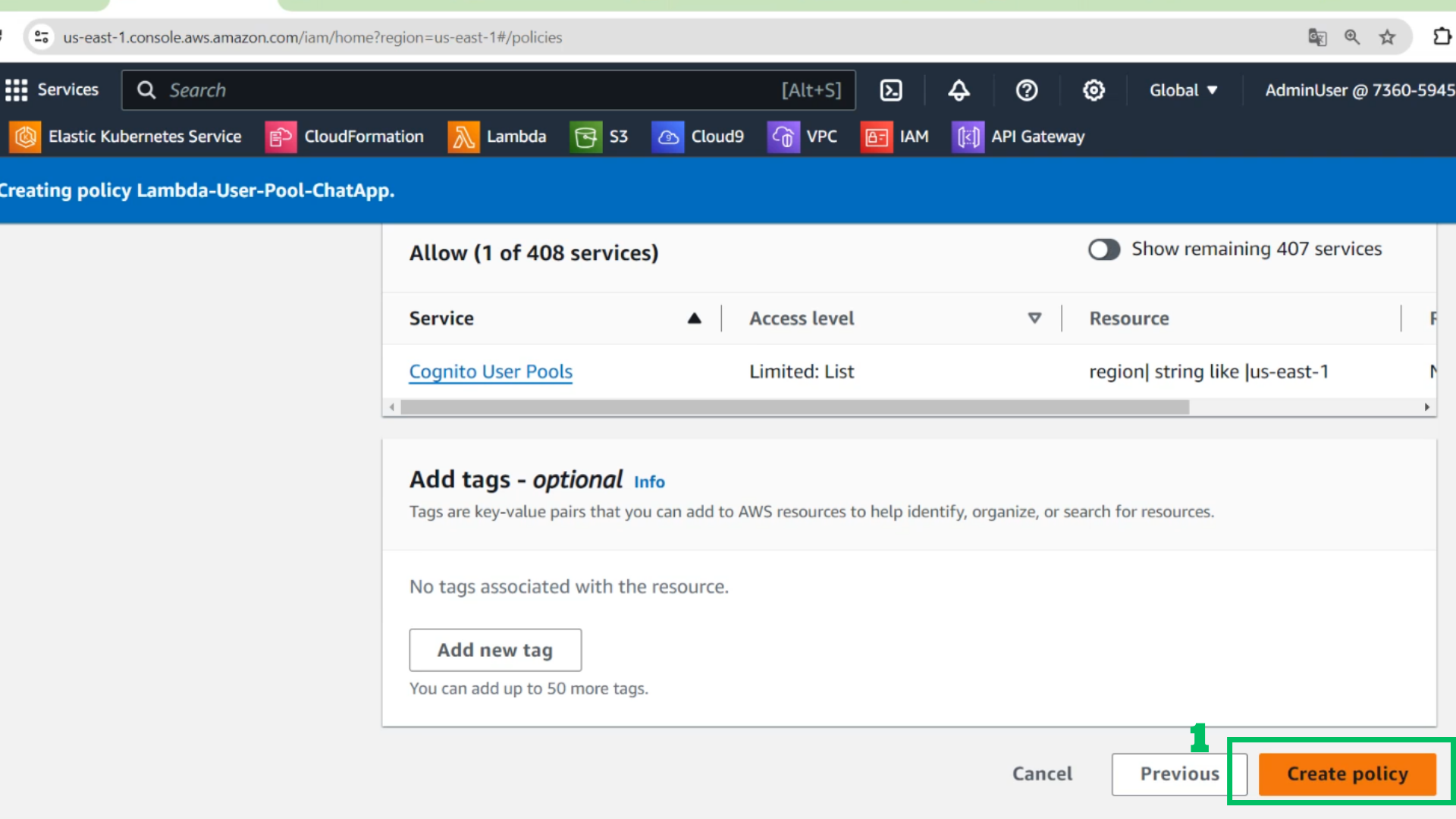 5. At IAM Interface
- Find Role: Lambda-Role-ChatApp
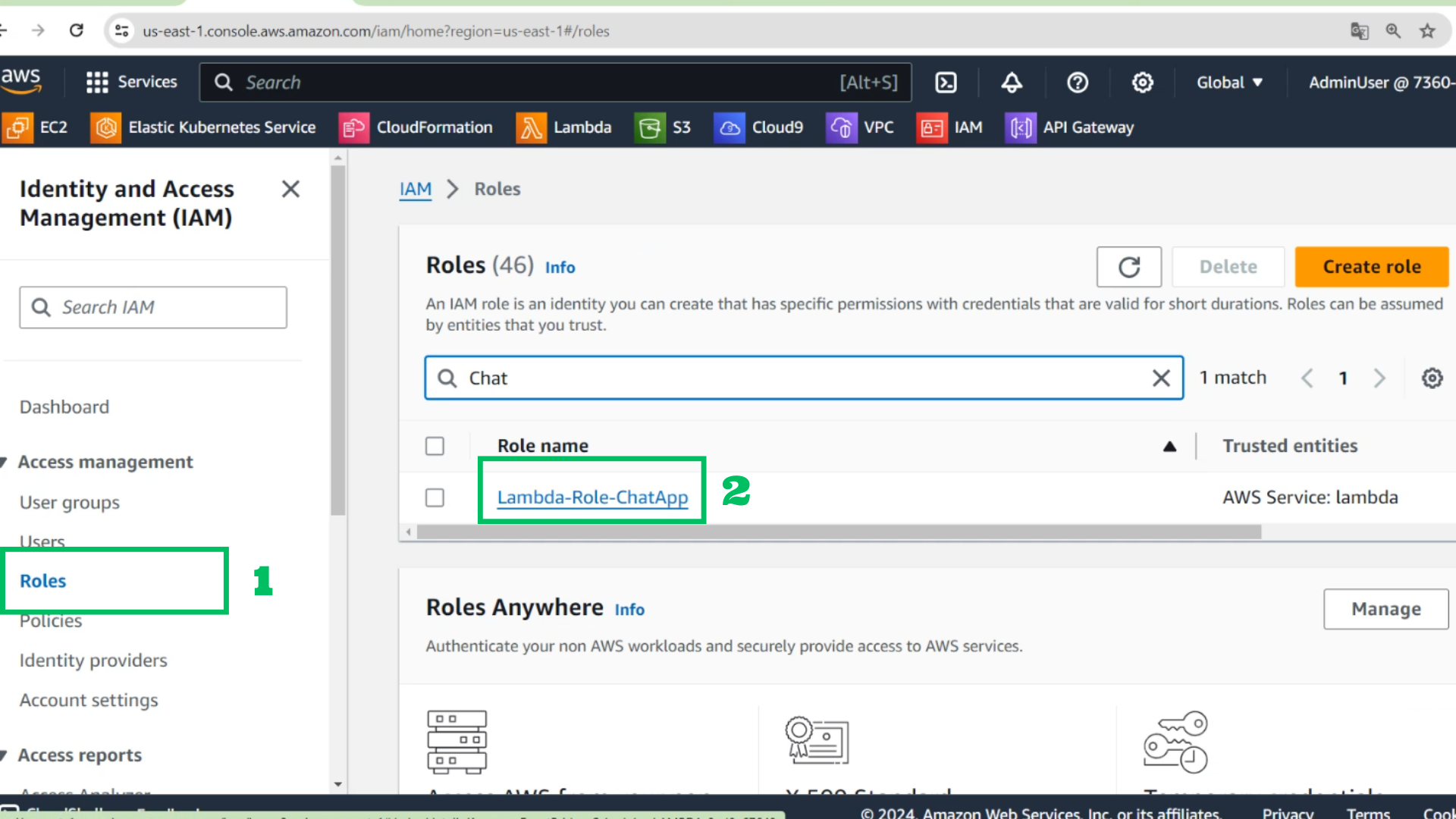
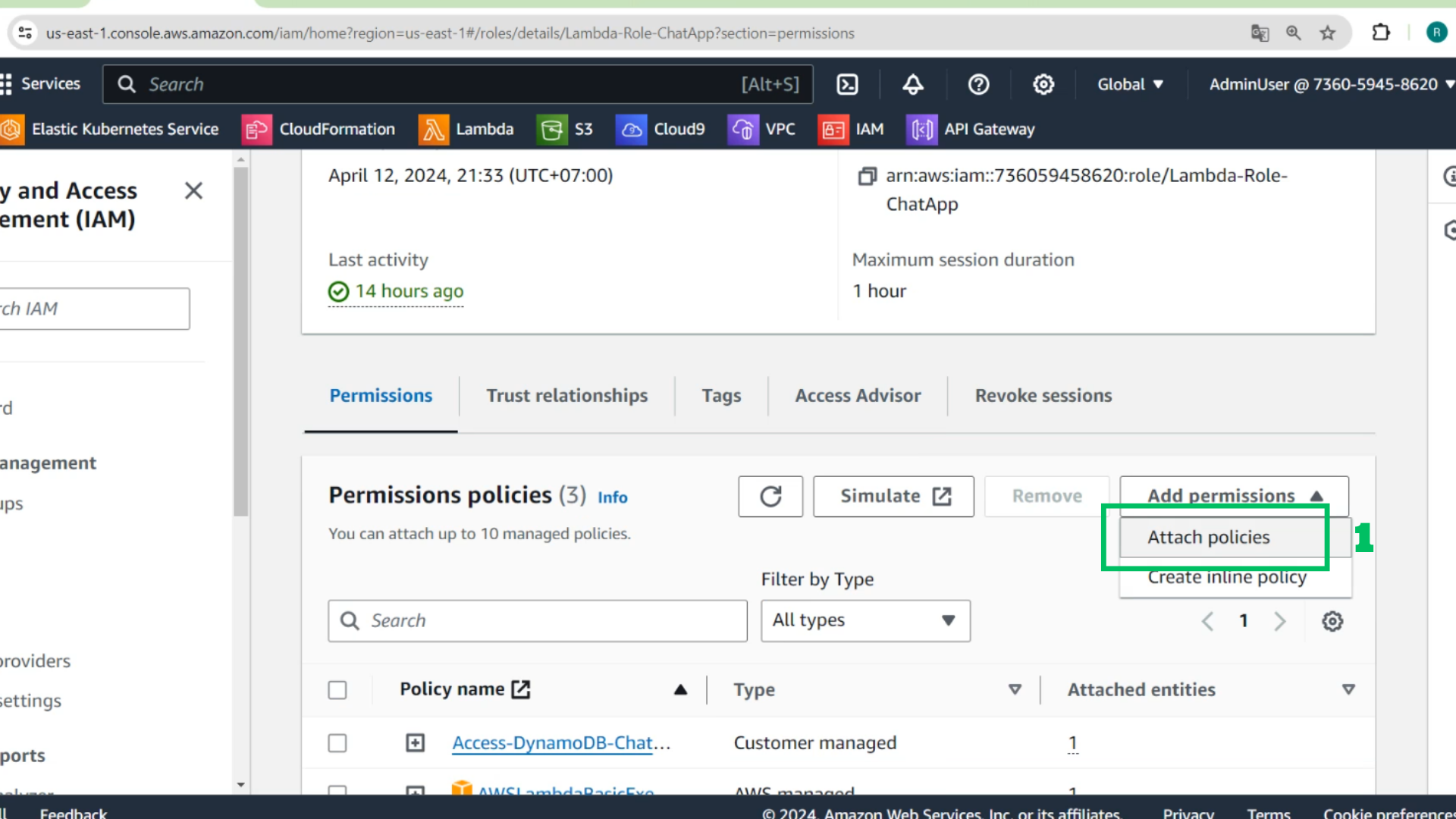
- Choose Add permissions
- Choose Attach policies
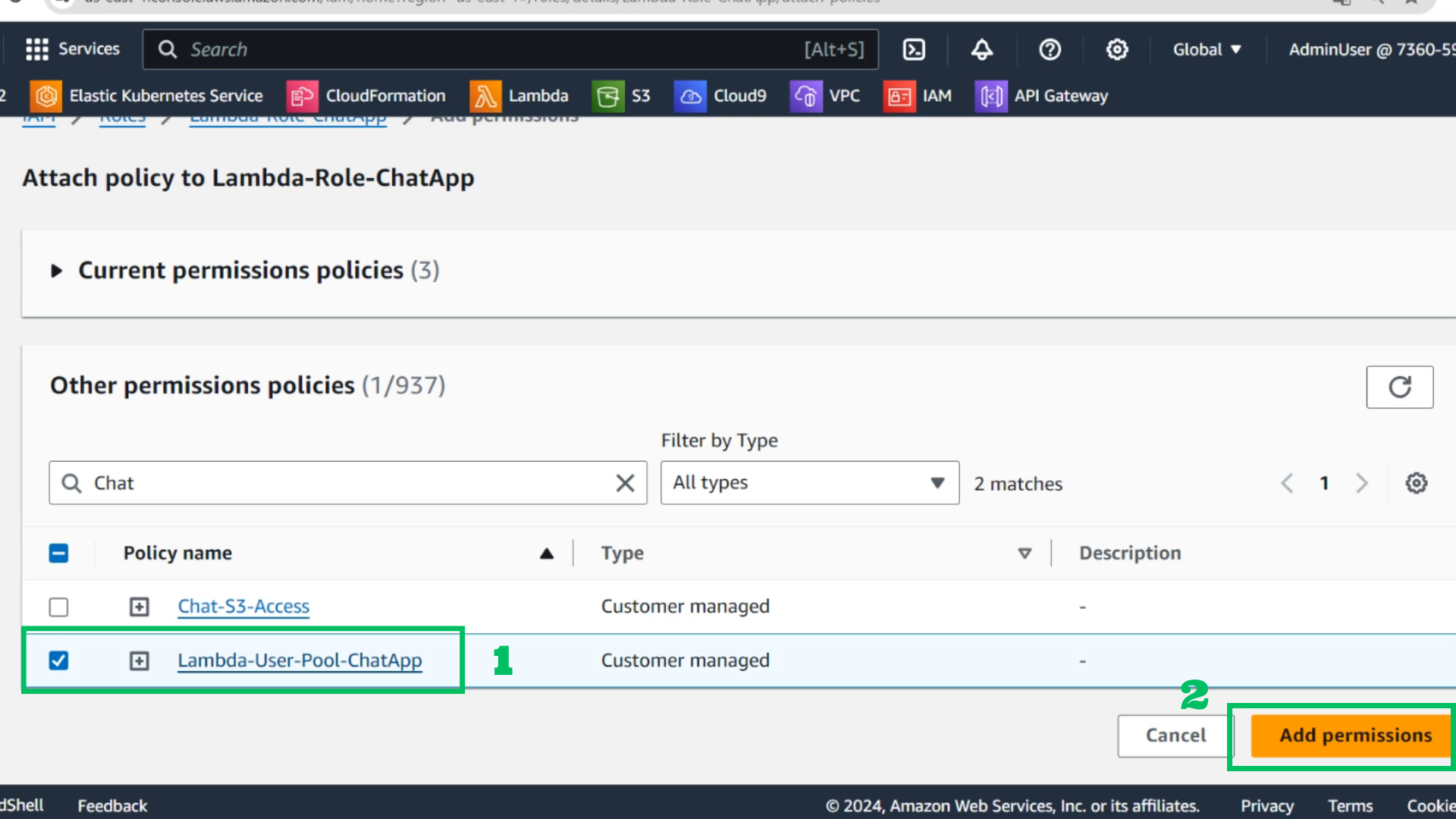
- Find policy: Lambda-User-Pool-ChatApp
- Choose: Add permissions
- At IAM Interface
- Choose Create Role
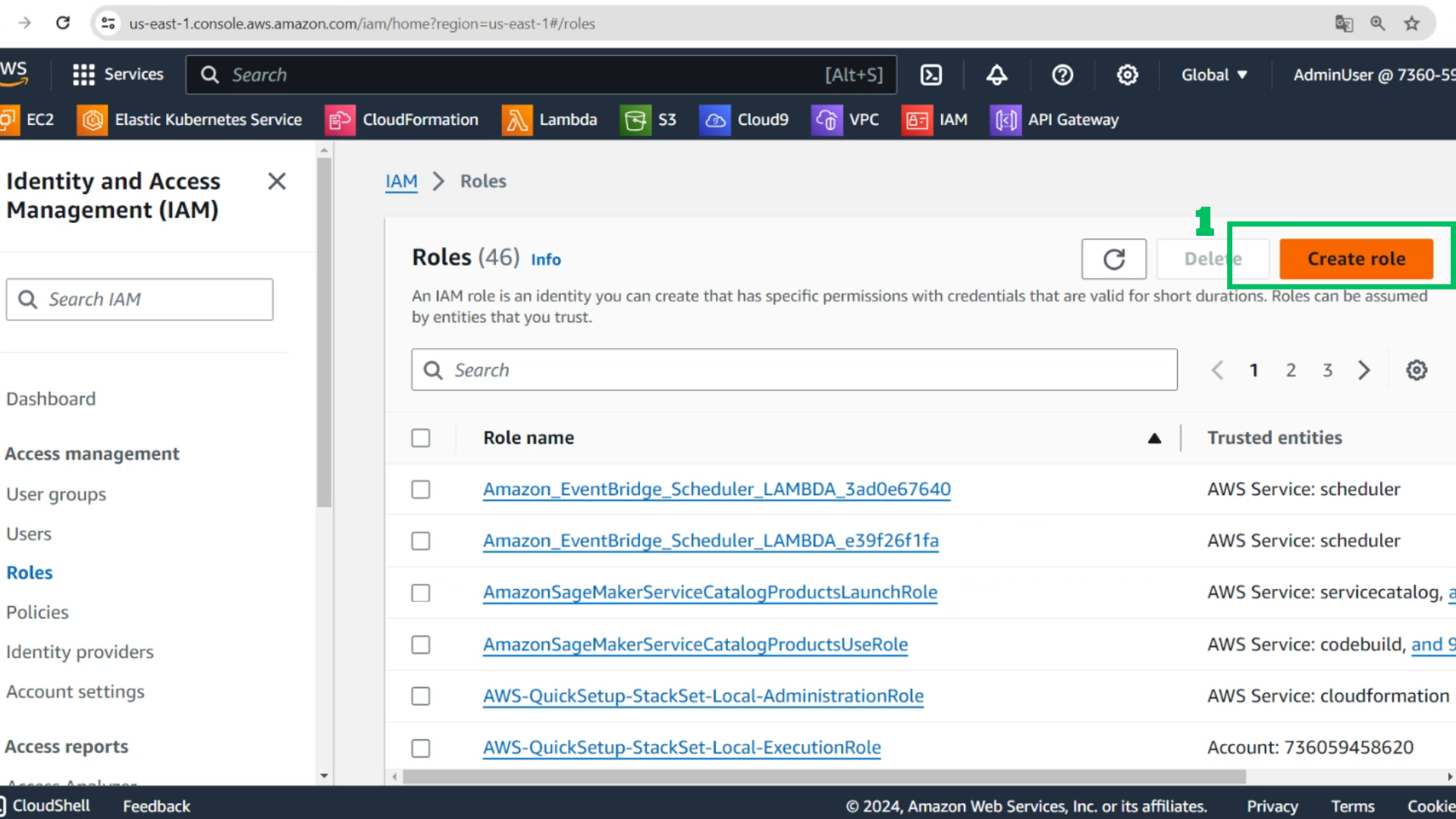
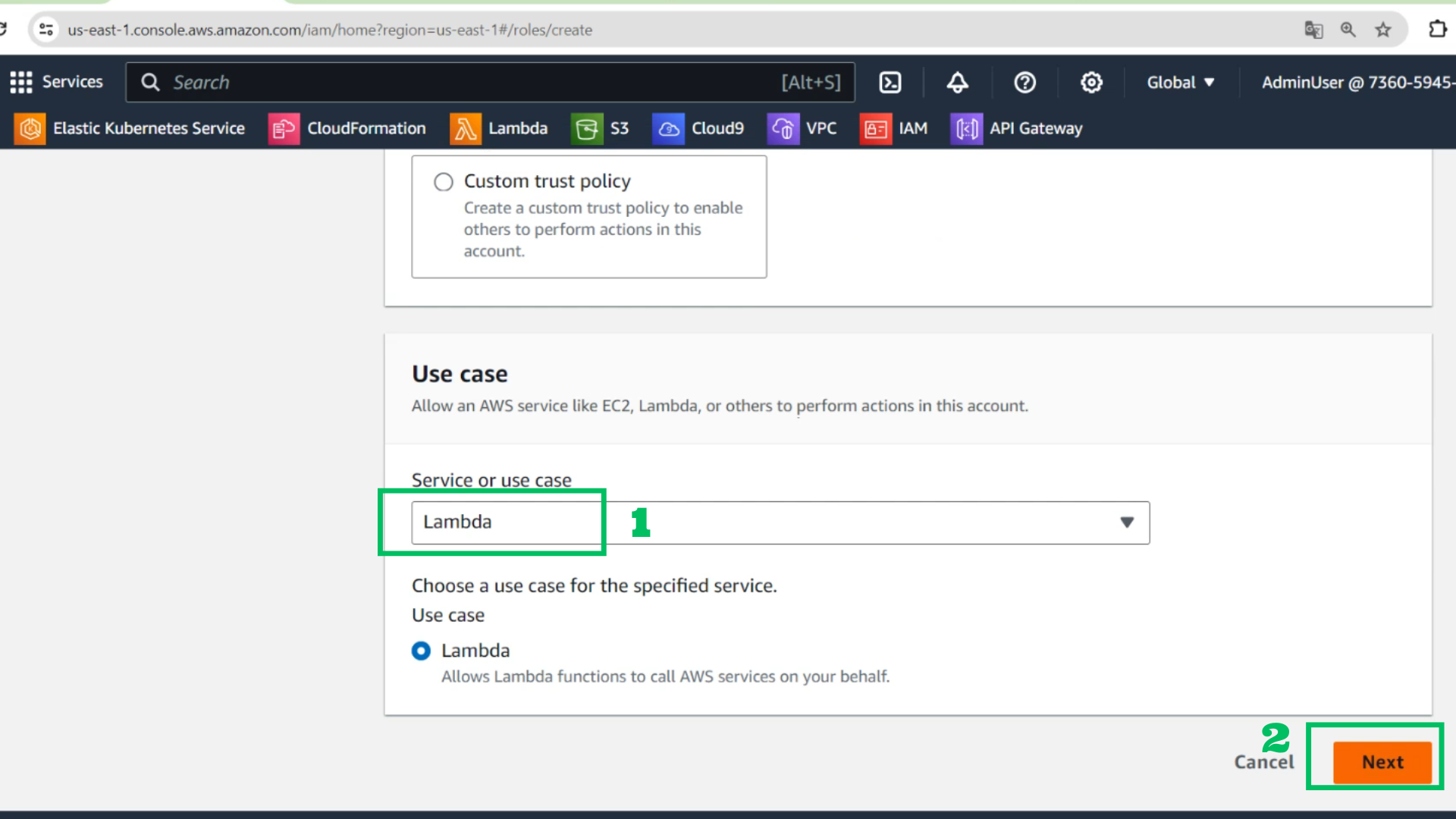
- Choose Service: Lambda
- Choose Next
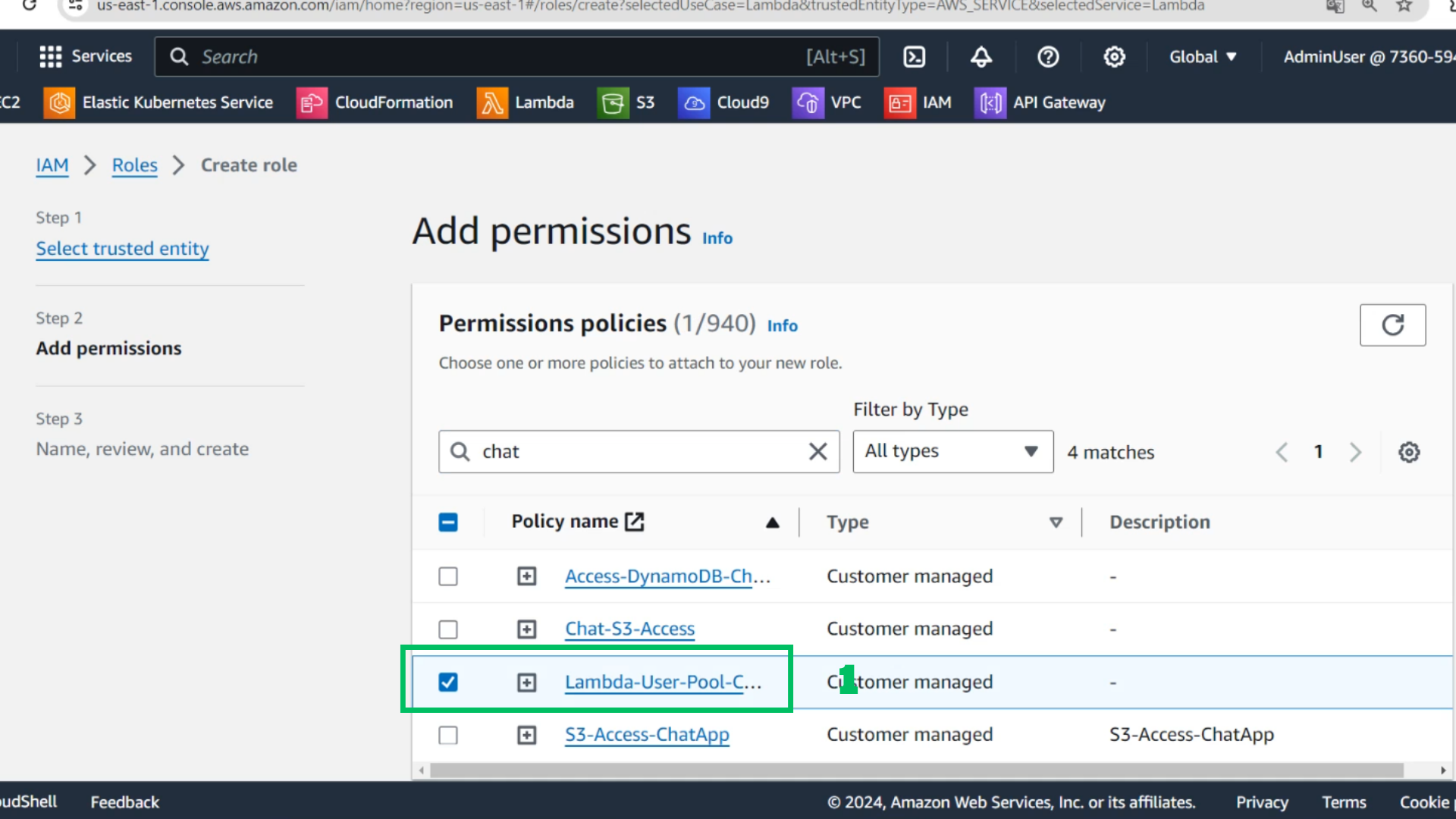
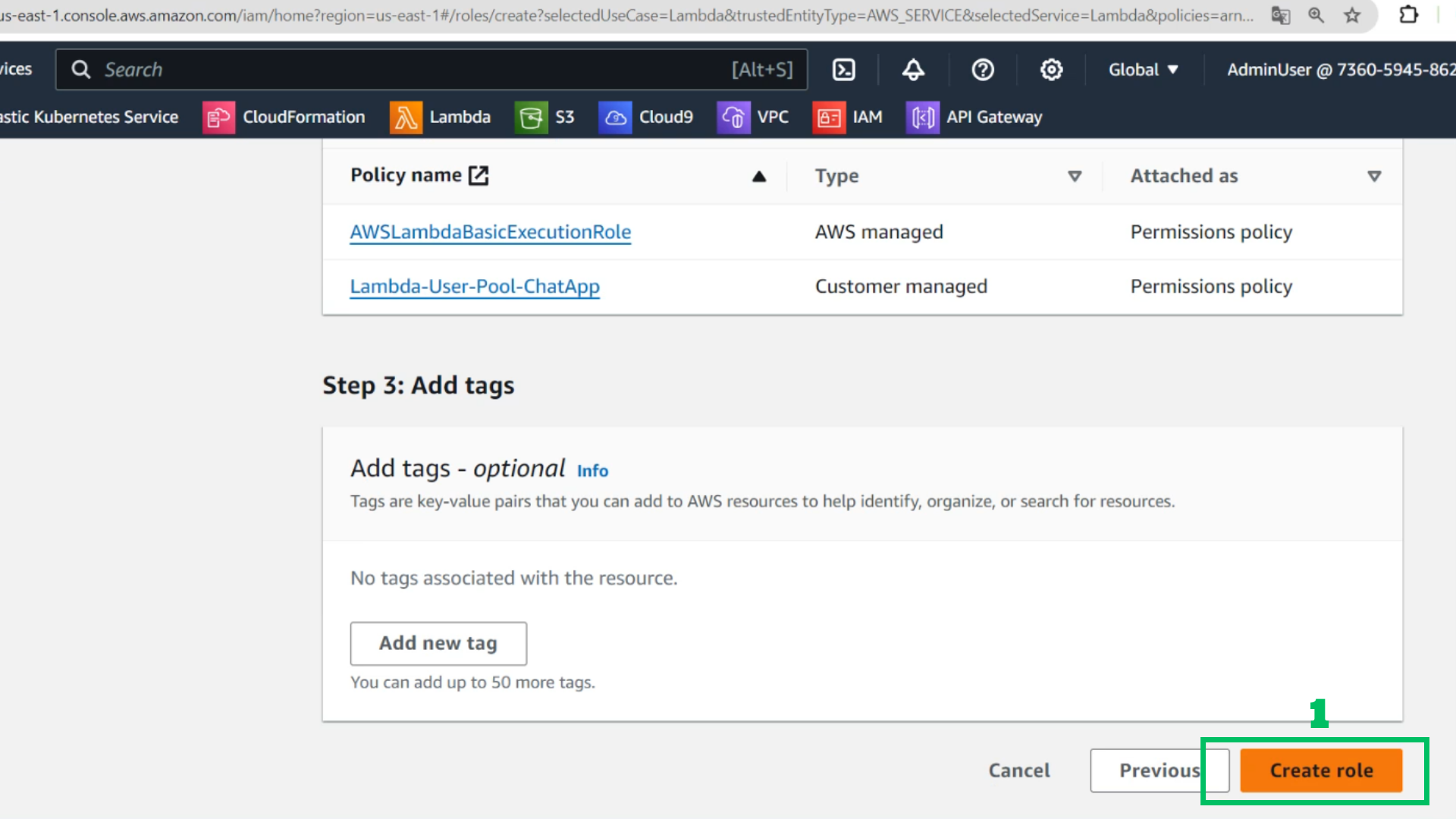
- Add permission: Lamda-User-Pool-ChatApp
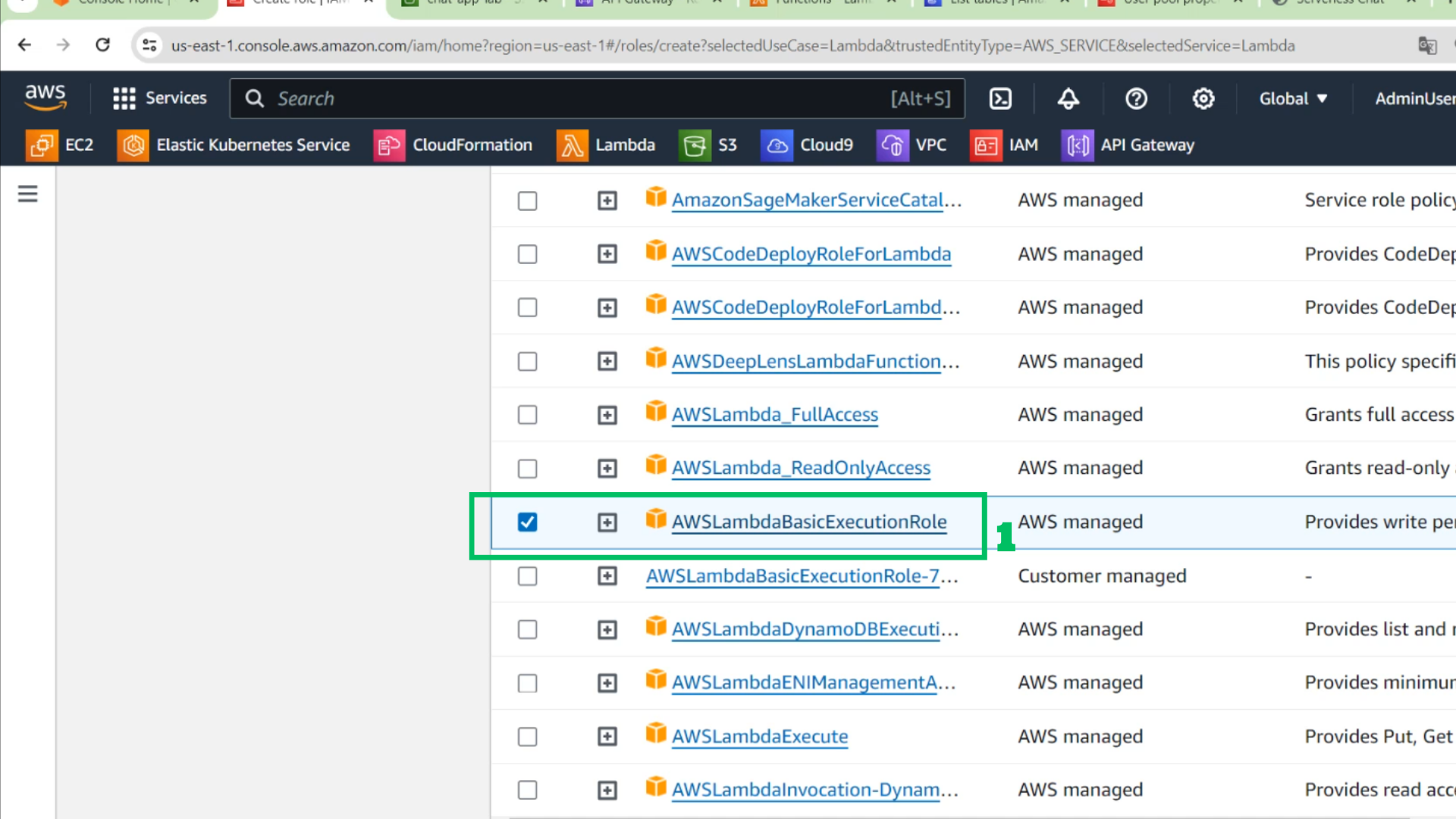
- Add permission: AWSLambdaBasicExecutionRole
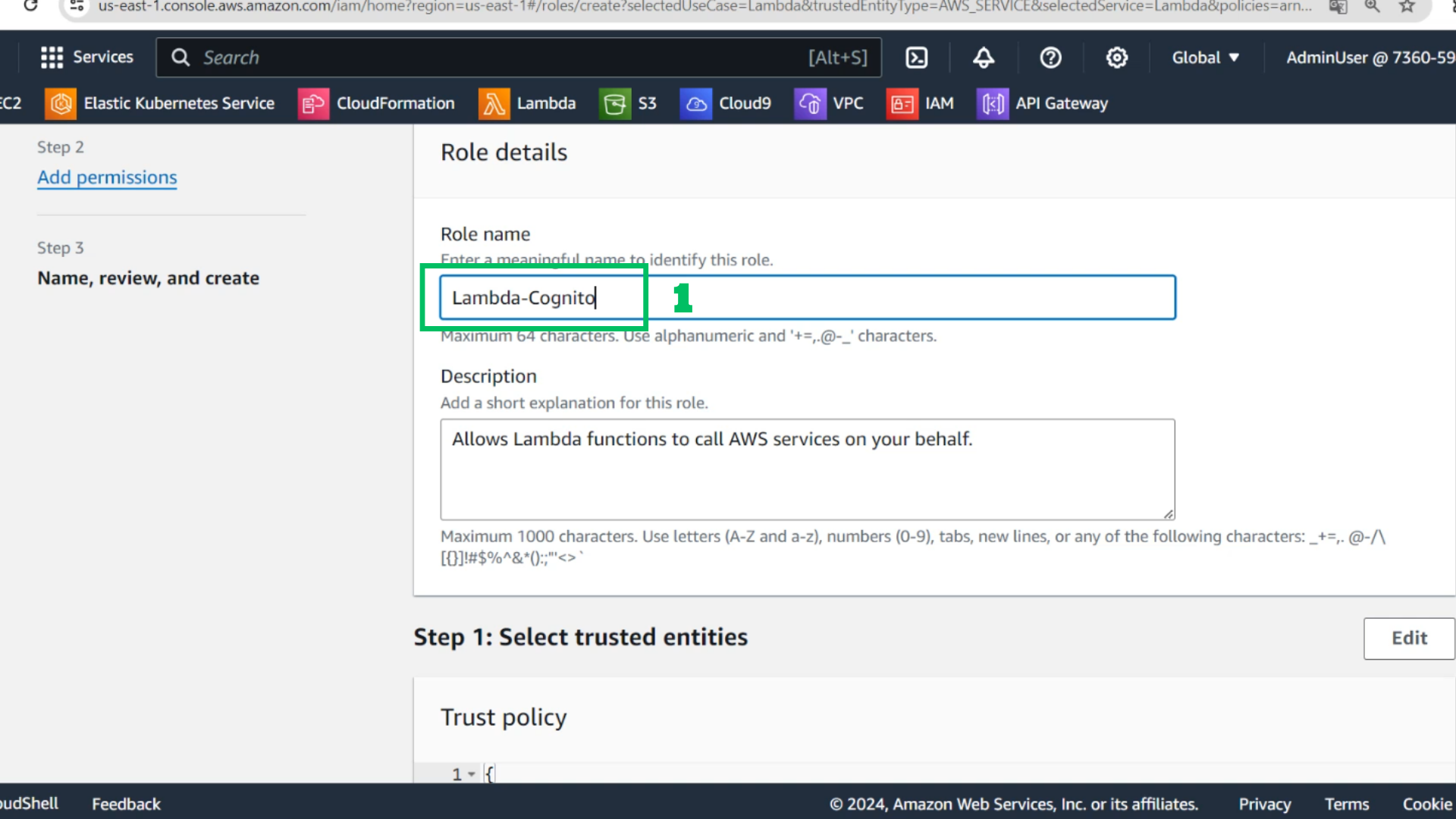
- Role-name: Lambda-Cognito
- Choose Create Role
- At Lambda function
- Choose Create function
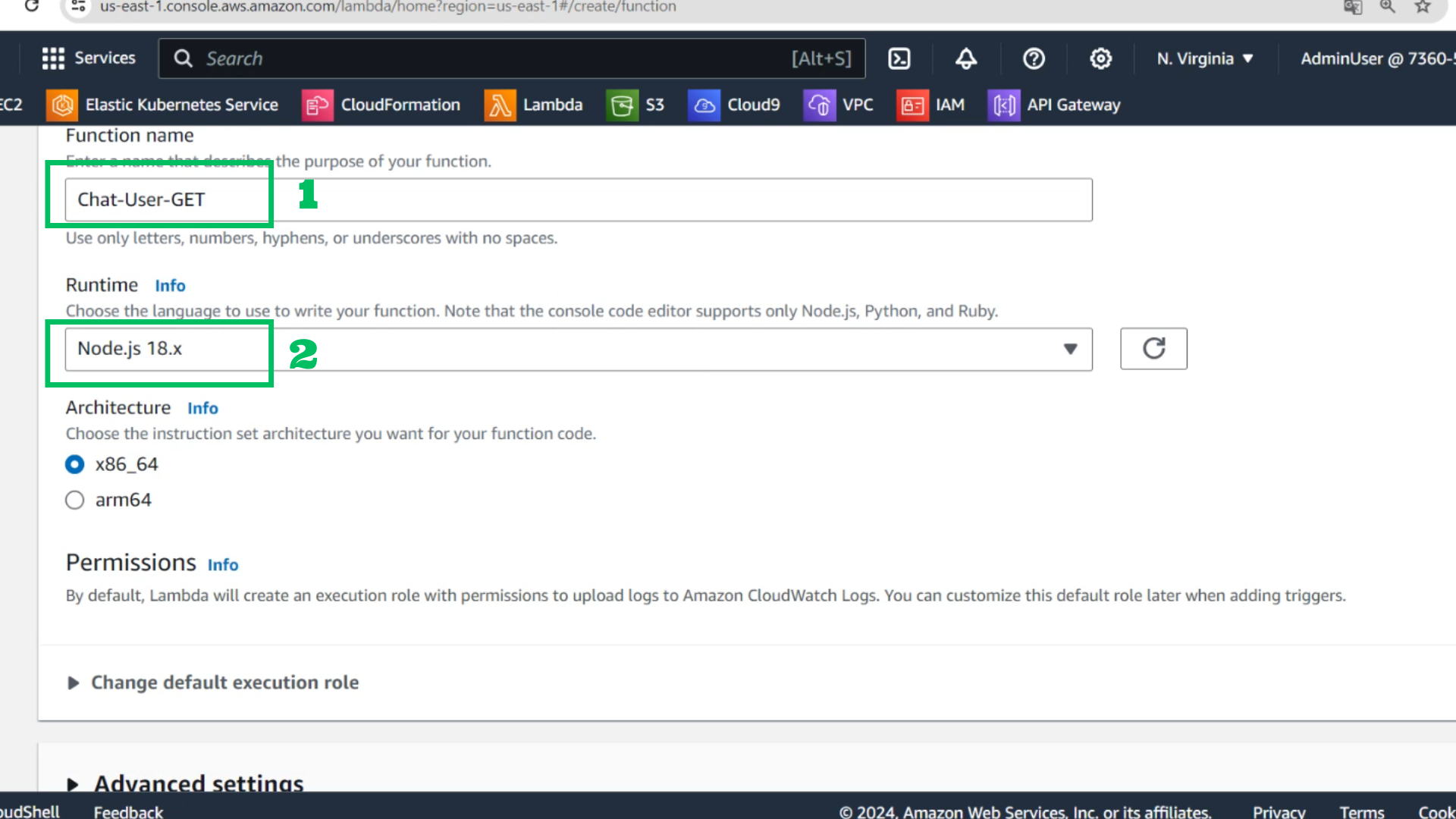
- Function name: Chat-User-GET
- Runtime: Node.js 18.x
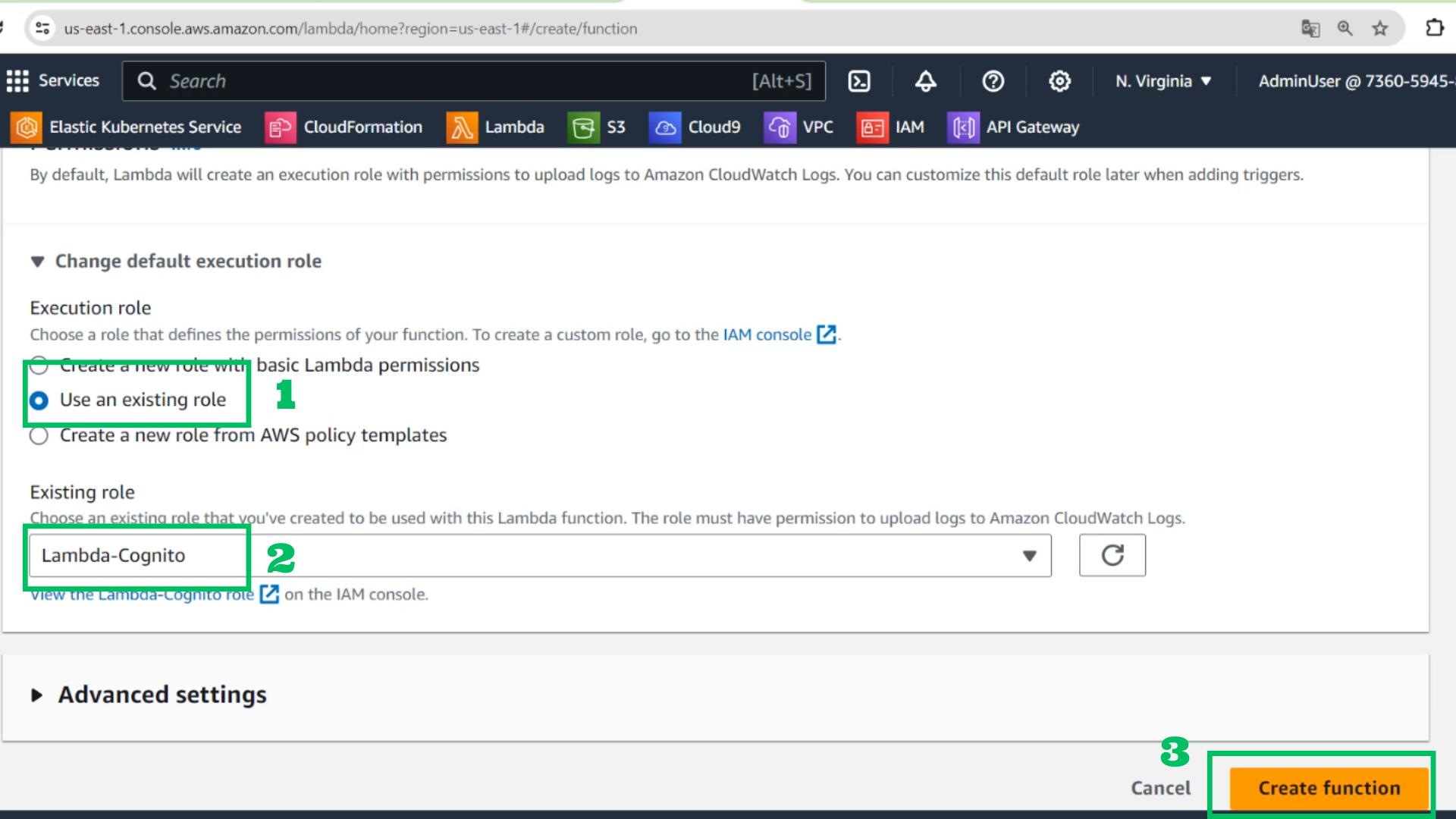
- Using an existing role: Lambda-Cognito
- Create function
- Copy this code and paste it
import {CognitoIdentityProviderClient, paginateListUsers} from '@aws-sdk/client-cognito-identity-provider';

const cognito = new CognitoIdentityProviderClient({});

export const handler = async function () {
    const paginator = paginateListUsers({client: cognito}, {
        UserPoolId: '<user pool id>',
        AttributesToGet: [],
        Filter: '',
        Limit: 60
    });

    let logins = [];

    for await (const page of paginator) {
        for (const user of page.Users) {
            logins.push(user.Username);
        }
    }

    return logins;
};
- Choose Deploy
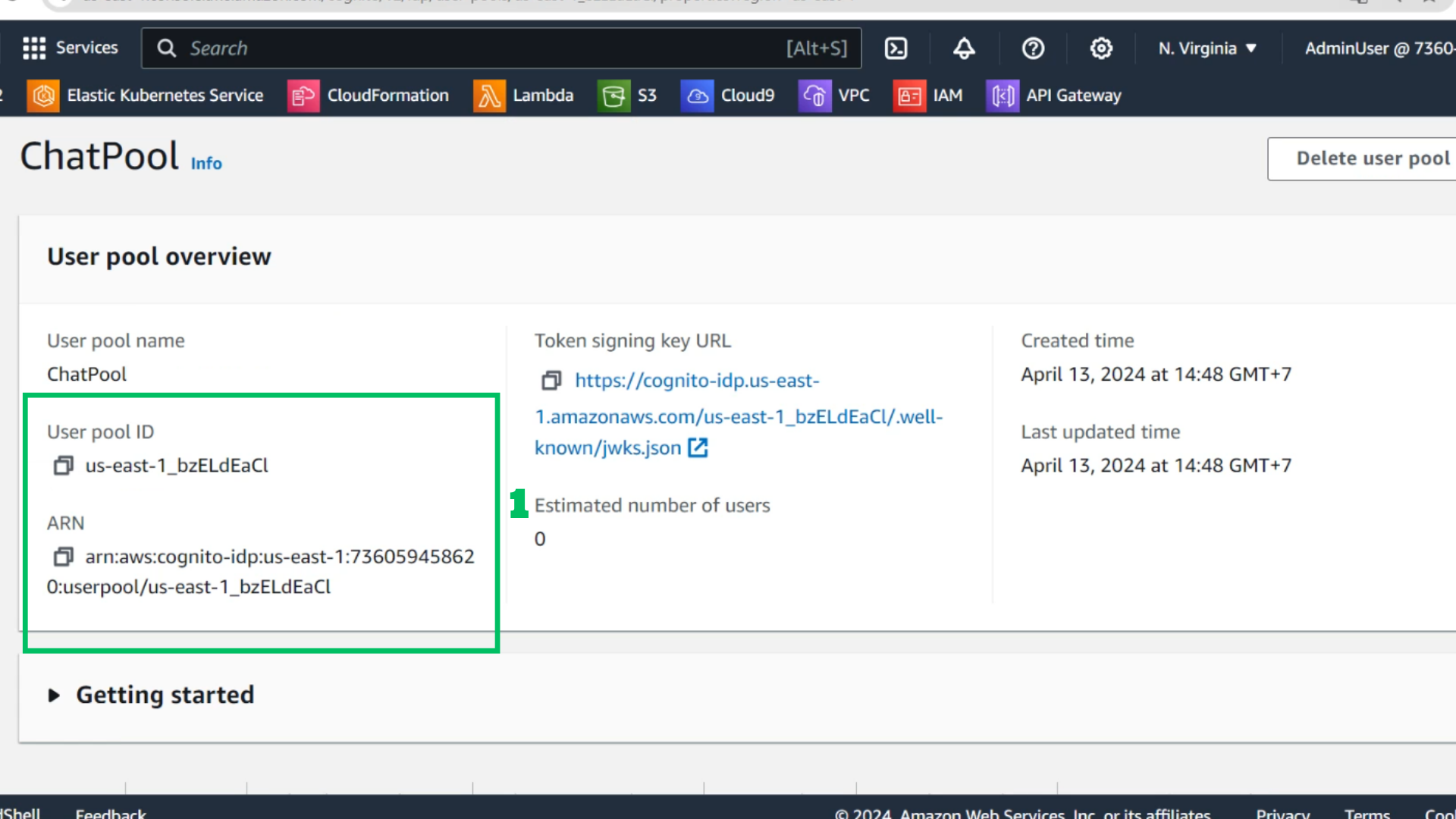
- At ChatPool
- Check User pool ID
- Check ARN
- At API interface
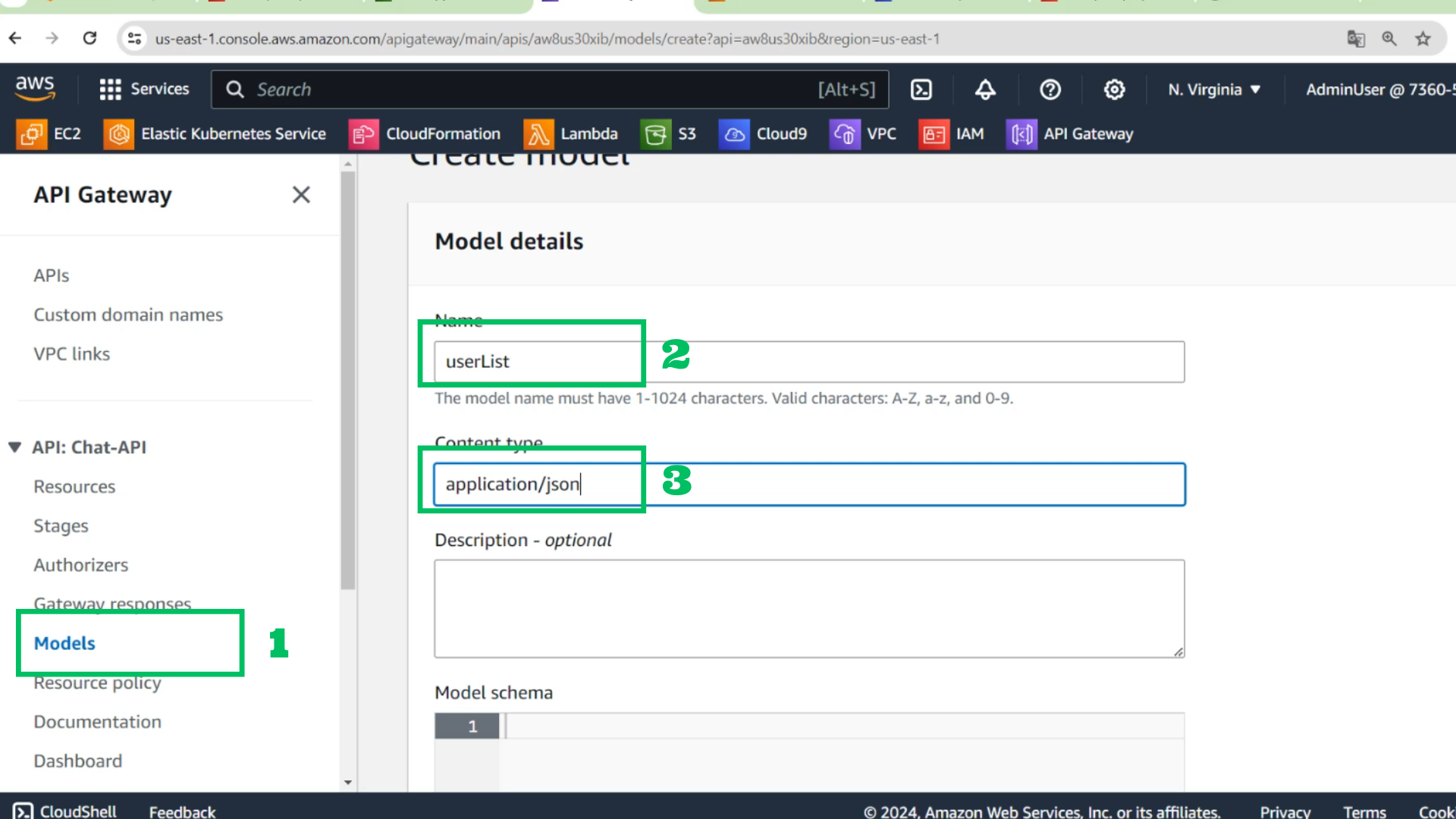
- Choose Models
- Choose create model
- Name: userList
- Content type: application/json
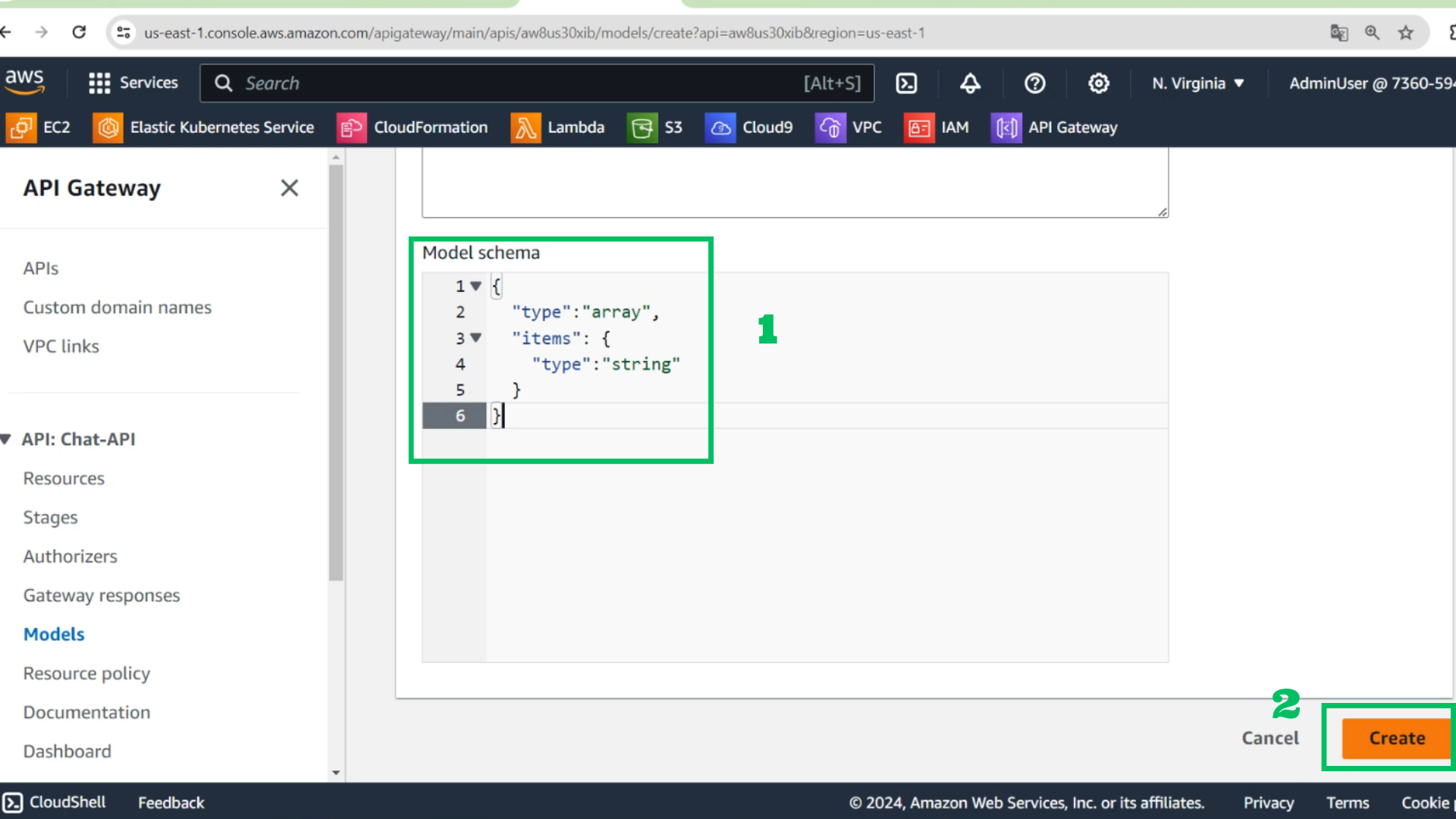
- Model schema
{
  "type":"array",
  "items": {
    "type":"string"
  }
}
- Choose Create
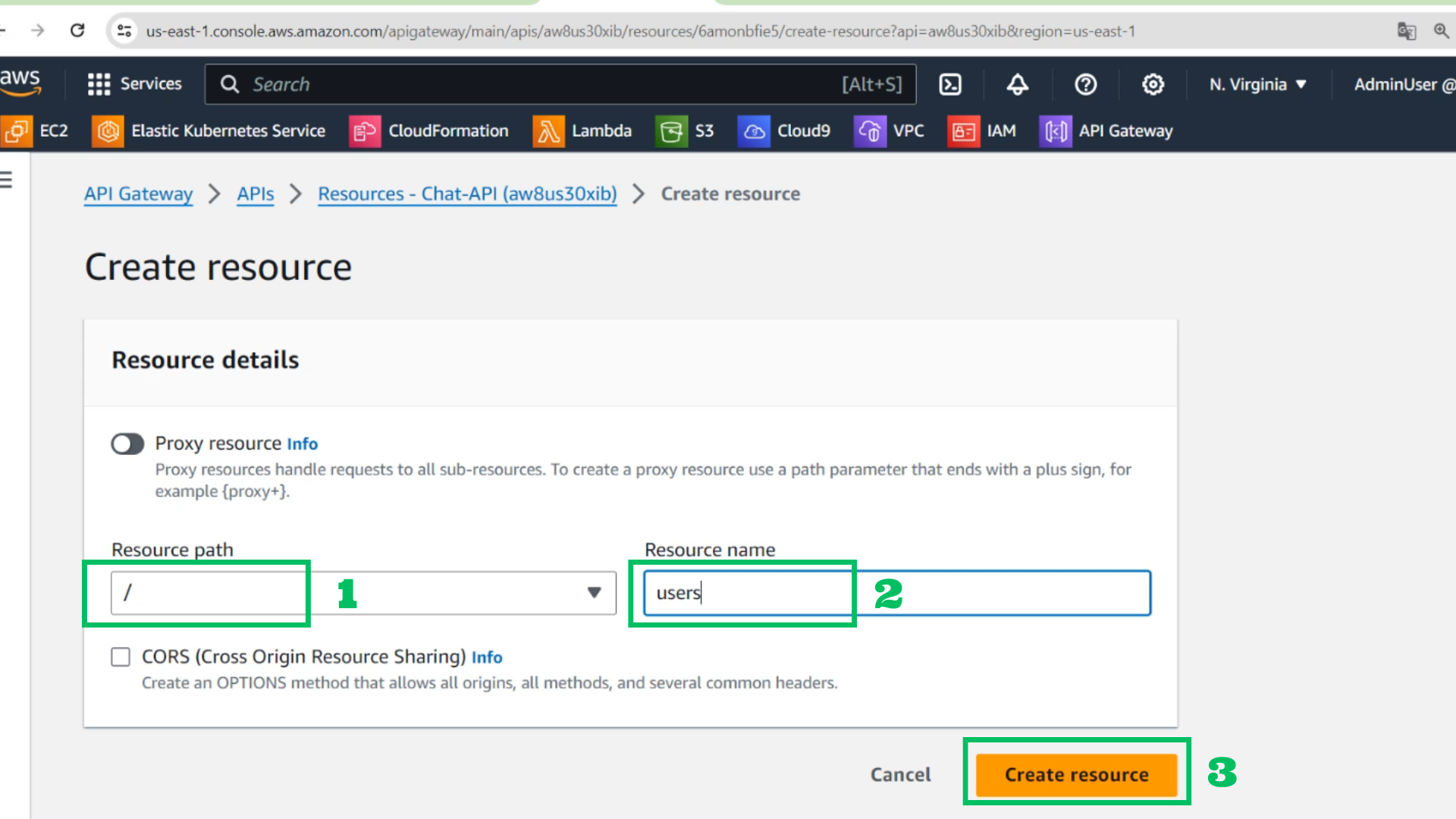
- At API interface
- Choose Create resource
- Resource path: /
- Resource name: users
- Choose Create resource
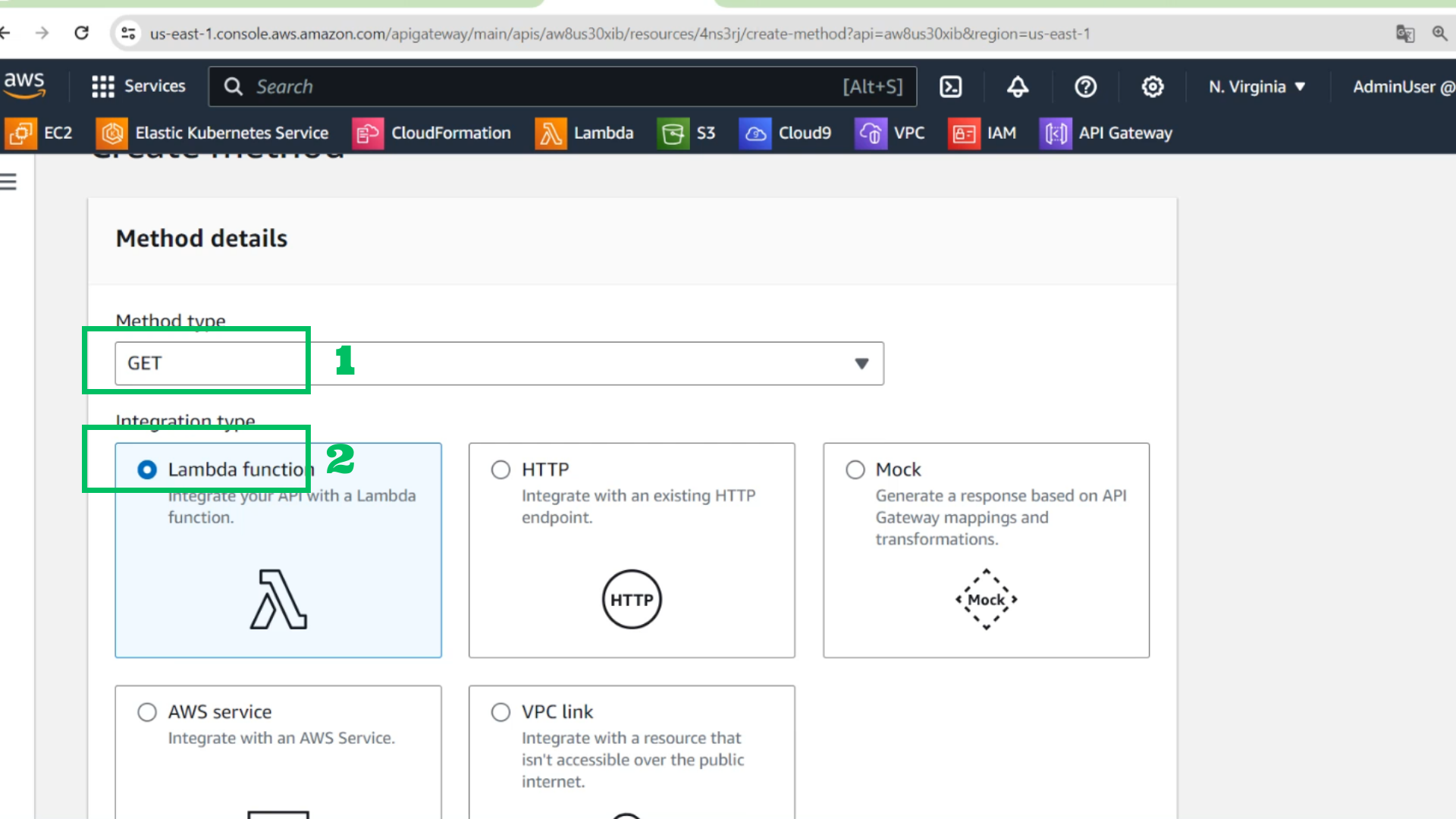
- Choose Create Method
- Method: GET
- Lambda function
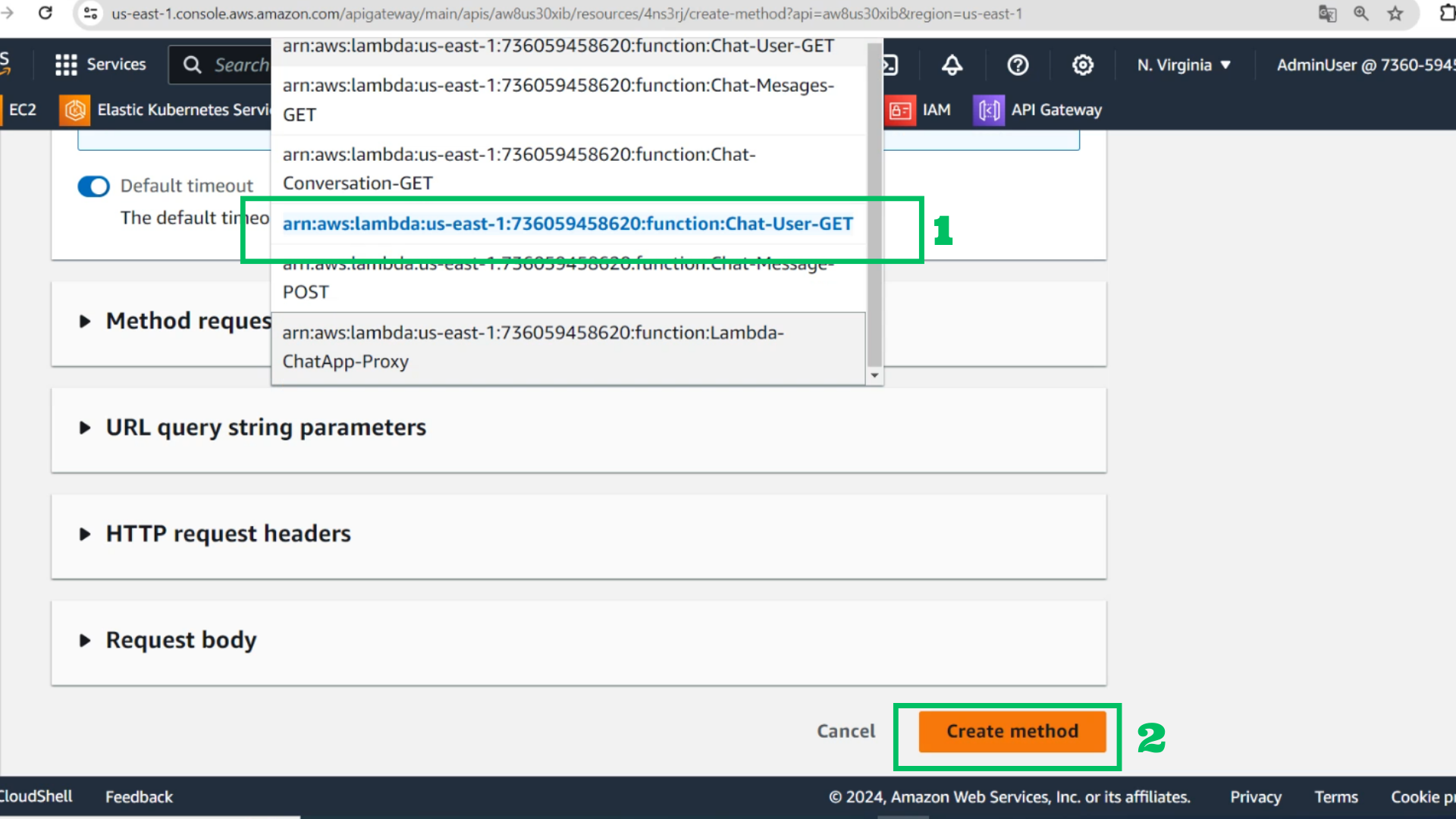
- Lambda function: Chat-User-GET
- Choose Create method
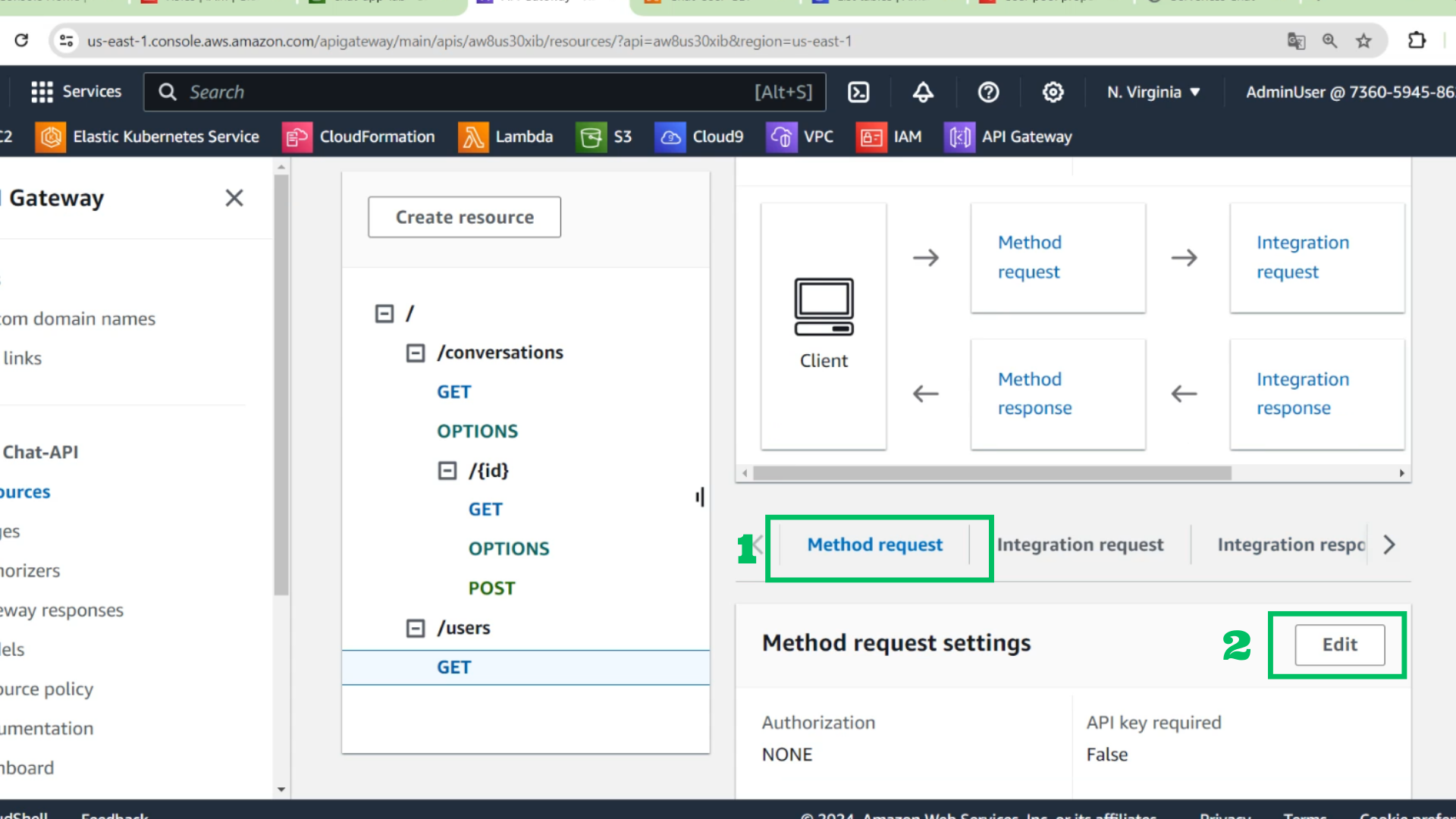
- Choose Create Method request
- Choose Edit
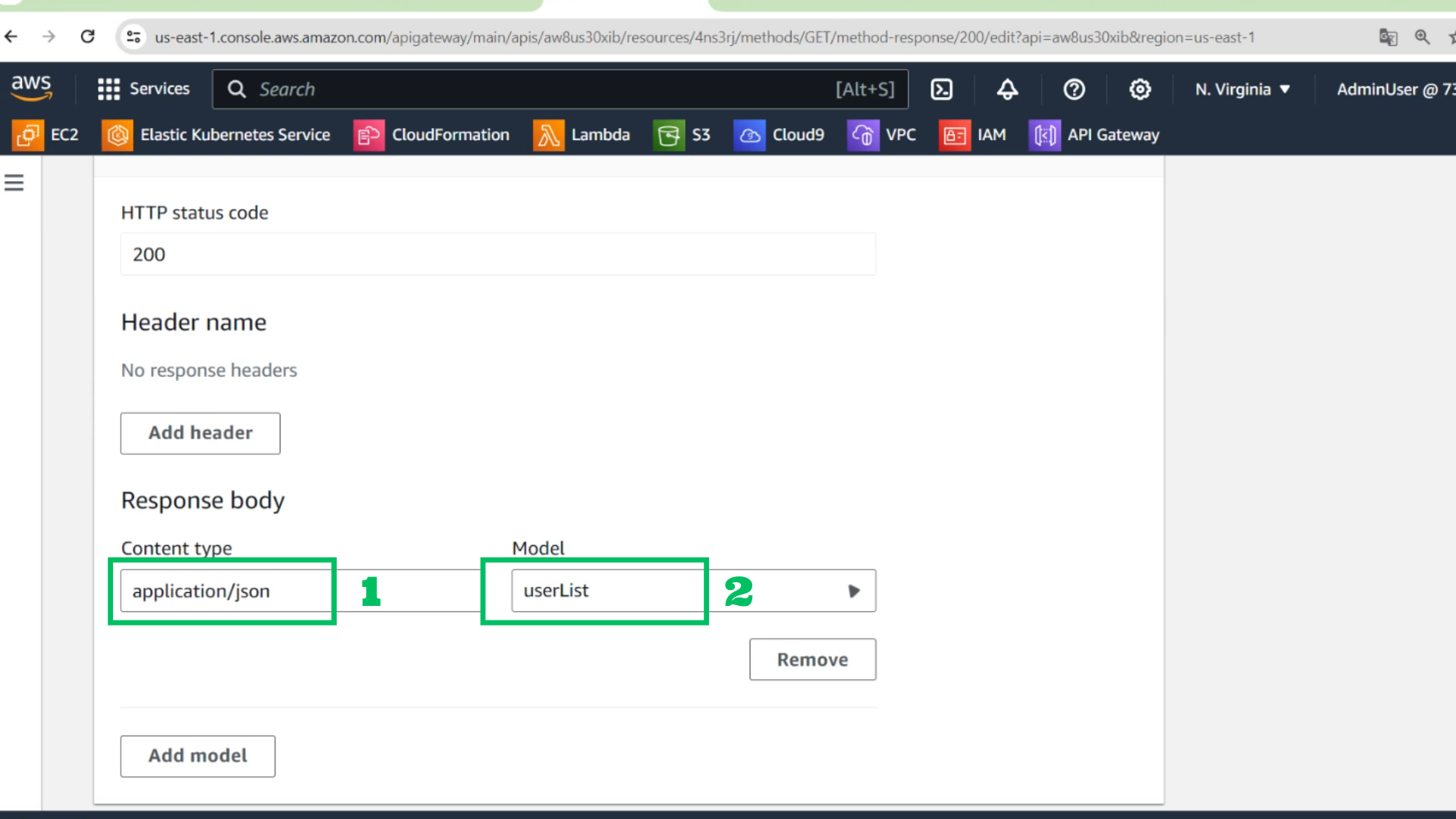
- At Response body
- Content type: application/json
- Model: userList
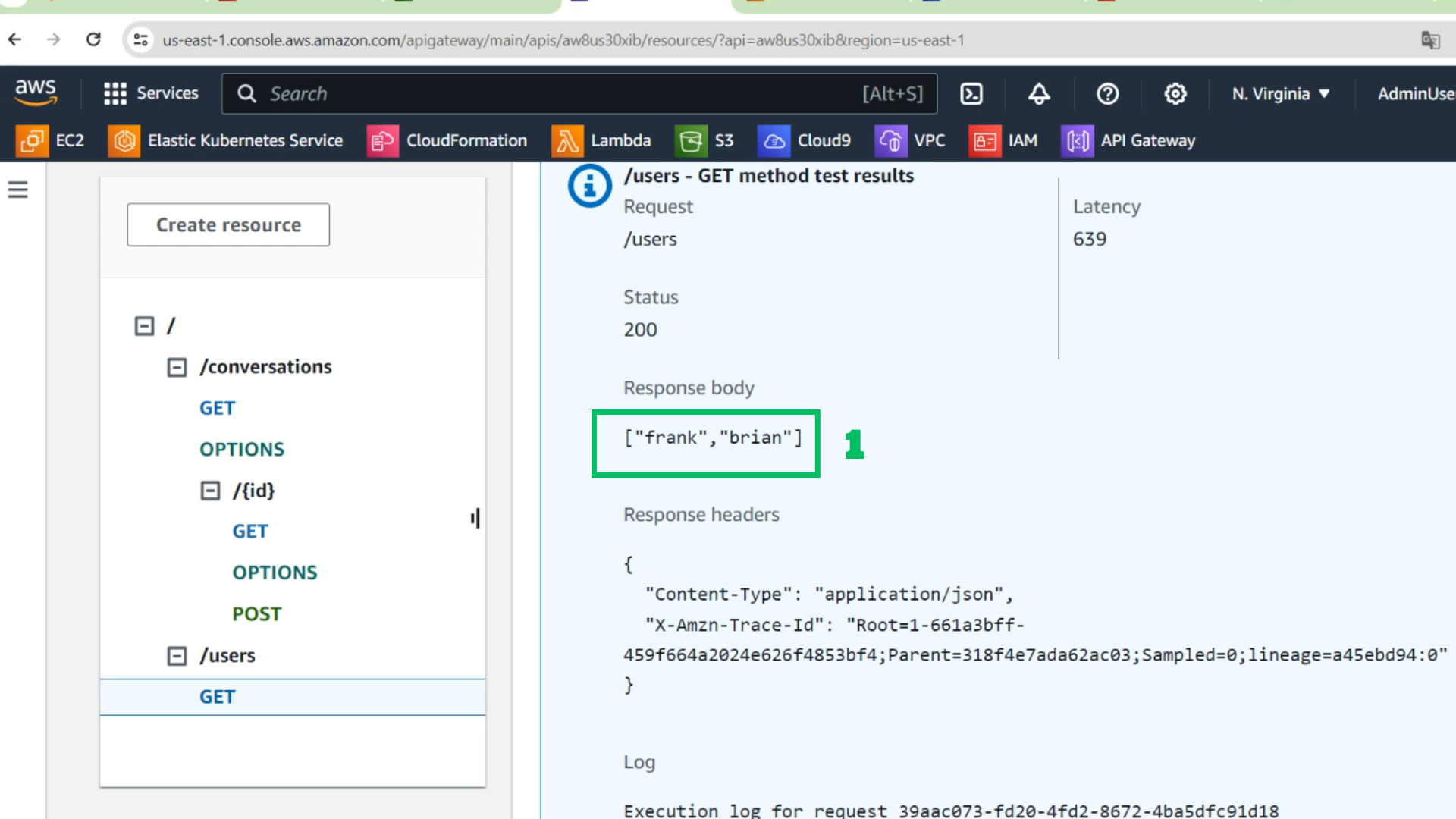
- Choose Test
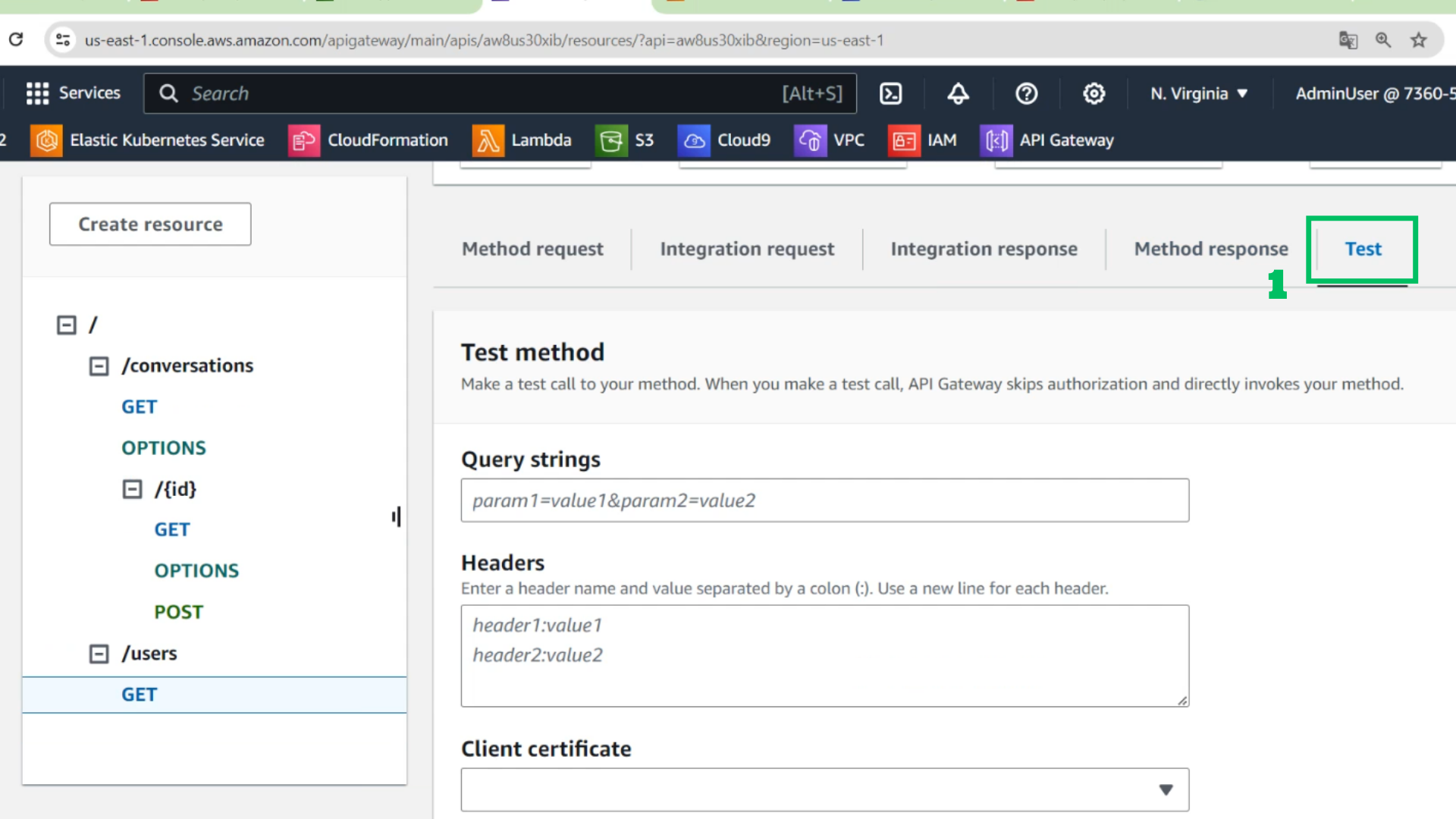
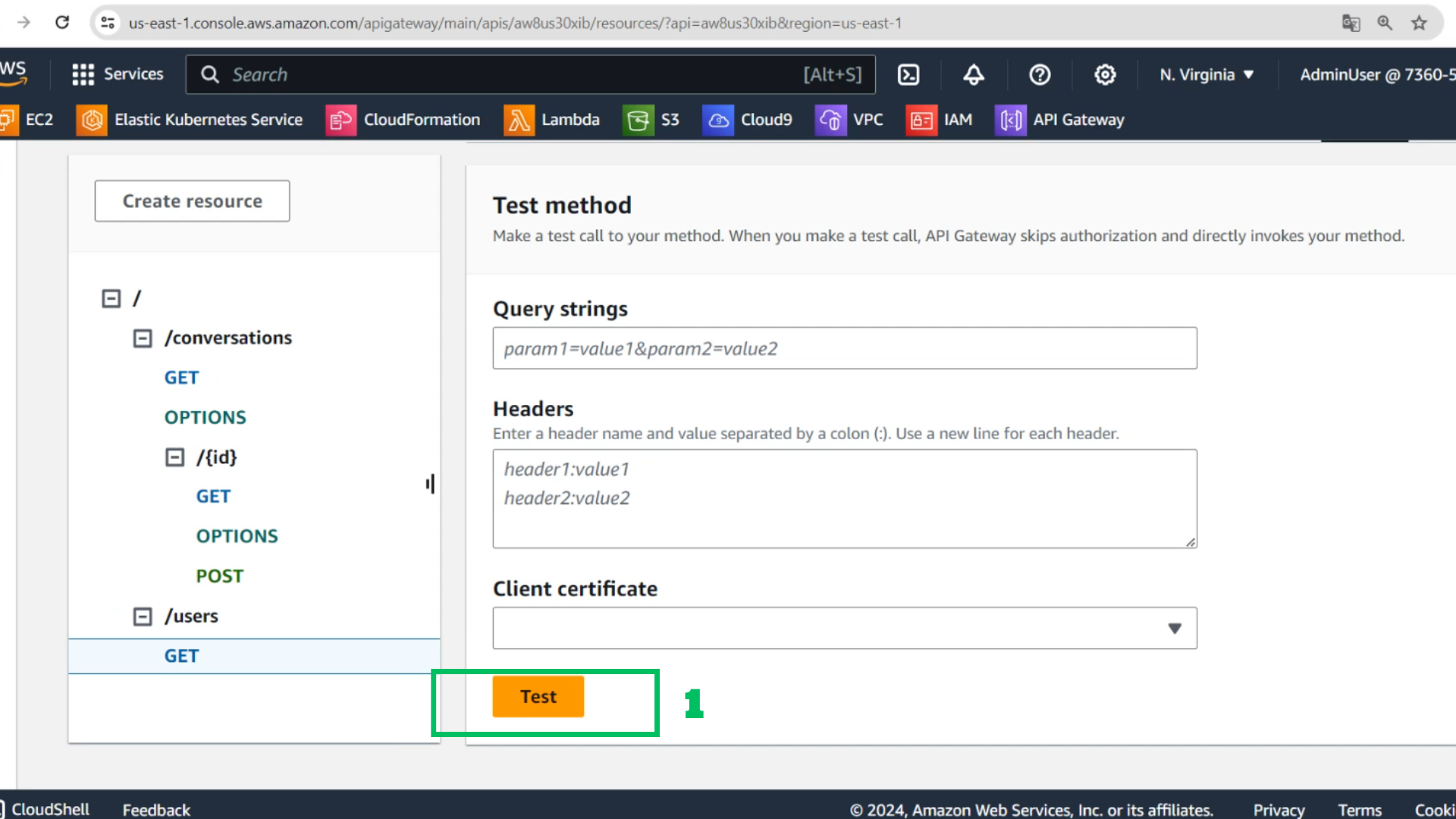
- Test
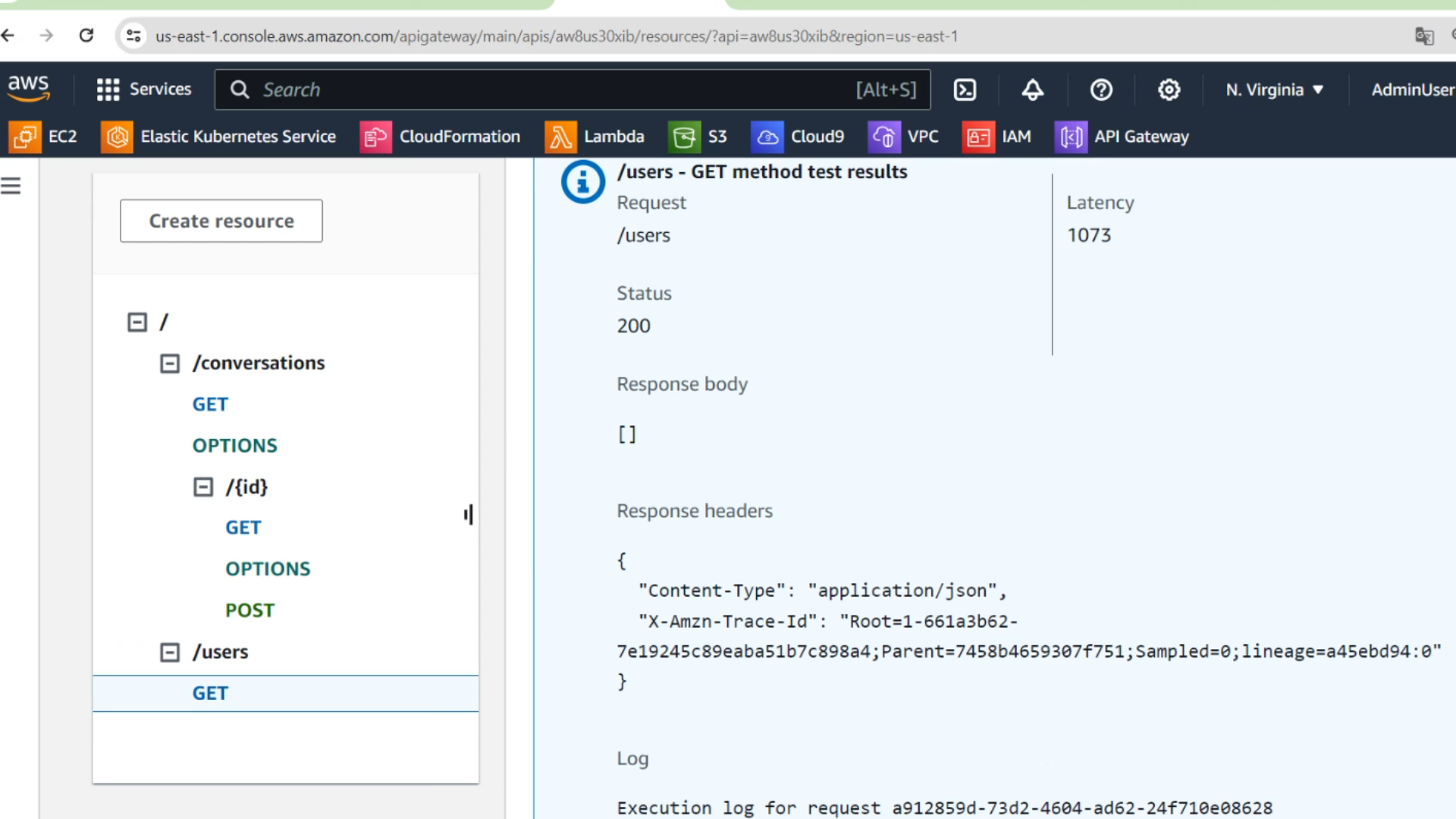
- Check the results
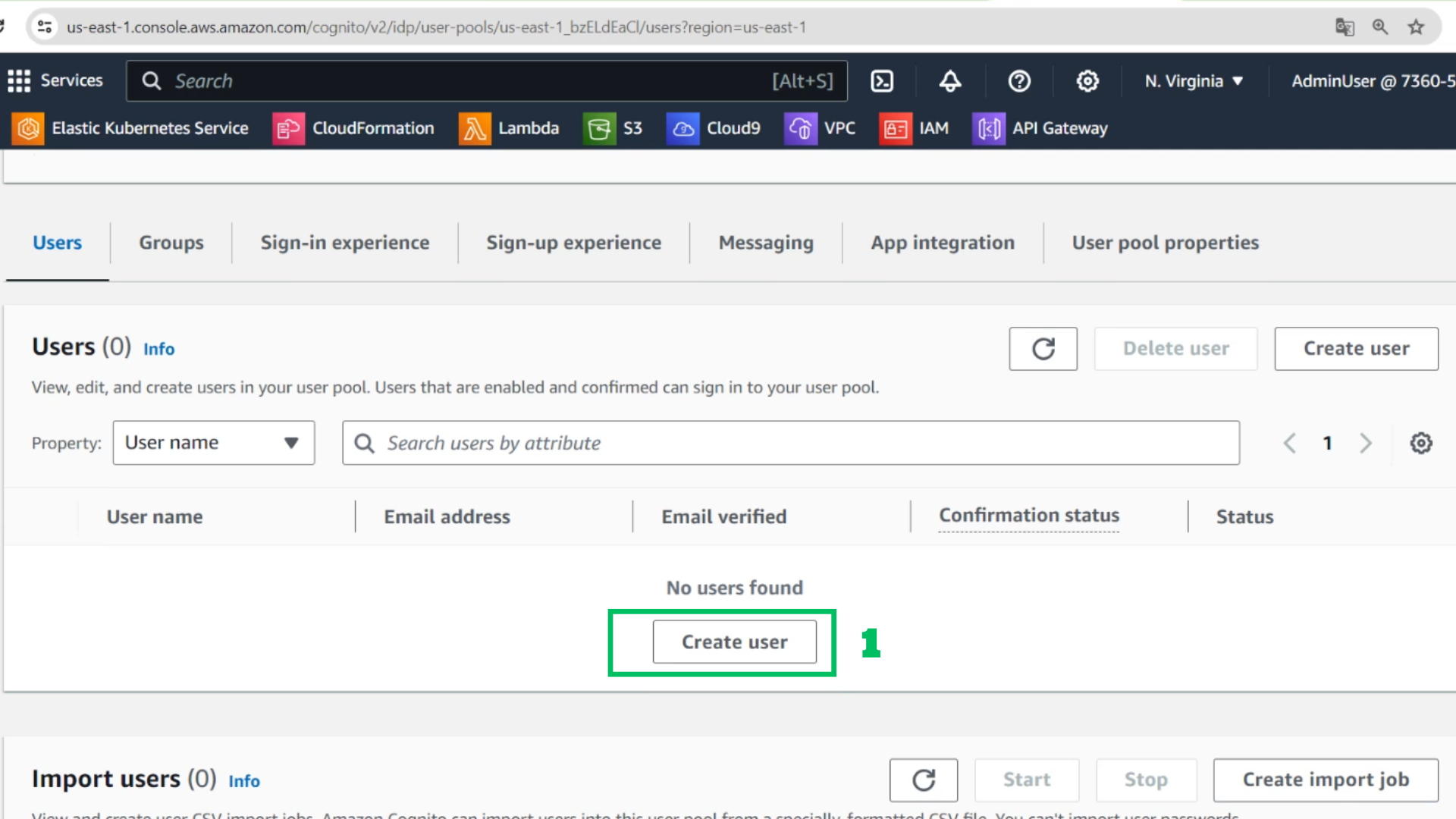
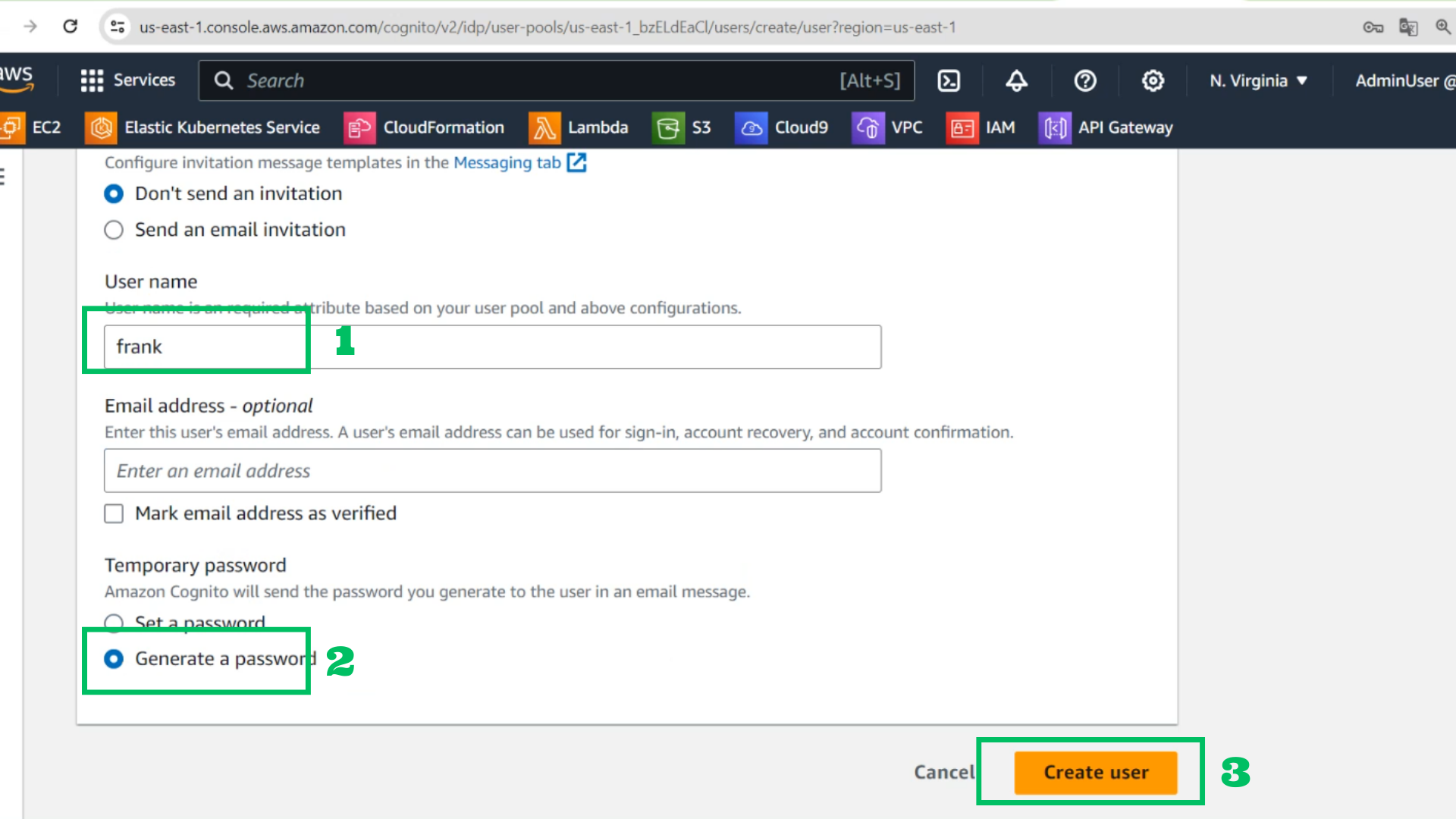
- At Users of ChatPool
- Choose Create user
- Username: frank
- Choose Generate password
- Choose Create user
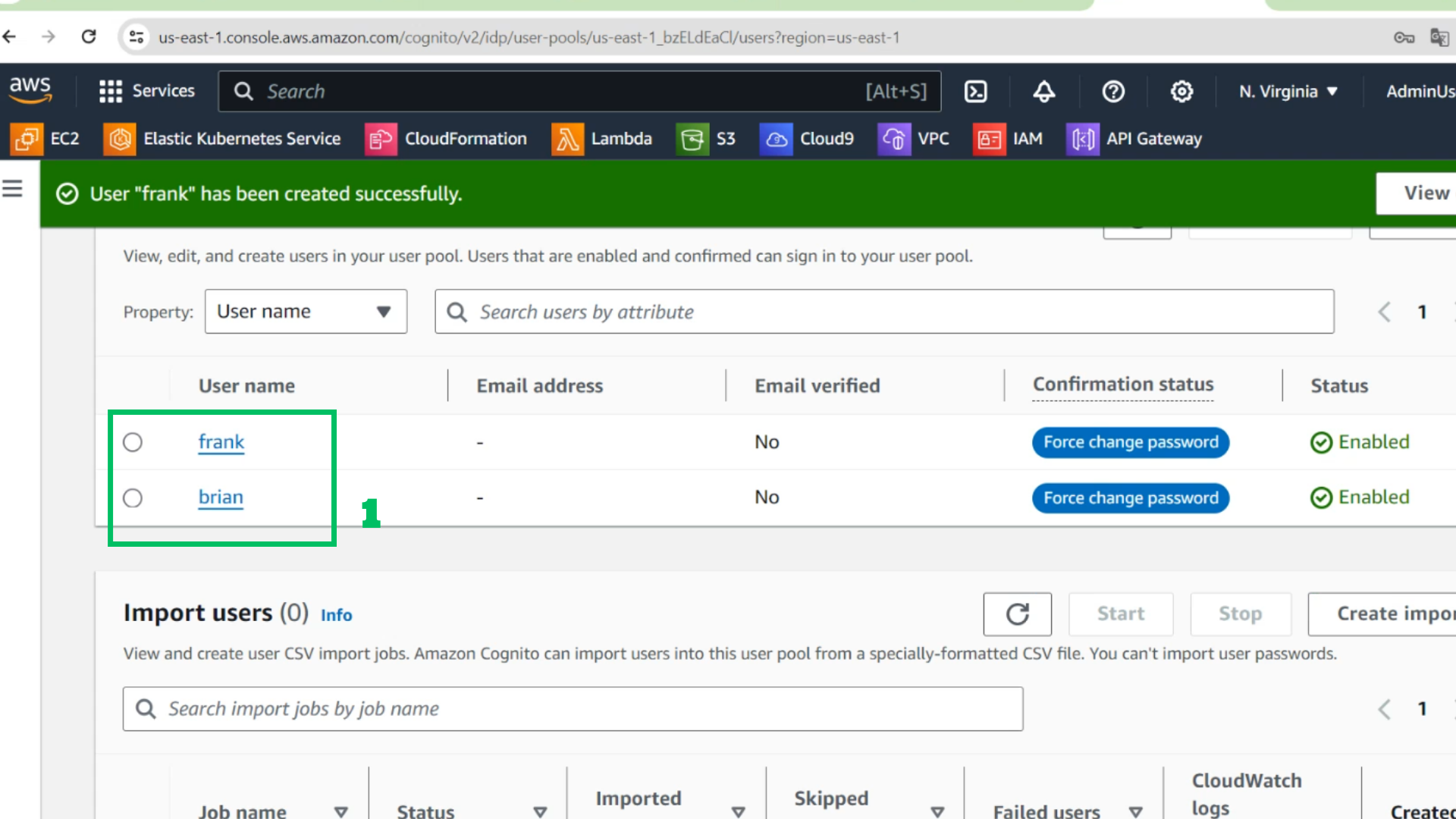
- Do the same with brian
- Username: frank
- Choose Generate password
- Choose Create user
- Test again and see the results
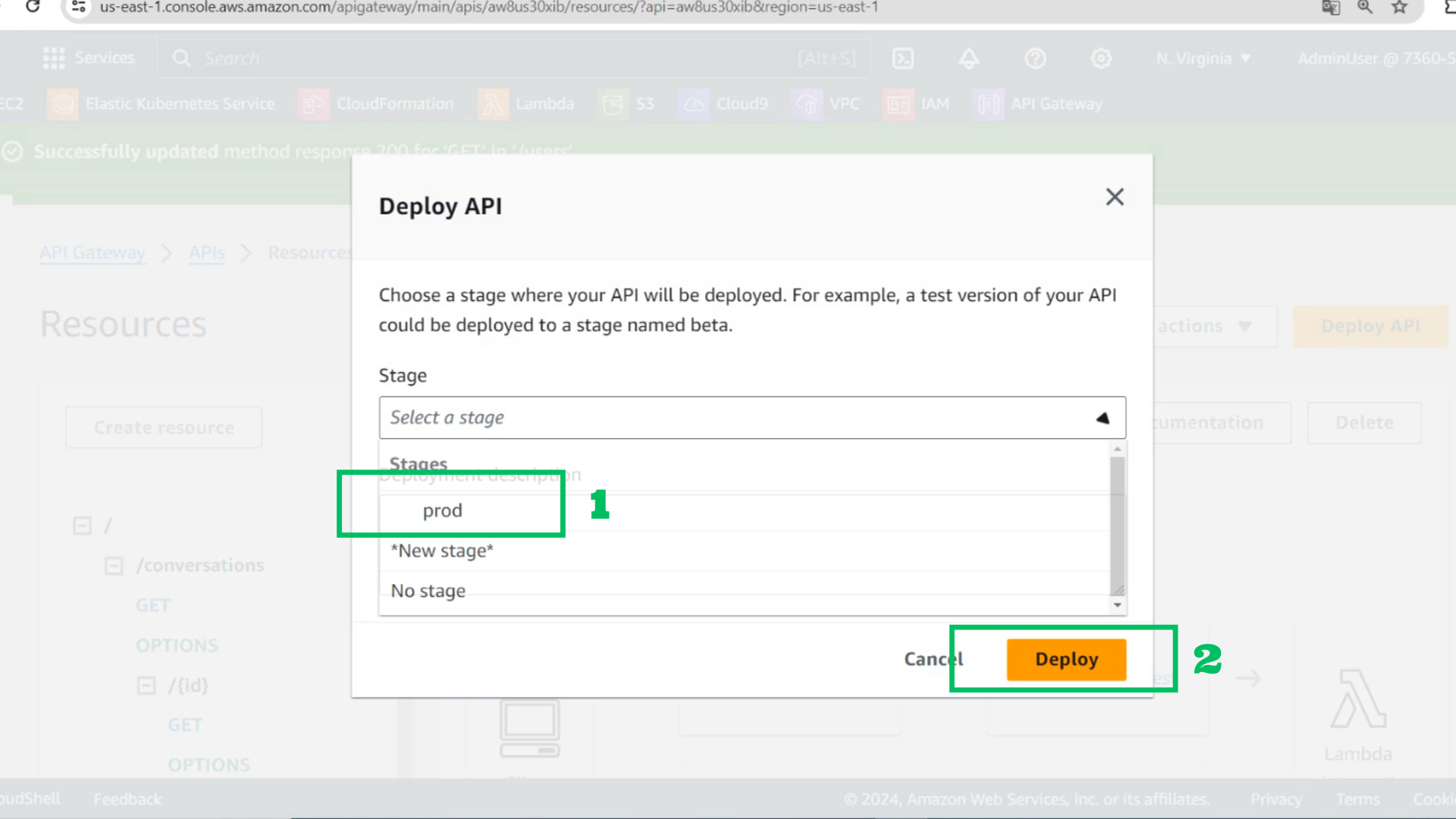
- At API Gateway interface
- Choose Deploy API
- Stages: prod
- Choose Deploy
- Copy link of prod stage
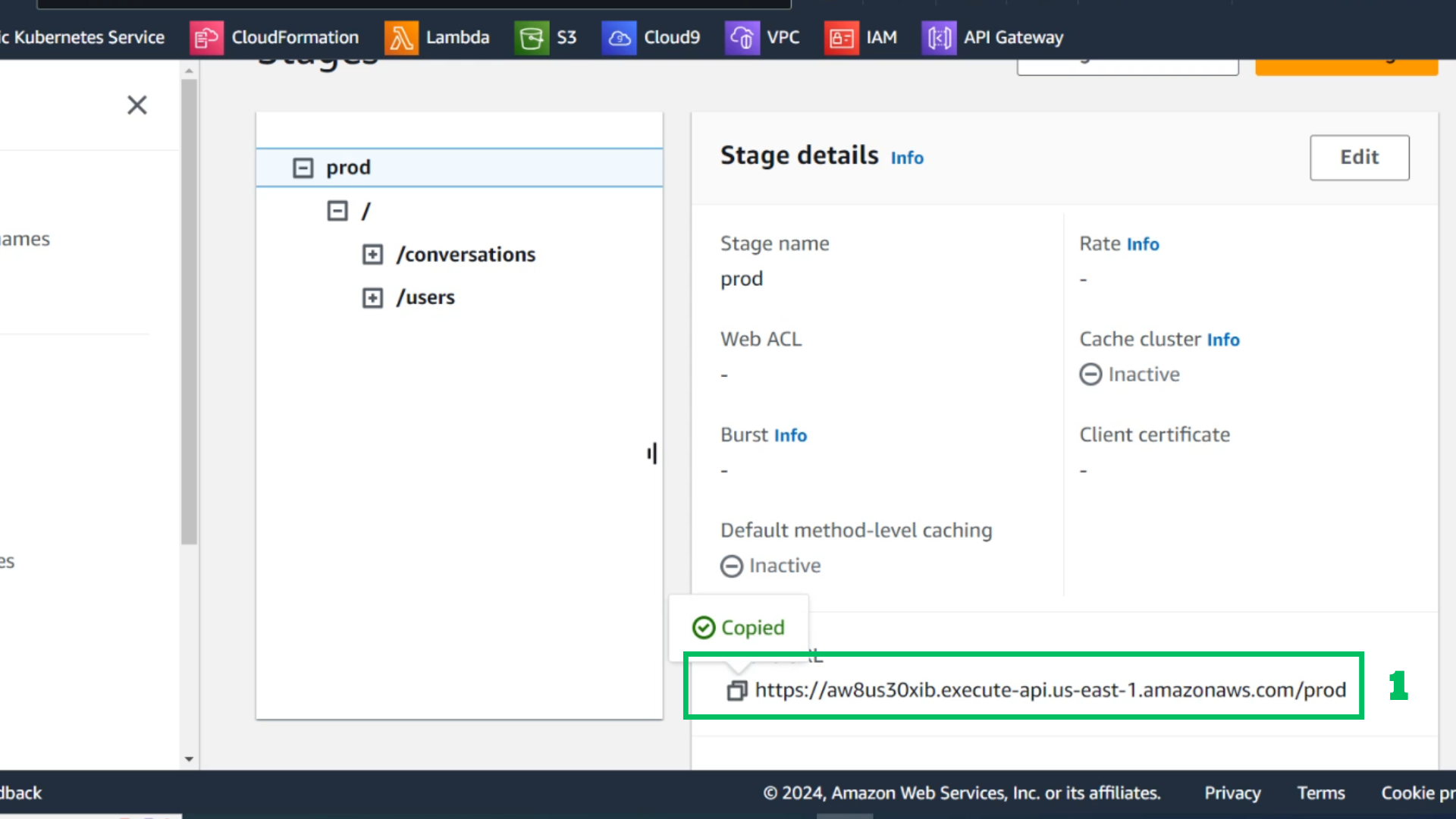
- Check with browser